
Written by

Featured Video
Table of Contents
- Technical Specifications
- OS Options and First Boot
- Trying Debian (Trixie)
- Bianbu Star 3.0 (Ubuntu 25.04 Based)
- Browsers, Video Playback, and Hardware Decoding
- Chrome / Chromium vs Firefox
- YouTube Playback
- Graphics Benchmarks: OpenGL & Vulkan on RISC-V
- glmark2 (OpenGL)
- vkmark (Vulkan)
- Thermal Performance
- Without the Fan (Heatsink Only)
- With the Fan Connected
- CPU Benchmarks: sysbench and Geekbench
- sysbench
- Geekbench
- Memory Performance
- Memory Bandwidth Test
- Tinymembench Test
- Networking: Ethernet and Wi-Fi 6
- iperf3 Test
- Power Consumption
- Storage and I/O: NVMe and USB 3.0
- NVMe (M.2 M-Key, PCIe Gen 2 ×2)
- USB 3.0 Ports
- UEFI Support
- So, Where Does RISC-V Stand Today (Considering This Board)?
In this article, I want to walk you through my actual hands-on experience using a RISC-V single-board computer: the Muse Pi Pro, built around Spacemit’s K1 SoC packaged into their M1 module.
I’ll focus on how it feels to use, what works well, where it falls short, and whether I’d use it day-to-day.
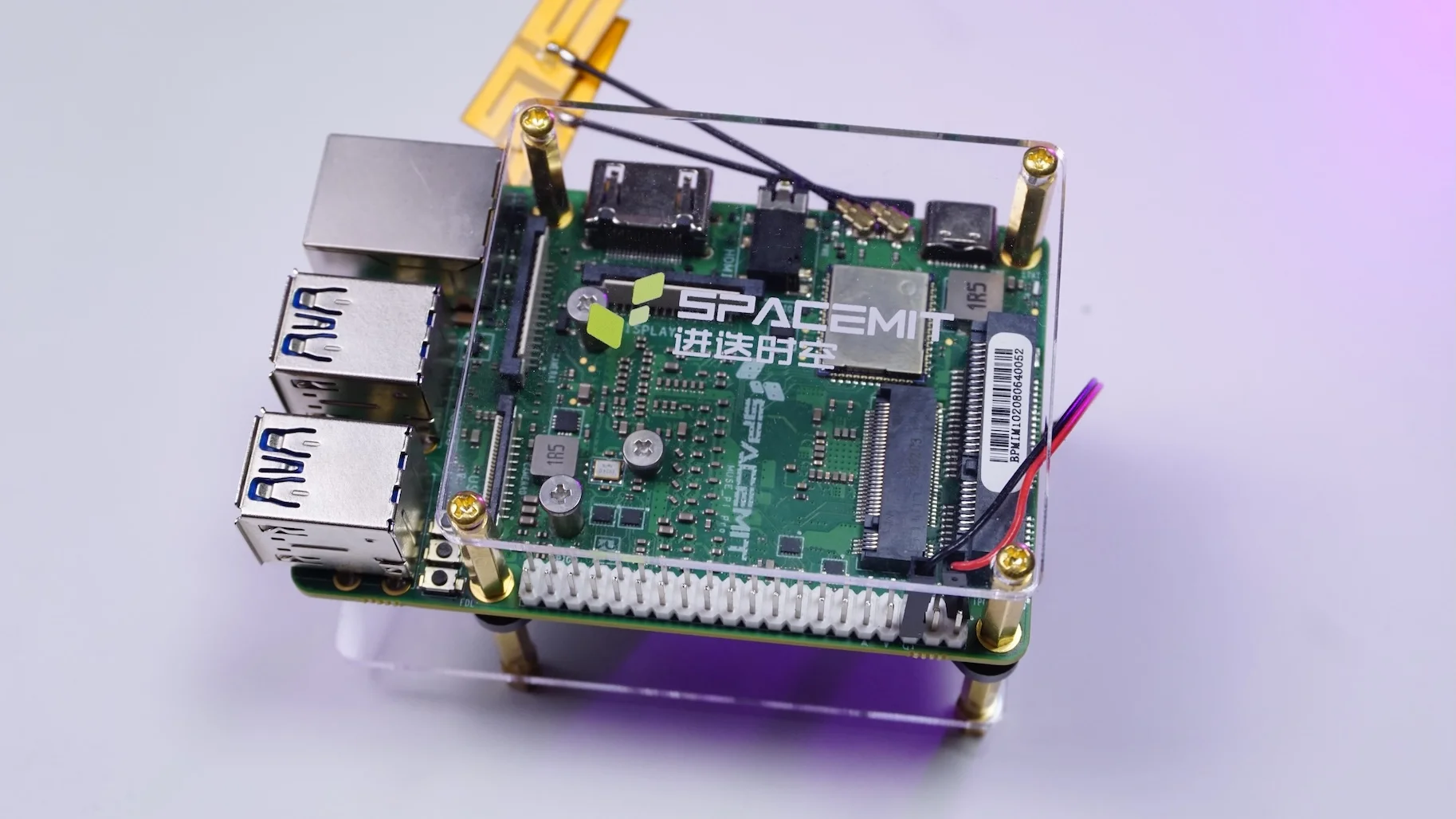
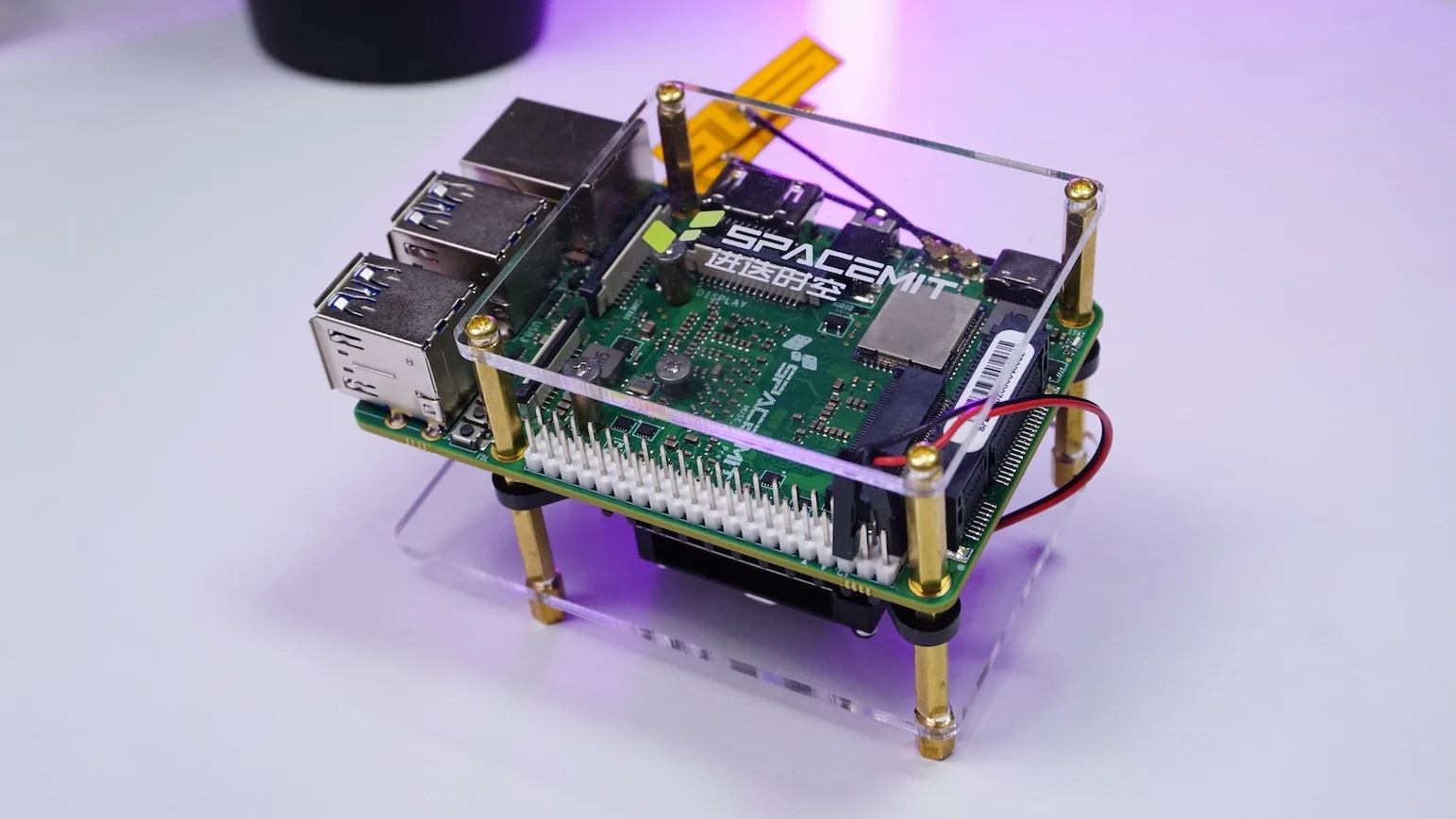
The Muse Pi Pro isn’t just a bare board thrown together; it’s a fairly feature-rich SBC based on a 64-bit RISC-V octa-core CPU running at 1.6 GHz.
Technical Specifications
Muse Pi Pro:
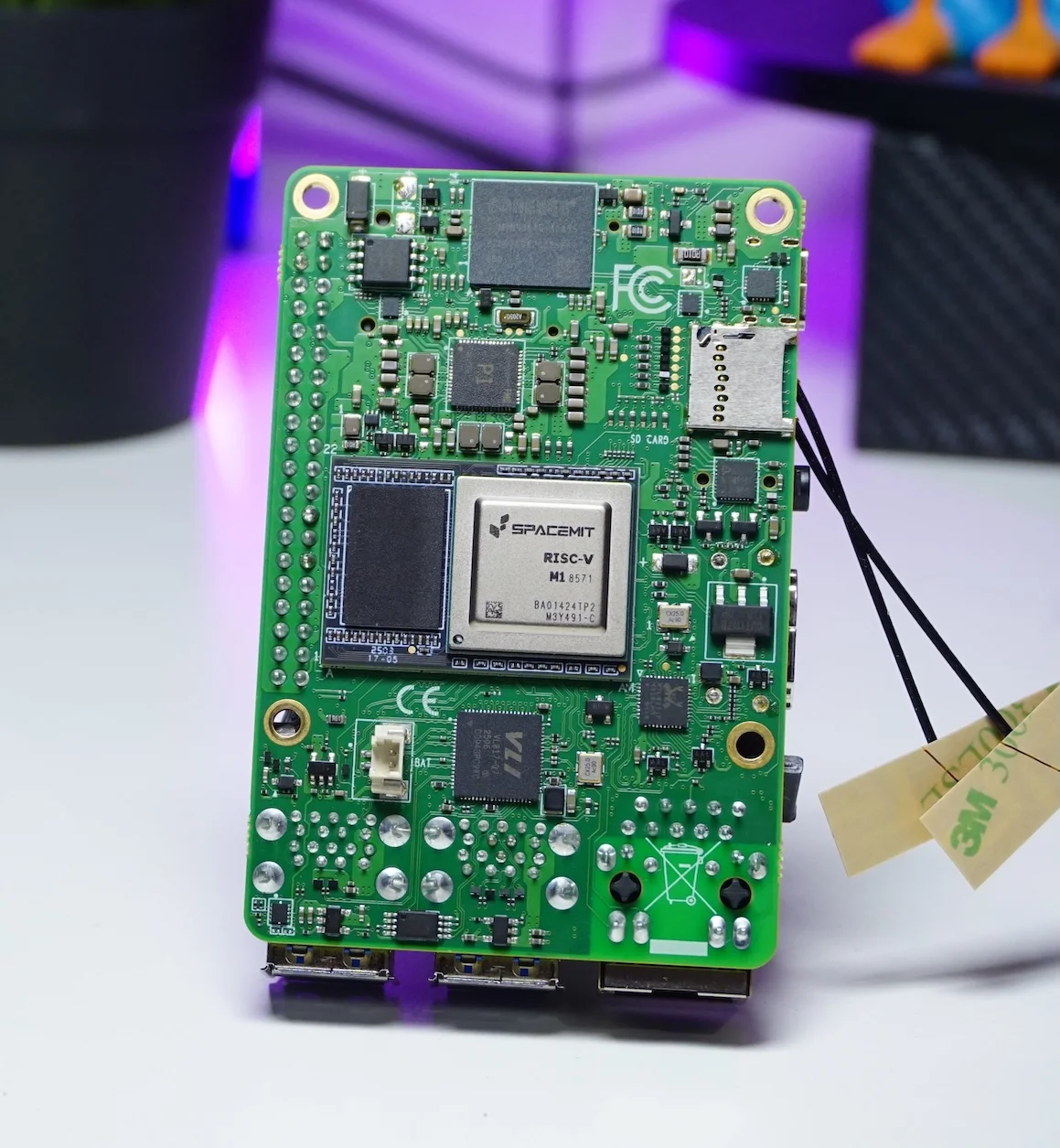
OS Options and First Boot
When I first powered on the board, it booted straight into the setup for Bianbu Star OS.
Spacemit provides a few OS options for the Muse Pi Pro:
- Bianbu OS – a RISC-V-optimized OS built on Ubuntu community sources. link
- Bianbu Star – built on top of Bianbu OS, more polished for user interaction and desktop usage. link
- Fedora – available via Fedora-V Force Images. link
- Debian – build by SpacemiT. link
- Deepin – link
Trying Debian (Trixie)
I started with the Debian Trixie image. On paper, that sounded great – a modern Debian on RISC-V.
In reality:
- Booting to the setup screen took a very long time.
- Launching applications like Chrome felt painfully slow.
- Overall, it just didn’t feel optimized for this hardware yet.
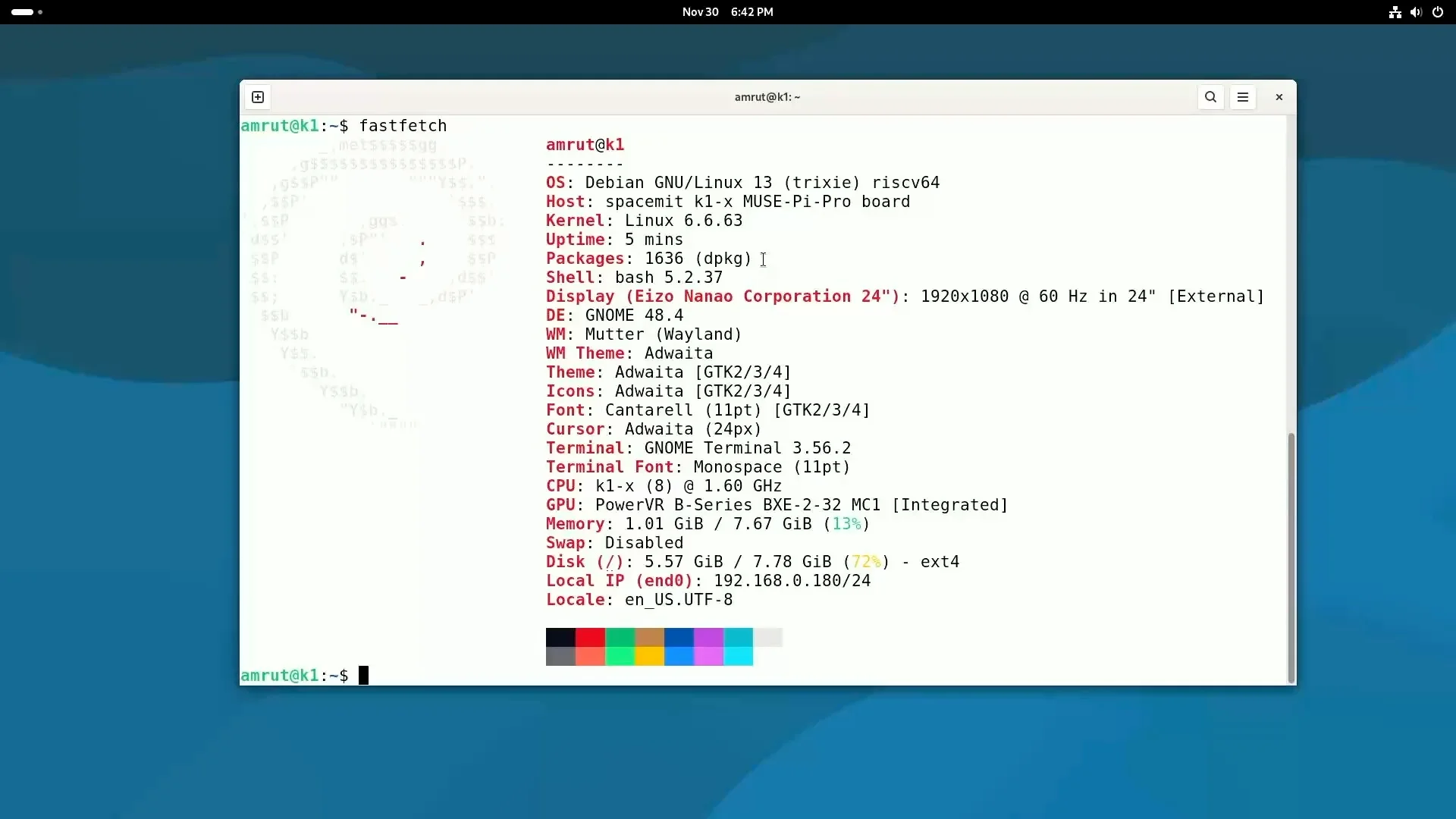
Because of that, I ended up abandoning Debian for now and went back to Bianbu Star.
Bianbu Star 3.0 (Ubuntu 25.04 Based)
I flashed Bianbu Star 3.0 (beta) next. This is based on Ubuntu 25.04 “Plucky”, and it felt immediately more responsive:
- Boot time was much faster.
- The desktop environment felt more polished.
- Apps opened in a reasonable amount of time.
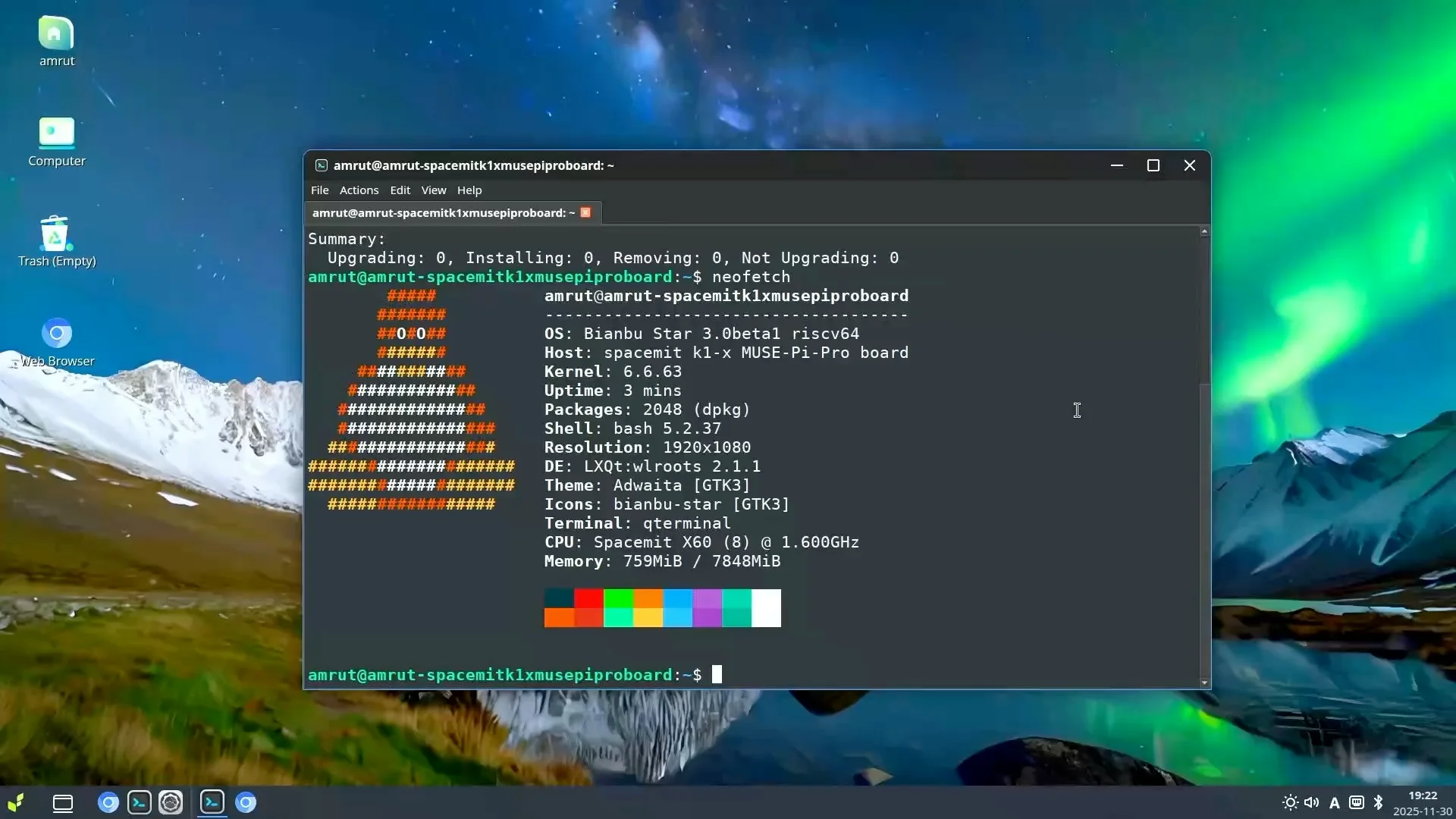
So for the rest of my testing, I used Bianbu Star 3.0 beta OS.
Browsers, Video Playback, and Hardware Decoding
One of my first tests was simple: web browsing.
Chrome / Chromium vs Firefox
When I tried Chrome, the system told me it was pretty old, even after attempting updates. I found a Reddit post mentioning that Firefox is available for this platform, so I installed it. Firefox worked, but it did not use hardware acceleration for video decoding in my setup.
On the other hand, Chromium did use hardware video decoding, which is important for smoother playback on a low-power device like this.
YouTube Playback
I tested YouTube in Chromium:
- 1080p video
- Played quite well, just a few dropped frames now and then.
- Overall, definitely watchable.
- 4K video
- The frames kept dropping.
- Playback became choppy and not enjoyable.
Graphics Benchmarks: OpenGL & Vulkan on RISC-V
I was actually curious how far GPU support has come on RISC-V, so I ran a couple of graphics benchmarks.
glmark2 (OpenGL)
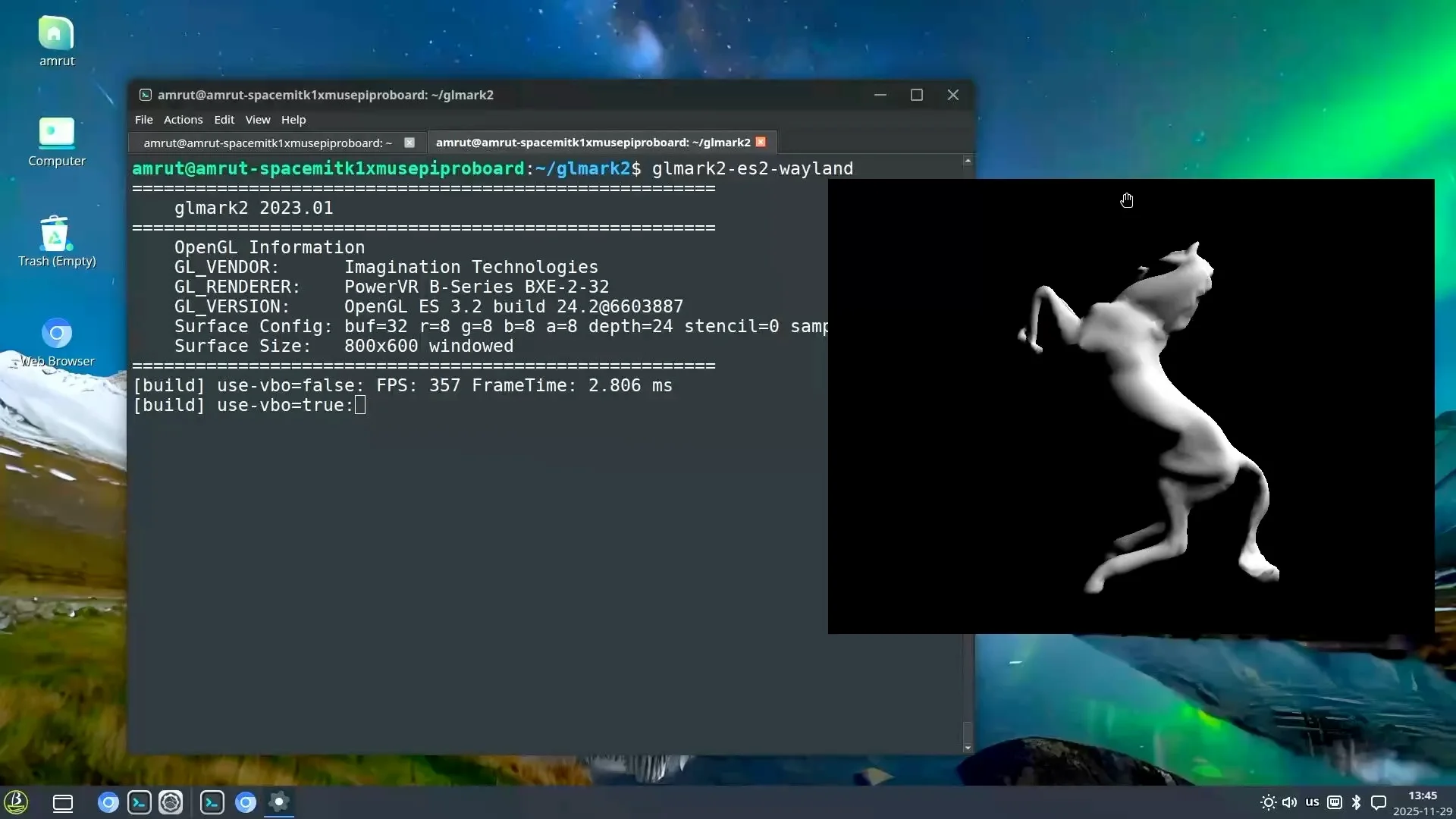
First, I built glmark2 for Wayland and ran the test.
The result:
- glmark2 score: 499
vkmark (Vulkan)
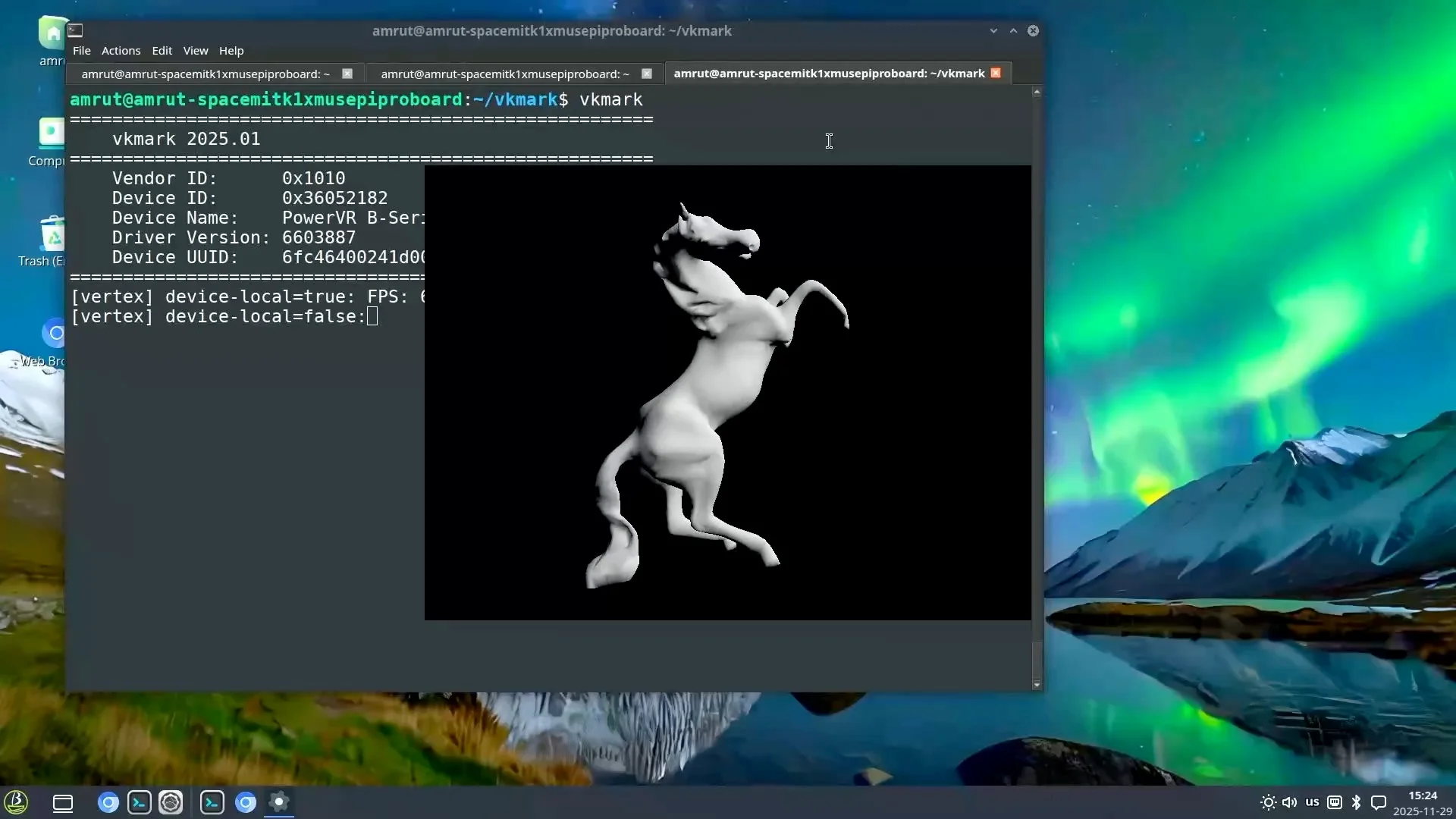
Next, I compiled and ran vkmark to check Vulkan support.
The result:
- vkmark score: 650
This actually surprised me in a good way. Seeing both OpenGL and Vulkan working on a RISC-V SBC is a sign that the software ecosystem is moving forward.
Thermal Performance
Without the Fan (Heatsink Only)
- Idle temperature: ~40°C
- After 5 minutes of stress testing: ~52°C
Even with just the heatsink and no fan, those numbers are very reasonable.
With the Fan Connected
- Idle temperature: ~33°C
- After 5 minutes of stress testing: up to ~42°C, but no higher
So the fan dropped both idle and load temperatures significantly.
Even though the board is fine without active cooling, I decided to keep the fan on for the rest of my tests to keep things stable.
CPU Benchmarks: sysbench and Geekbench
To get a rough feel for CPU performance, I ran a few common benchmarks.
sysbench
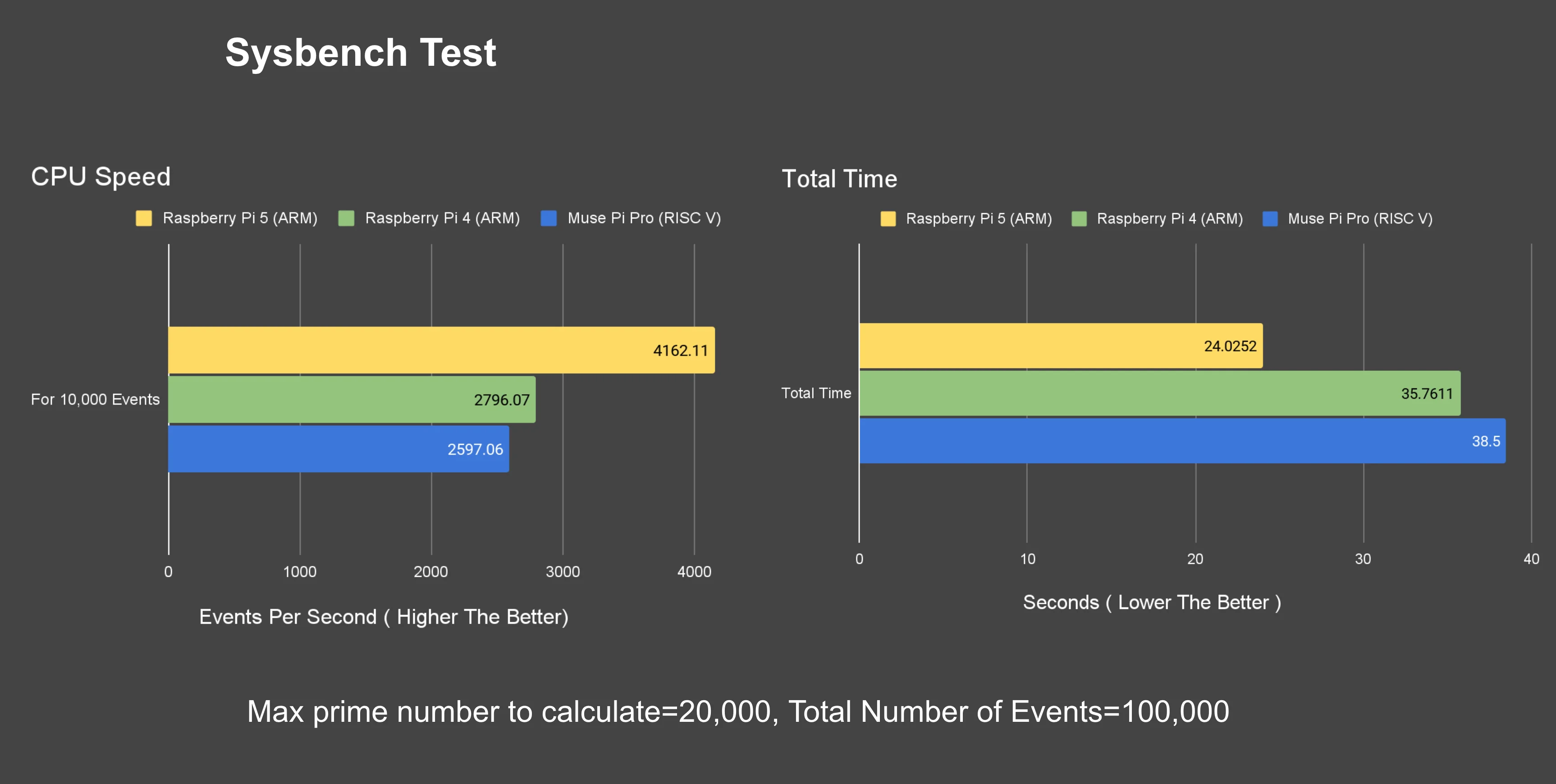
I used sysbench to calculate prime numbers up to 20,000, with 100,000 requests.
- The board completed the test in about 38 seconds.
- It processed roughly 2,600 requests per second.
Geekbench
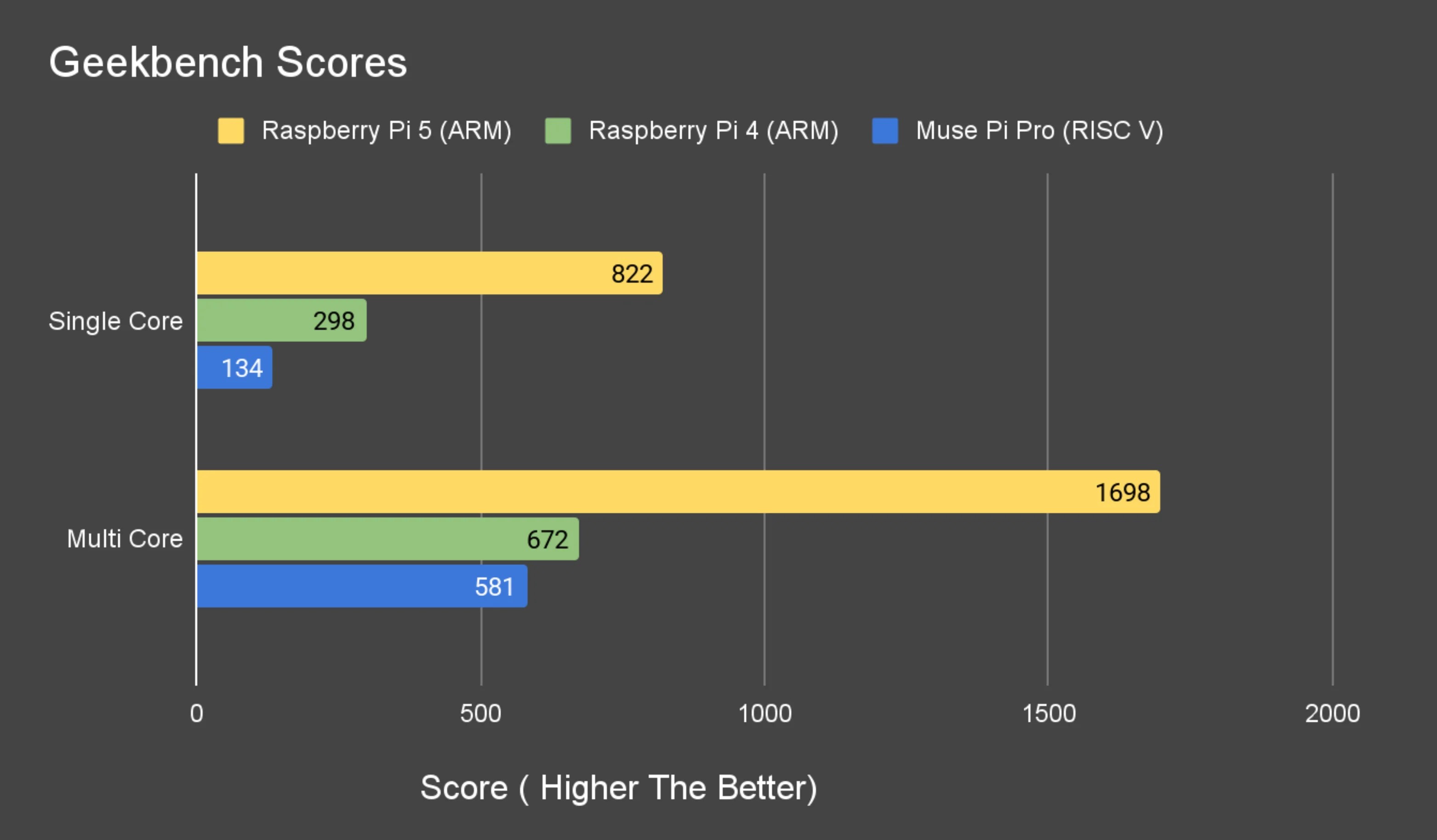
I also ran Geekbench using the build compiled for RISC-V.
Scores :
- Single Core : 134
- Multi Core : 581
Memory Performance
Memory Bandwidth Test
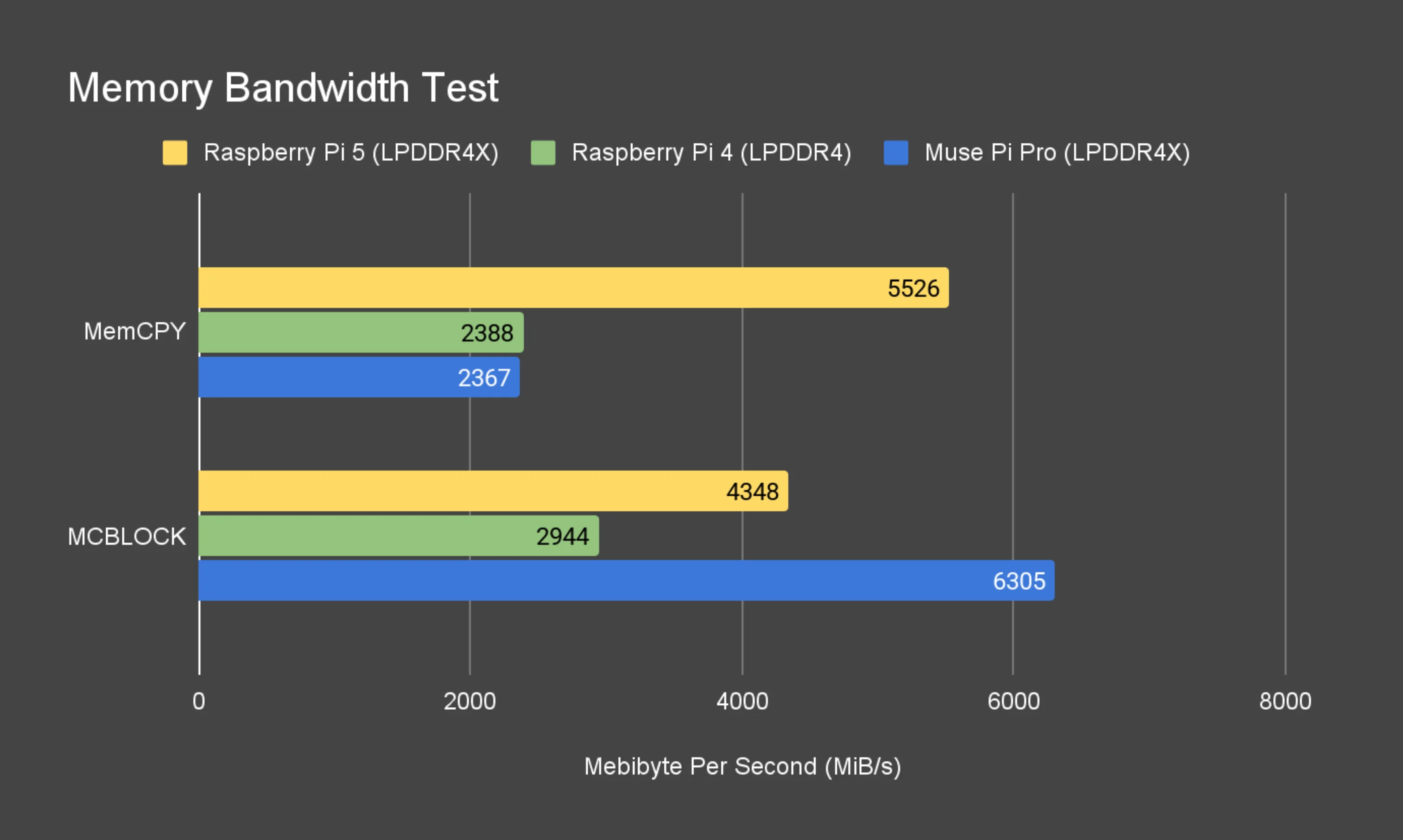
For the memory bandwidth test, I saw:
- Around 2300 MiB/s for overall memory bandwidth
- Around 6300 MiB/s for block copy of 1 KiB blocks
Tinymembench Test
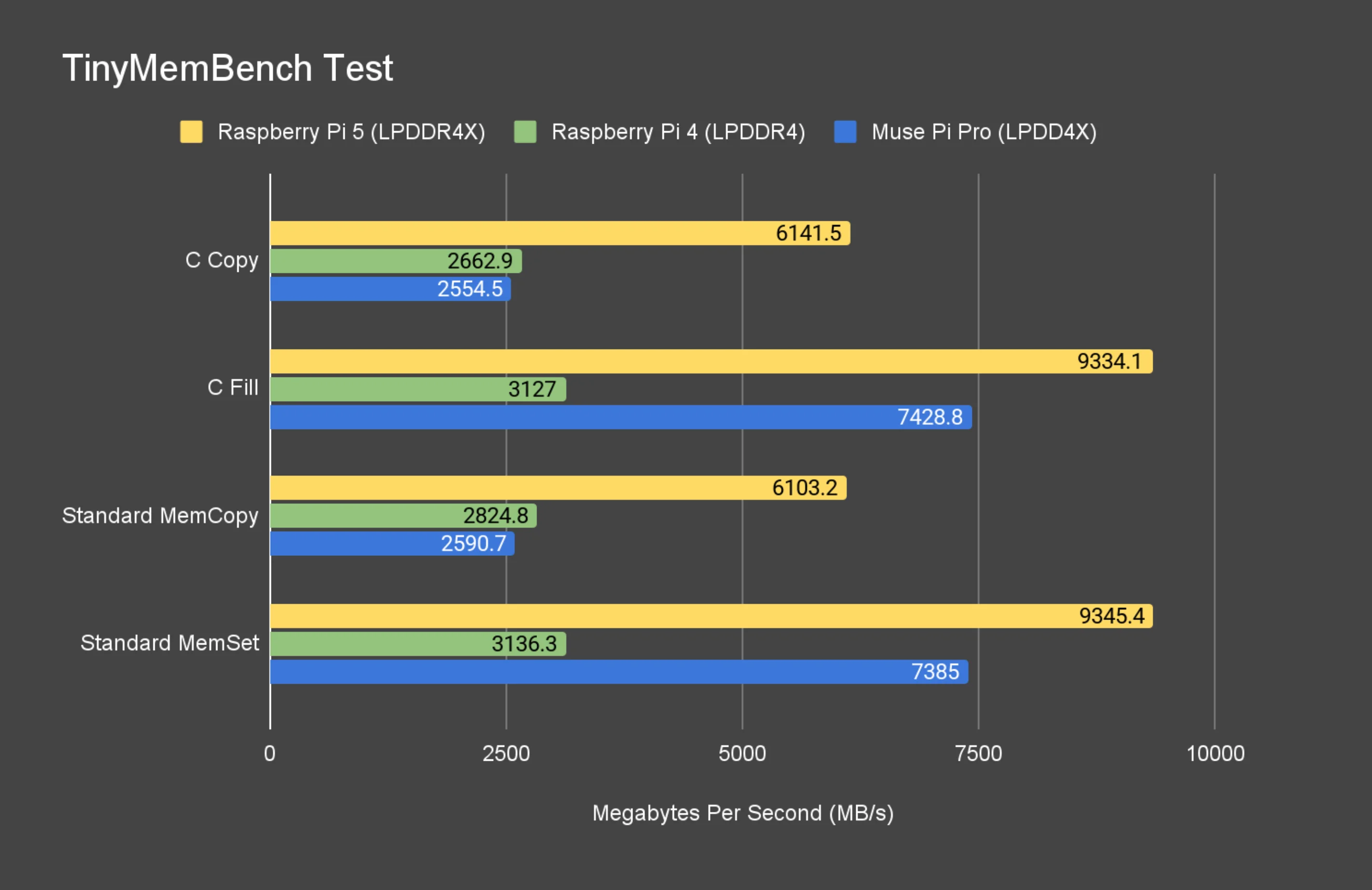
Running tinymembench test output:
- C Copy : 2554.5 MB/s
- C fill : 7428.8 MB/s
- Standard MemCOPY : 2590.7 MB/s
- Standard MemSet : 7385 MB/s
Networking: Ethernet and Wi-Fi 6
iperf3 Test
- Ethernet :935 Mbit/s
- Wifi 6 :820 Mbit/s
Power Consumption
Power consumption is a big deal for small boards, especially if you’re running them 24/7.
Here’s what I observed (without the fan plugged in):
- Idle : ~3.3 W
- At Peak load : 8.5 W.
The board was drawing 12 V from the USB-C PD power supply, not 5 V.
Storage and I/O: NVMe and USB 3.0
NVMe (M.2 M-Key, PCIe Gen 2 ×2)
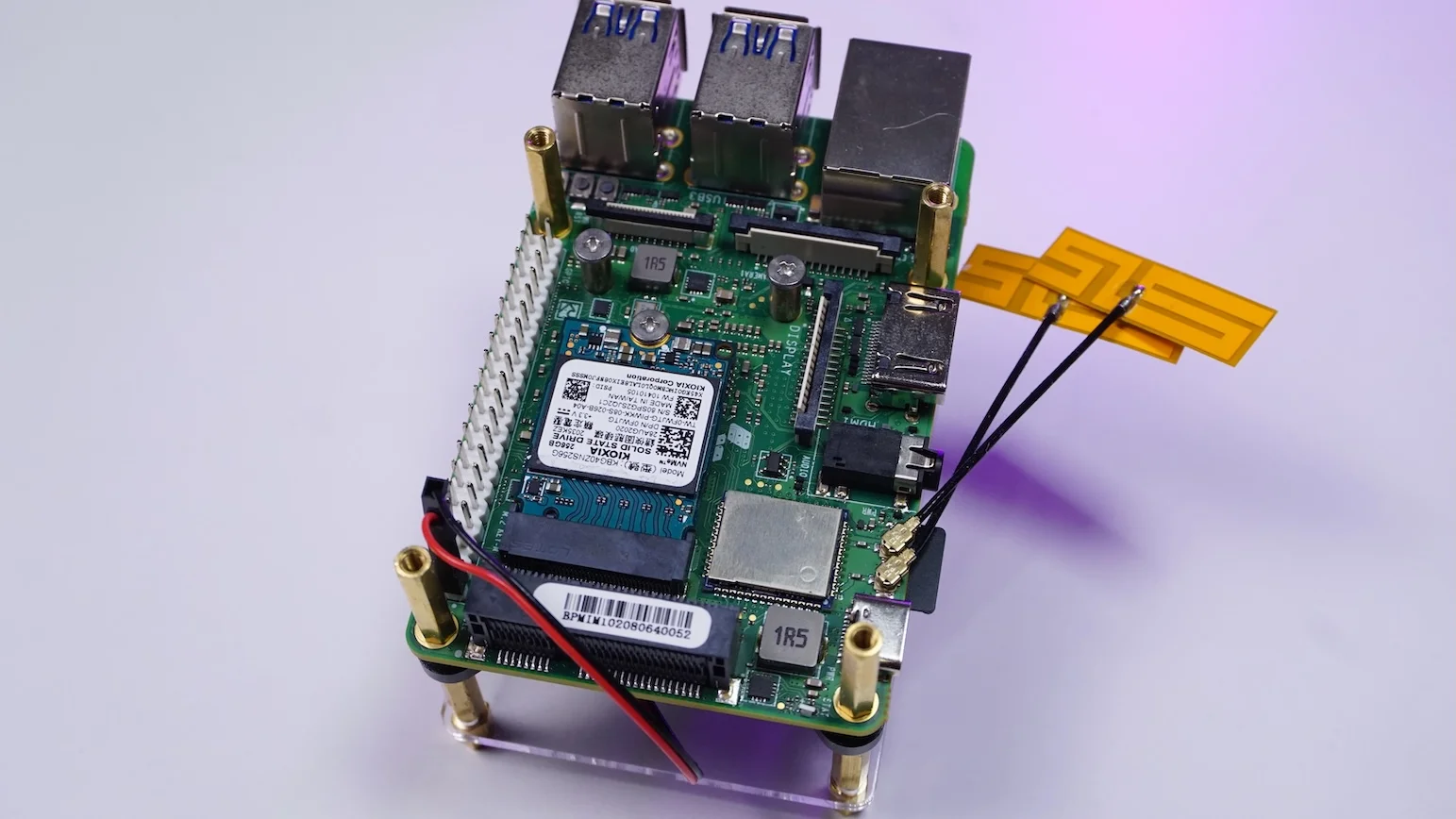
I checked the NVMe performance on a 2230 SSD:
- I got around 566 MB/s.
That’s consistent with PCIe Gen 2 with 2 lane speeds.
USB 3.0 Ports
To test the USB 3.0 ports, I used a USB 3 → NVMe adapter.
- The device showed up on a 5000 Mbit/s bus, confirming USB 3.0.
- Using a flexible I/O test, I saw:
- About 361 MB/s write speed
- Around 21 GB copied in 60 seconds
Again, that’s perfectly in line with USB 3.0 expectations on SBCs.
amrut@a-spacemitk1xmusepiproboard:~$ lsusb -t
/:  Bus 001.Port 001: Dev 001, Class=root_hub, Driver=mv-ehci/1p, 480M
/:  Bus 002.Port 001: Dev 001, Class=root_hub, Driver=xhci-hcd/1p, 480M
    |__ Port 001: Dev 002, If 0, Class=Hub, Driver=hub/5p, 480M
        |__ Port 005: Dev 003, If 0, Class=Billboard, Driver=[none], 480M
/:  Bus 003.Port 001: Dev 001, Class=root_hub, Driver=xhci-hcd/1p, 5000M
    |__ Port 001: Dev 002, If 0, Class=Hub, Driver=hub/4p, 5000M
        |__ Port 001: Dev 003, If 0, Class=Mass Storage, Driver=uas, 5000M
UEFI Support
I was also curious about the UEFI support on this board.
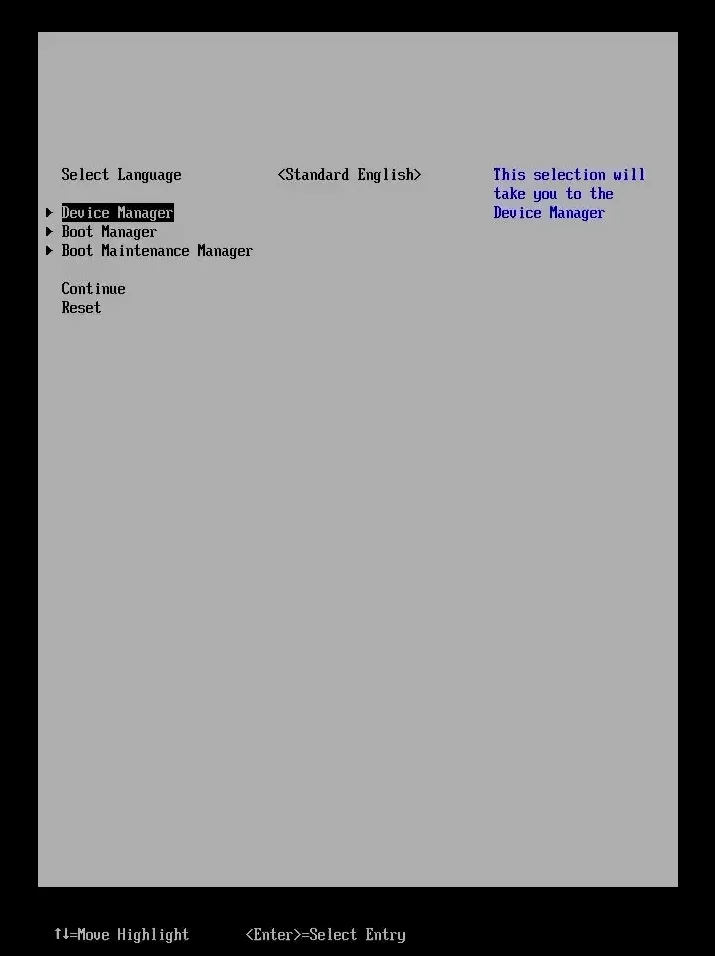
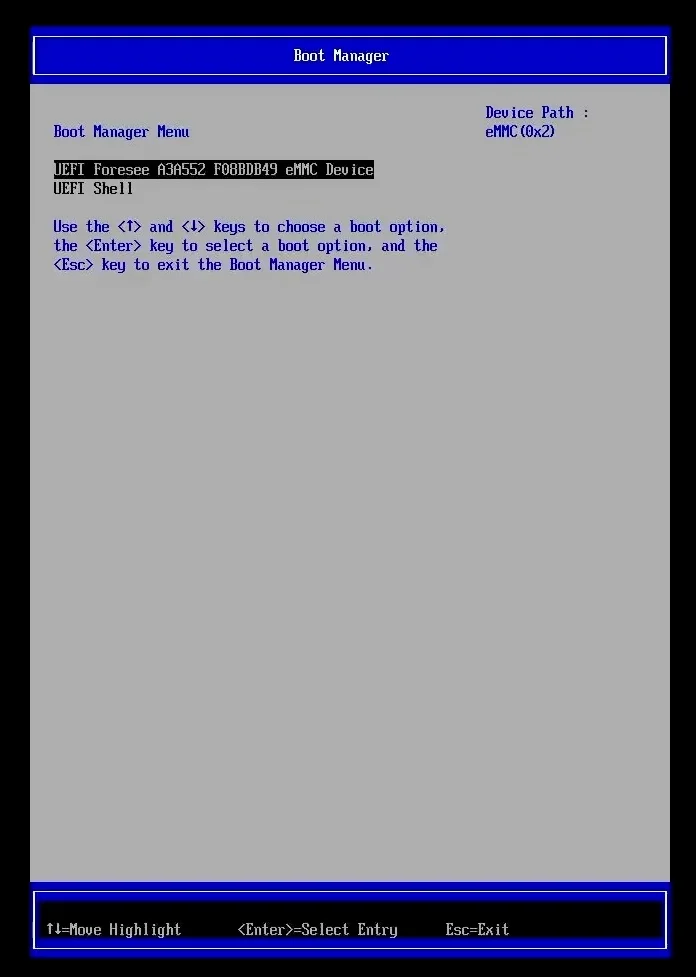
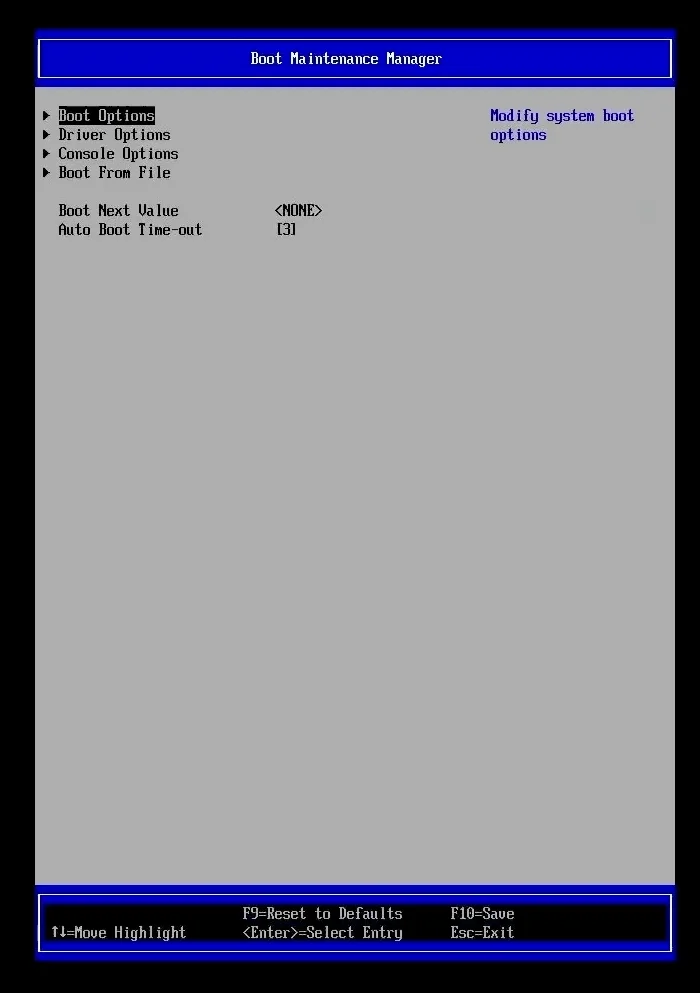
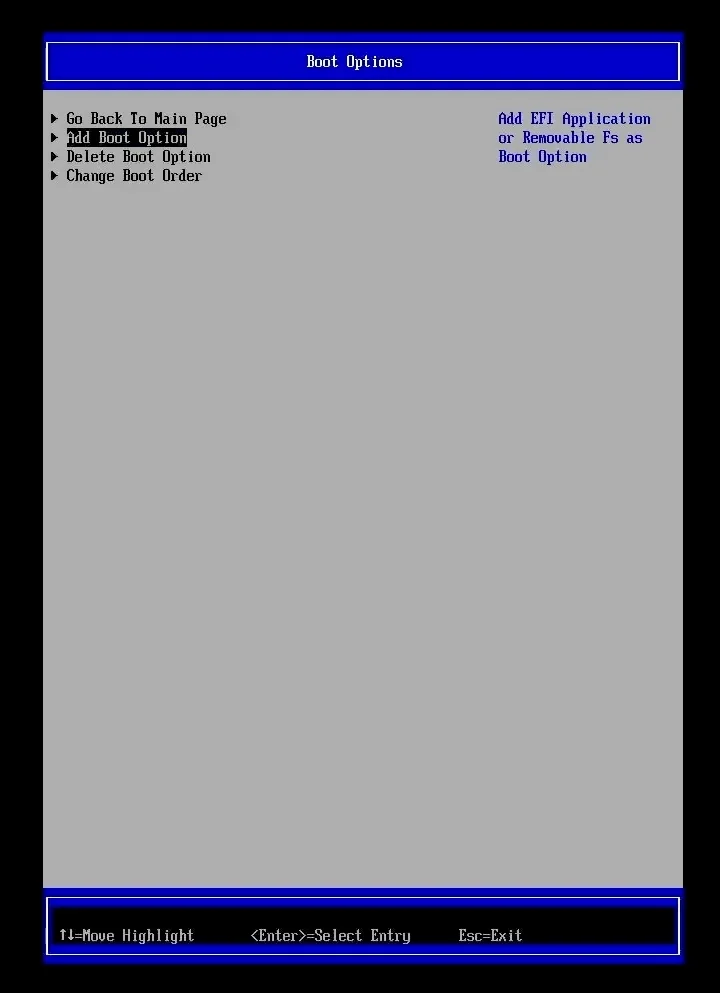
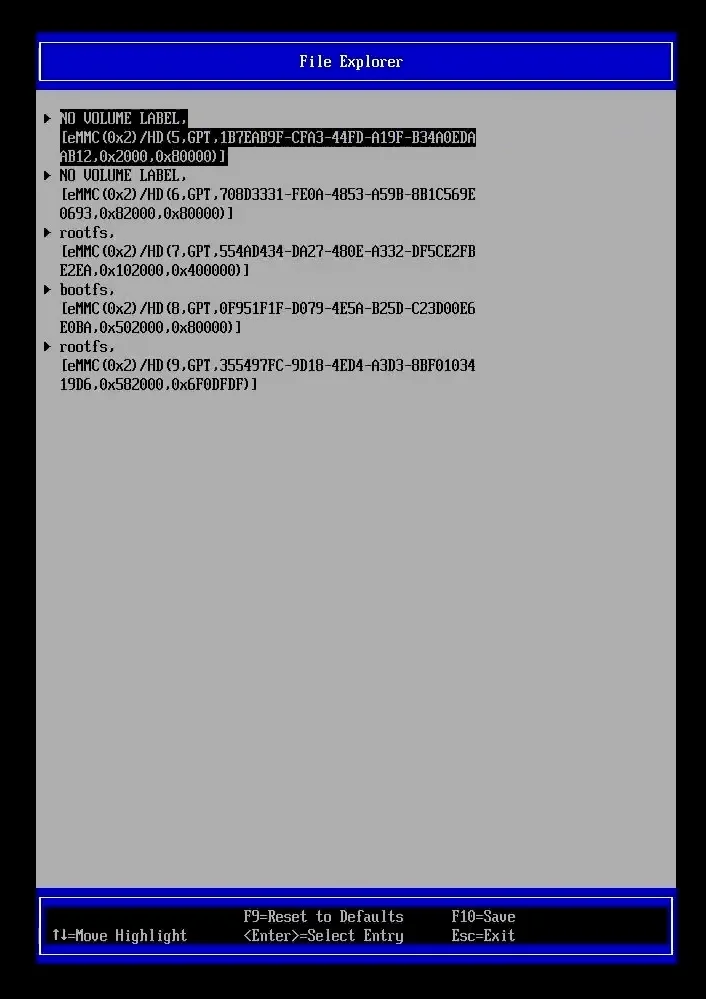
To have UEFI, I had to flash the firwmware which has UEFI built in. I had to flash it to the emmc to make it work. Make sure you use the zip file and not the image file.
I use the Titanium Flashing tool provided by SpacemiT
- The tool flashed the firmware successfully.
- On boot, I pressed
F2and was able to access the UEFI UI.
The UEFI firmware is based on EDK2.
So, Where Does RISC-V Stand Today (Considering This Board)?
After using the Muse Pi Pro for a while, here’s my honest take.
RISC-V boards, including this one, still haven’t fully caught up to mature ARM SBCs like the Raspberry Pi 4/5 in overall performance and polish. But at the same time, seeing OpenGL and Vulkan working, getting solid networking performance, having NVMe, USB 3.0, Wi-Fi 6, and decent thermals, makes me feel like we are getting closer to what ARM SBCs offer today.