
Written by

Featured Video
Table of Contents
- Technical Specifications
- My setup & first impressions (OS situation)
- Thermals Performance
- Benchmarks Results
- 1) CPU: Sysbench Test (Calculates prime numbers upto 20,000 for every 10k requests)
- 2) Memory Tests
- 3) Geekbench (CPU)
- Storage & networking
- Whisper on Home Assistant (Docker)
- So… should you get one?
- Support the Channel
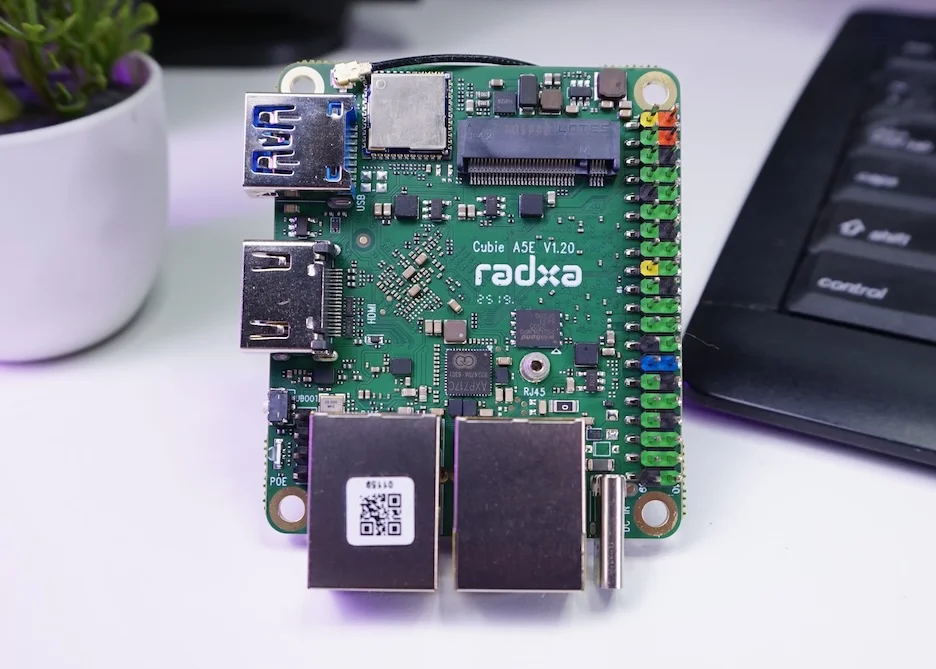
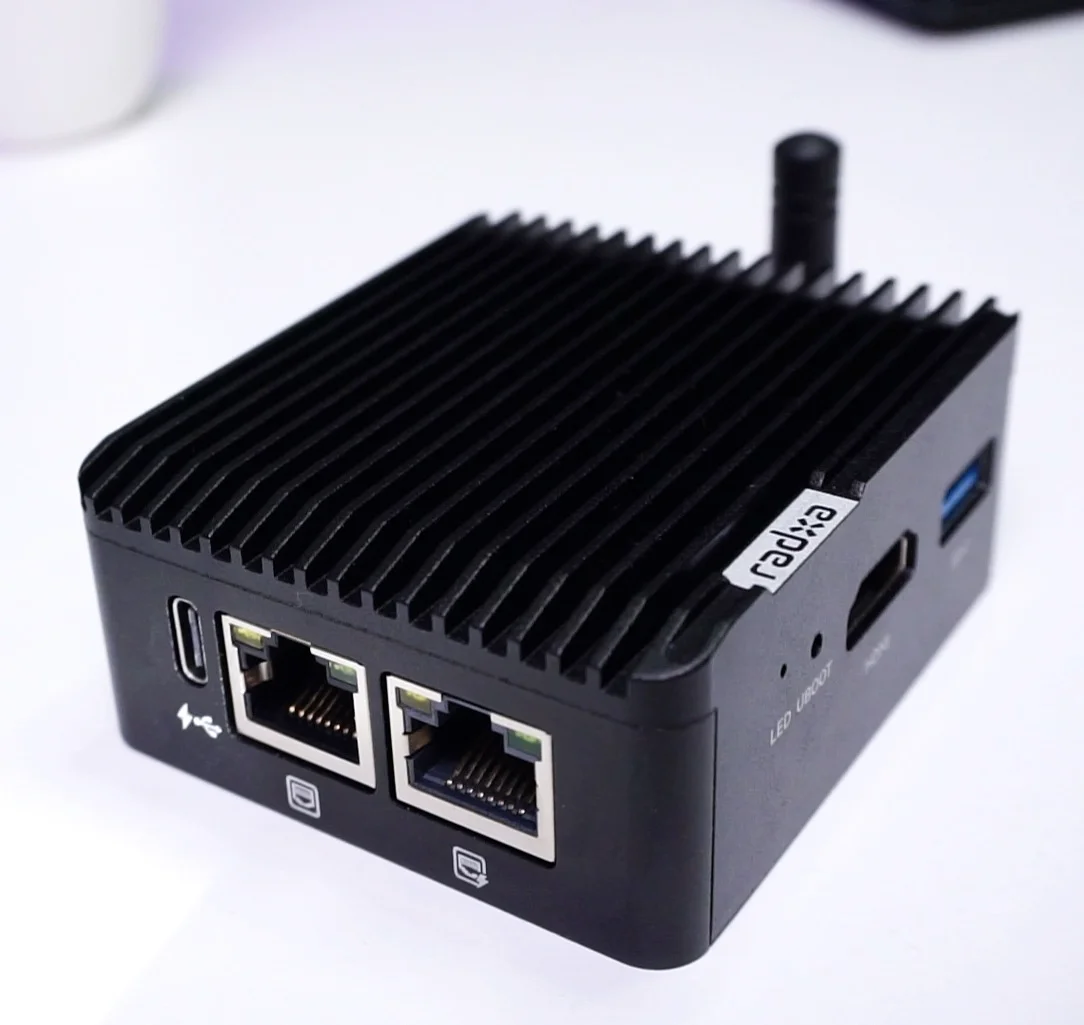
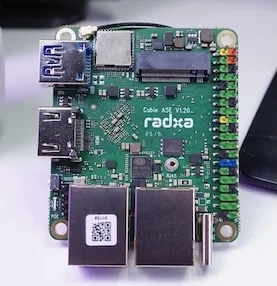
In this video/article I’m sharing my experience with the Radxa Cubie A5E—a tiny SBC that surprised me with how much it packs into such a small footprint, and how it stacks up against boards like the Raspberry Pi 4 and Pi 5.
Buy Radxa Cubie A5E:
Technical Specifications
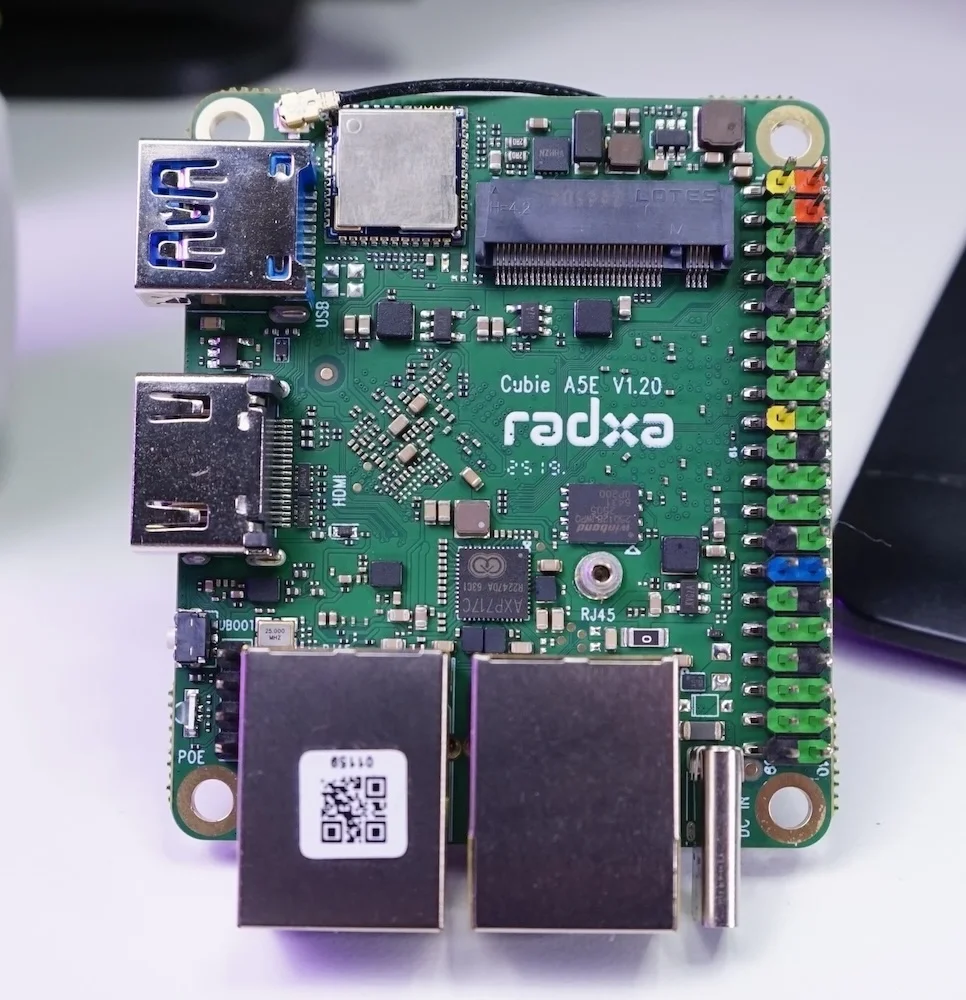
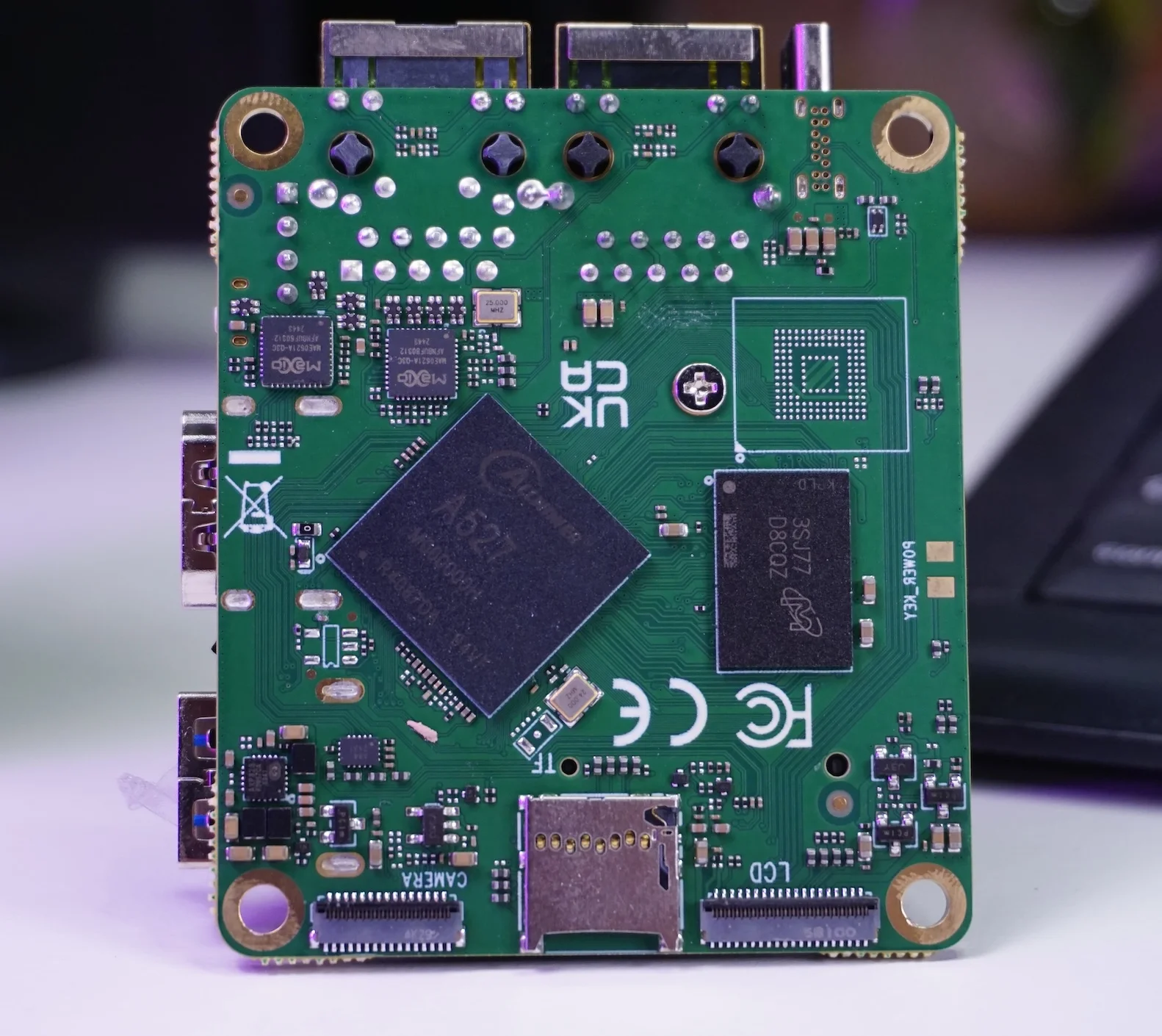
(Specs as per Radxa’s product page.) Radxa Cubie A5E
My setup & first impressions (OS situation)
I started with Armbian. It booted fine over LAN, but at the time there were a couple of missing pieces for my testing: no HDMI output and no exposed temperature sensors, which I needed for thermal checks. On the plus side, it shipped with a Linux 6.16 kernel, so I’m optimistic about where community support is heading.
Next I tried Radxa’s own Linux image (they also offer Android). The image was labeled Debian Bullseye, but the system actually identified itself as Debian 13 “Trixie” during my checks—which was pre-release at the time. Despite that, it worked surprisingly well and gave me the sensors and display I needed.
Thermals Performance
With no heatsink, the A5E idled around ~70 °C. On this board the sensors present as two groups: cpul (the 1.4 GHz cluster) and cpub (the 1.8 GHz cluster).
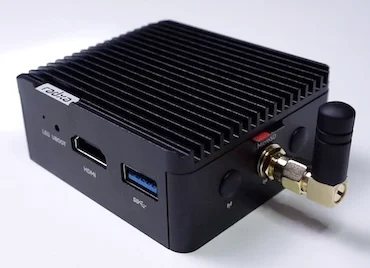
Since I planned to run benchmarks, I installed the metal case (with a thermal pad). Assembly took a minute—remove the side struts, slide the board in, refit the I/O side panels (Wi-Fi antenna + LAN line up nicely), then screw it all back together.
Result: idle temps dropped to ~43 °C—about a 40% reduction—and with this, I continued my tests.
Benchmarks Results
All tests were run on the 4 GB variant, fresh boot, same desk ambient, desktop still running in the background as it came built in the debian Image, accessed via SSH.
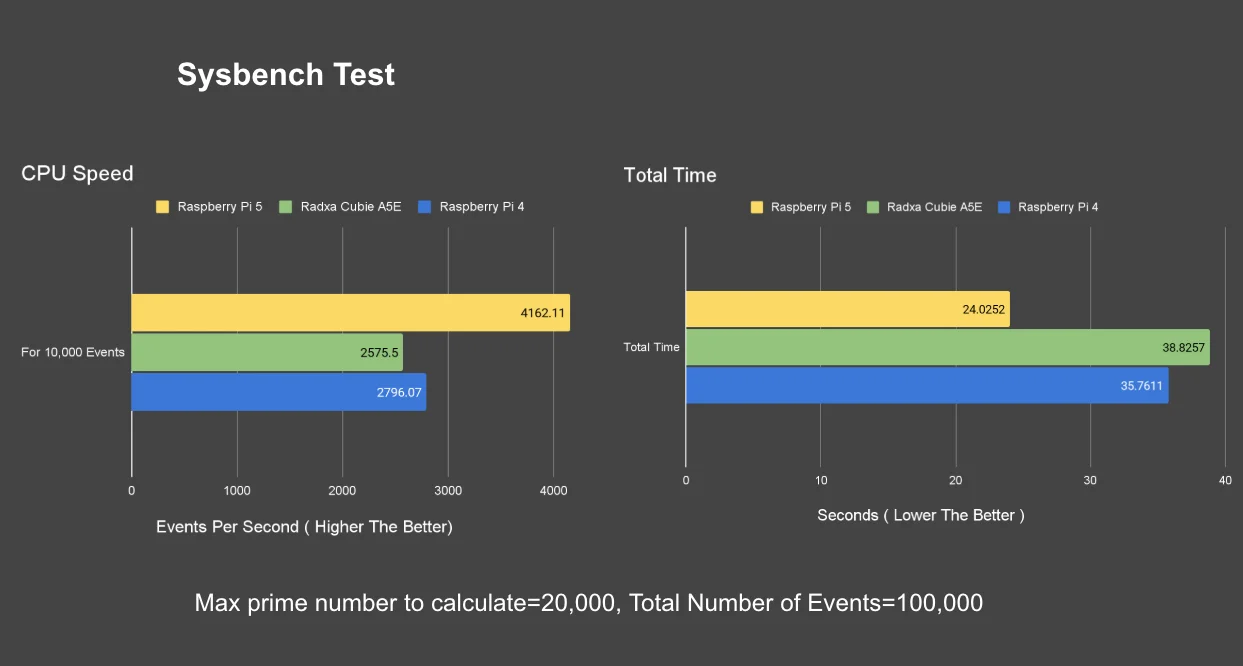
1) CPU: Sysbench Test (Calculates prime numbers upto 20,000 for every 10k requests)
-
Total time: ~39 s
-
Throughput: ~2,500 events/s
-
Peak temp: ~58 °C (with the case)
A touch slower than Raspberry Pi 4 in this specific test (by ~3 s), but close.
2) Memory Tests
-
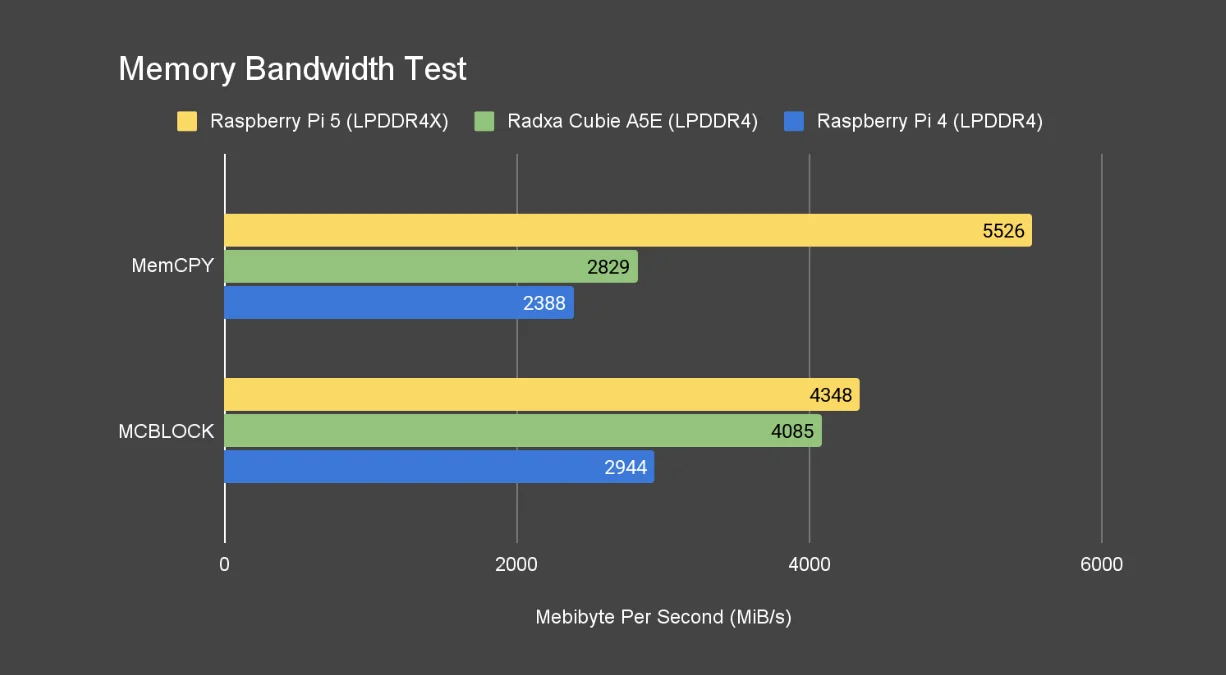
MEMCPY: ~2,900 MiB/s
-
Block Copy (1 KiB): ~4,000 MiB/s
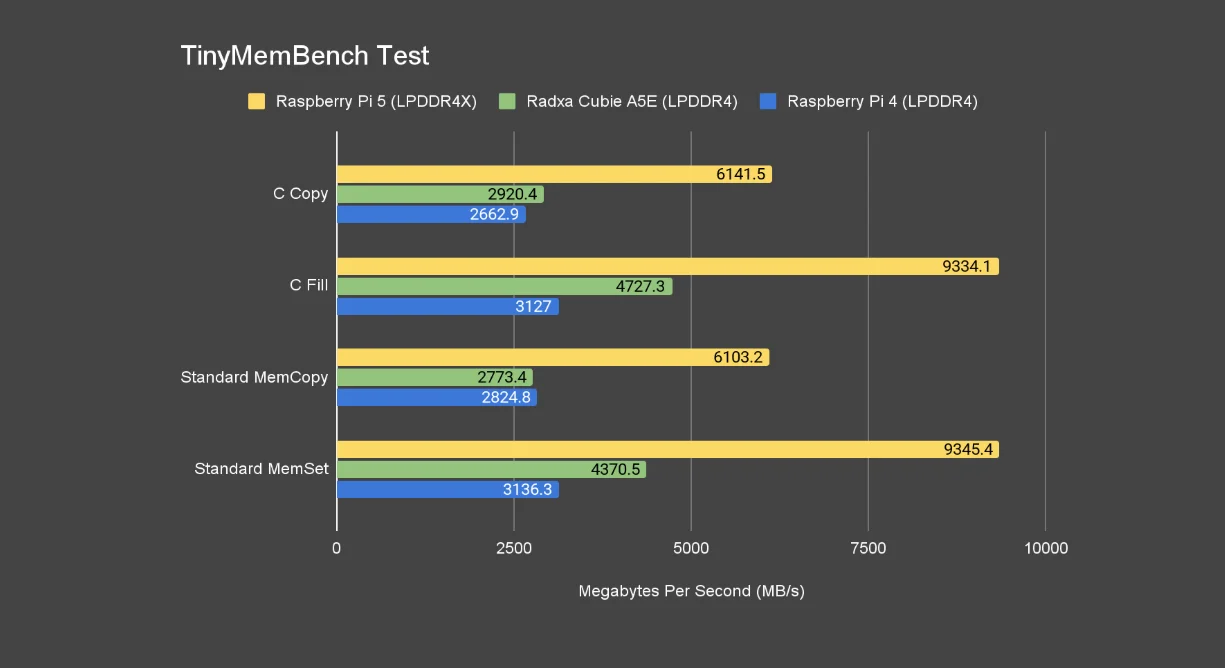
Better than Raspberry Pi 4 in my runs. The Raspberry Pi 5 and Cubie A5E both have a 32-bit memory bus, but Pi 5’s LPDDR4X tends to push higher transfers than LPDDR4 that the A5E and Pi 4 has.
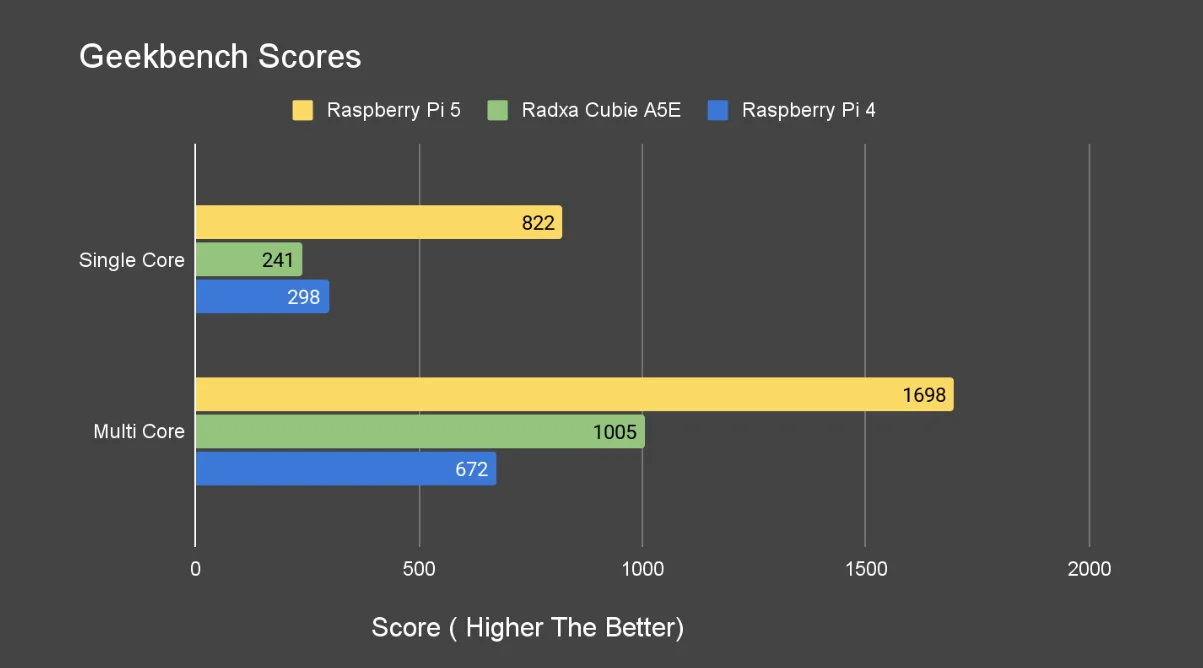
3) Geekbench (CPU)
-
Single-core: 241
-
Multi-core: 1005
-
Power draw: ~2 W idle; up to ~6 W during multi-core phases
-
Thermals: peaked around ~75 °C ( with the case )
The Cubie A5E did perform better than the Raspberry Pi 4 in the multicore performance test.
Storage & networking
-
NVMe over M.2 M-key (PCIe Gen2 x1):
lspciconfirmed Gen2 x1;hdparmreads landed around ~366 MB/s, which is right in line with PCIe 2.0 x1 limits. -
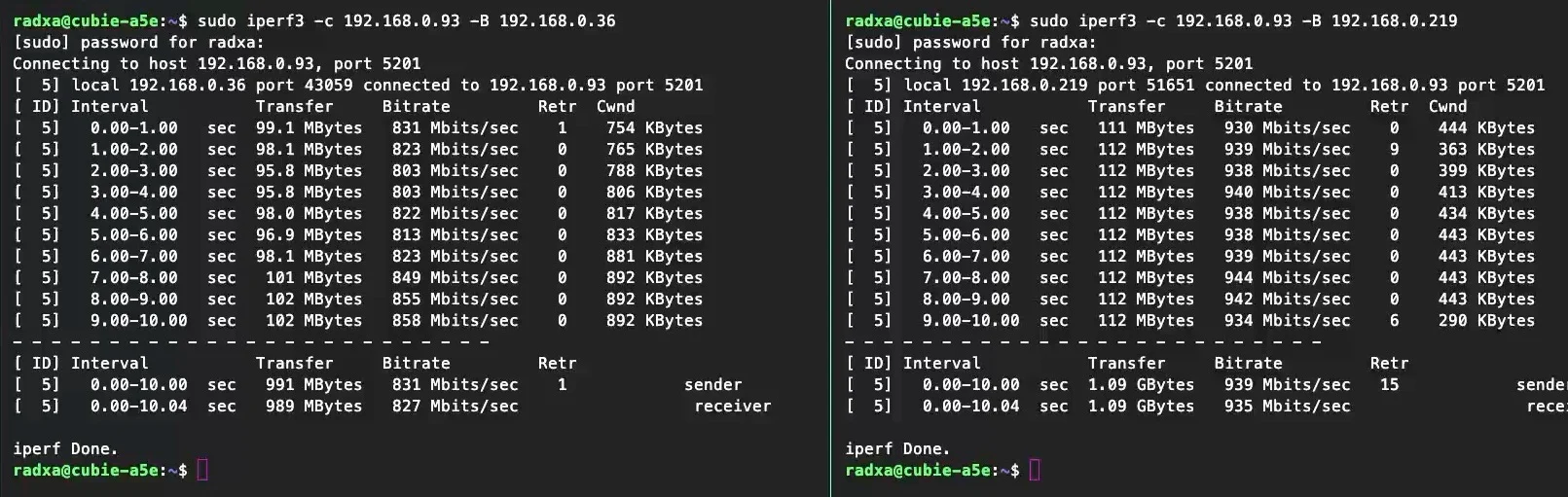
Dual Gigabit Ethernet: in repeated iperf runs, one port consistently tested a bit slower than the other. I am not sure why.
Whisper on Home Assistant (Docker)
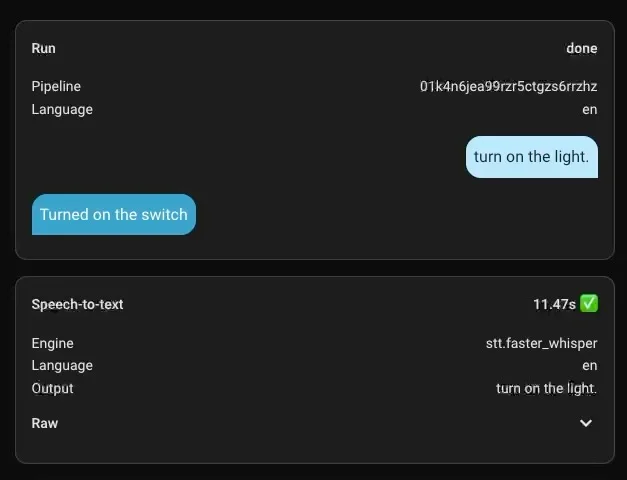
One of my standard checks: Home Assistant + Whisper + Piper in Docker.
With Whisper small-int8, speech-to-text took about ~11 seconds for my sample—faster than my Raspberry Pi 4 with the same model. For voice-friendly HA automations at the edge, that’s a nice win at this size and power.
So… should you get one?
If you want a low-power, compact box with Wi-Fi 6, two GbE ports, and NVMe, the Cubie A5E is great for things like:
-
Pi-hole / AdGuard Home
-
Home Assistant (light-to-moderate setups)
-
DIY routers / multi-NIC tinkering
Just remember:
-
Passive cooling with the metal case is highly recommended.
-
PCIe is Gen2 x1—perfectly fine for snappy apps and Docker volumes, but not a storage monster.
Finally I would be still monitoring the Armbian community build for a more stable release.
Buy Radxa Cubie A5E:
Buy Radxa Cubie A5E:
Support the Channel
Enjoyed this article? Consider supporting the channel:
-
✅ Subscribe to the YouTube channel
-
☕ Support my work on Patreon or Buy Me a Coffee