
Radxa Cubie A7A Review: Pi-Sized Power With PCIe, NVMe, USB 3.1 Gen2, Thermals & Real-World Benchmarks
Written by

Featured Video
Table of Contents

Buy Radxa Cubie A7A:
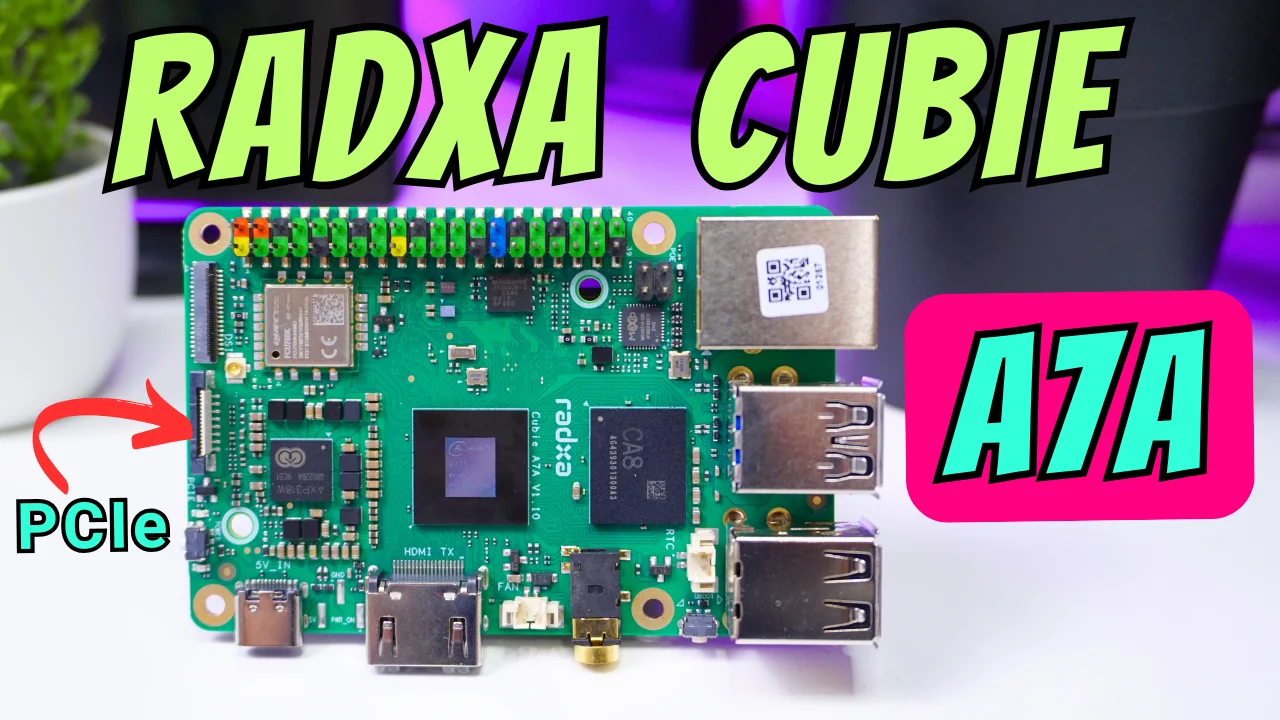
I’ve been spending time with the Radxa Cubie A7A, and I wanted to share how it behaved for me in real use—thermals, CPU and memory performance, storage, networking, desktop, and a bit of AI/voice.
Technical Specifications
Radxa Cubie A7A:
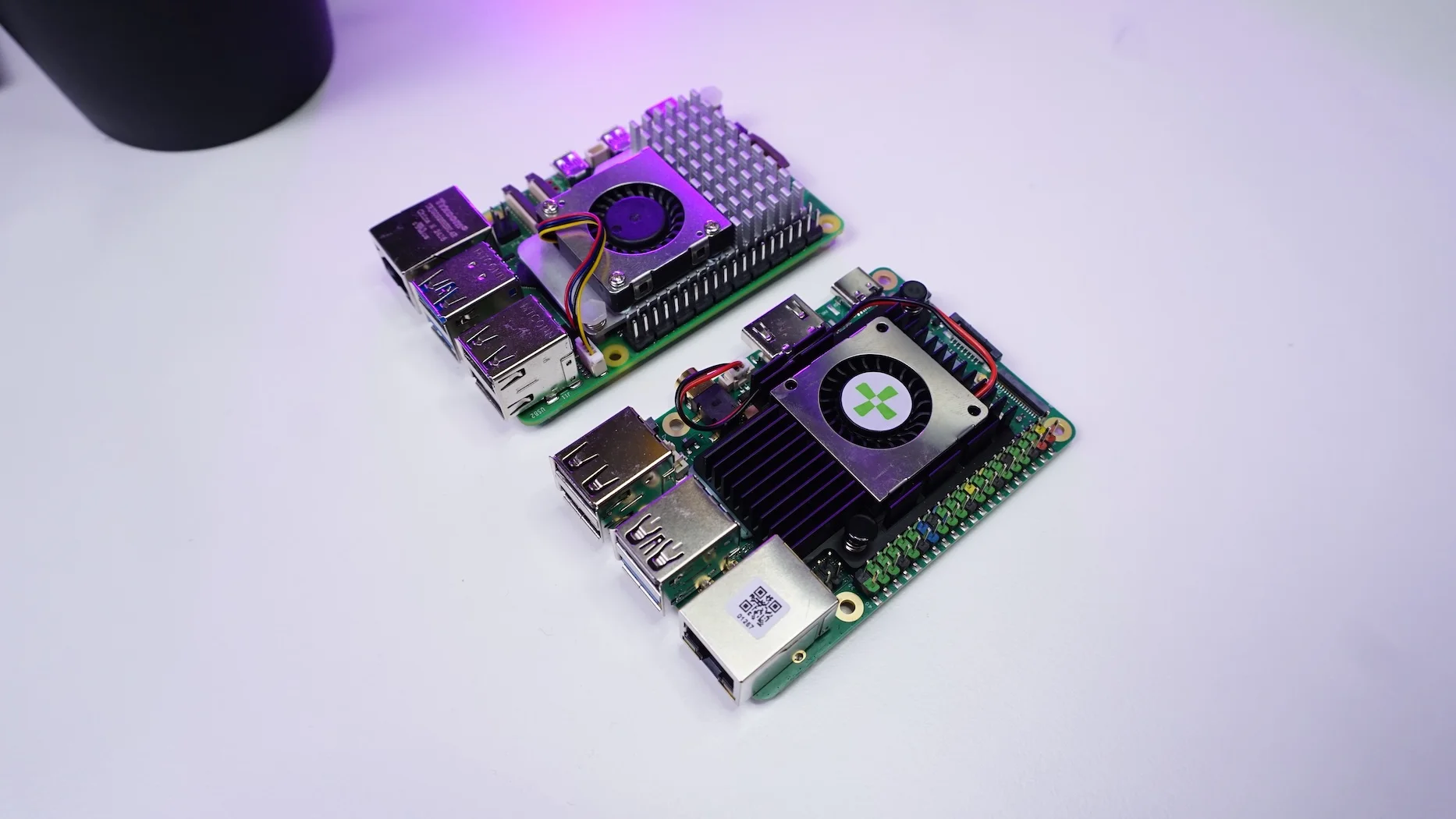
The board is about the same footprint as a Raspberry Pi 5, but it won’t fit Pi 5 cases because the Ethernet and USB ports are arranged differently.
Setup & First Boot
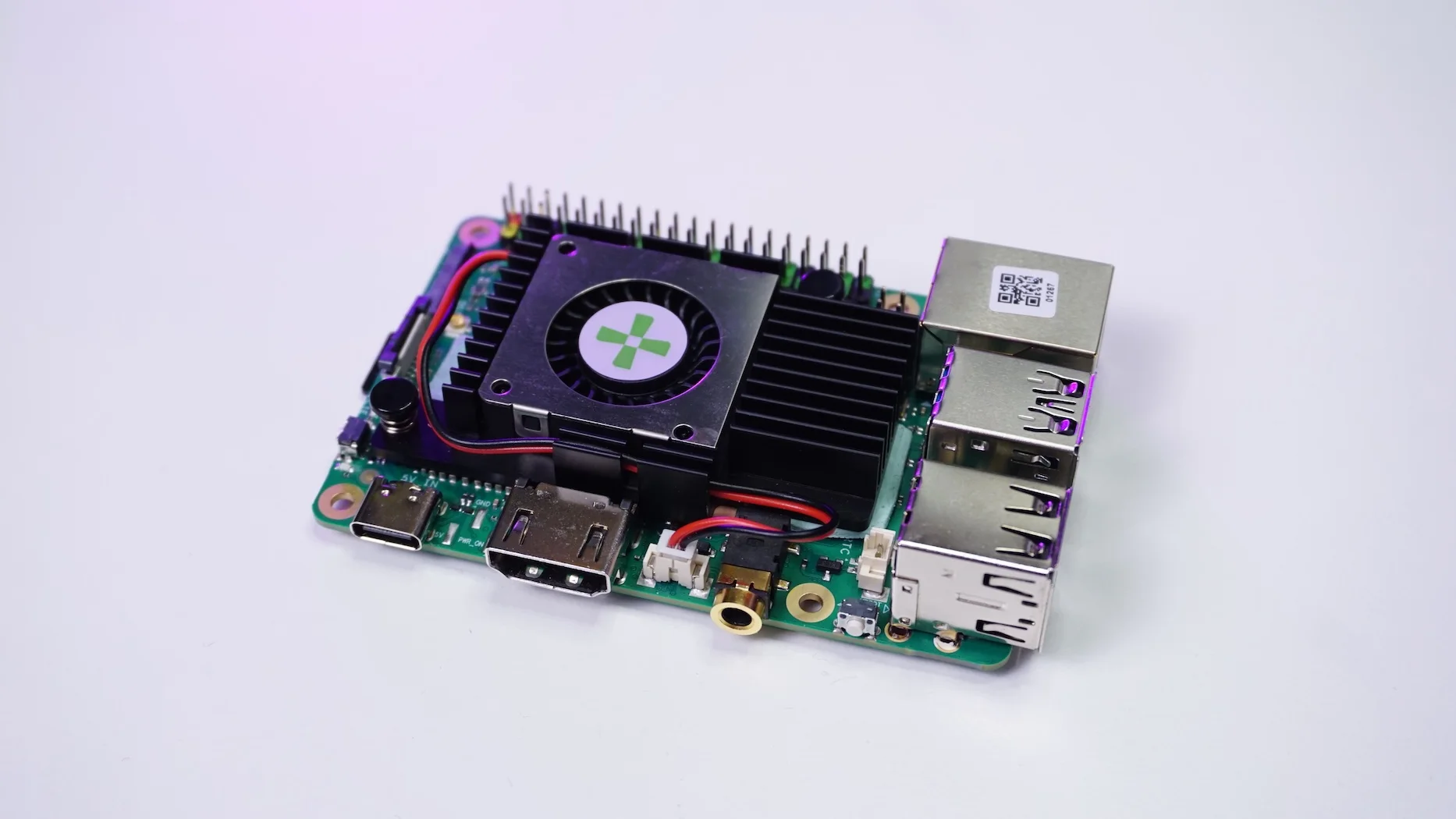
Radxa provides Debian and Android images. I went with Debian and jumped in over SSH. At idle and without a heatsink, the CPU sat around 54 °C. To see where the ceiling was, I ran a quick sysbench CPU stress; without any cooling, temps climbed to ~75 °C.
CPU: Quick Stress & Comparison
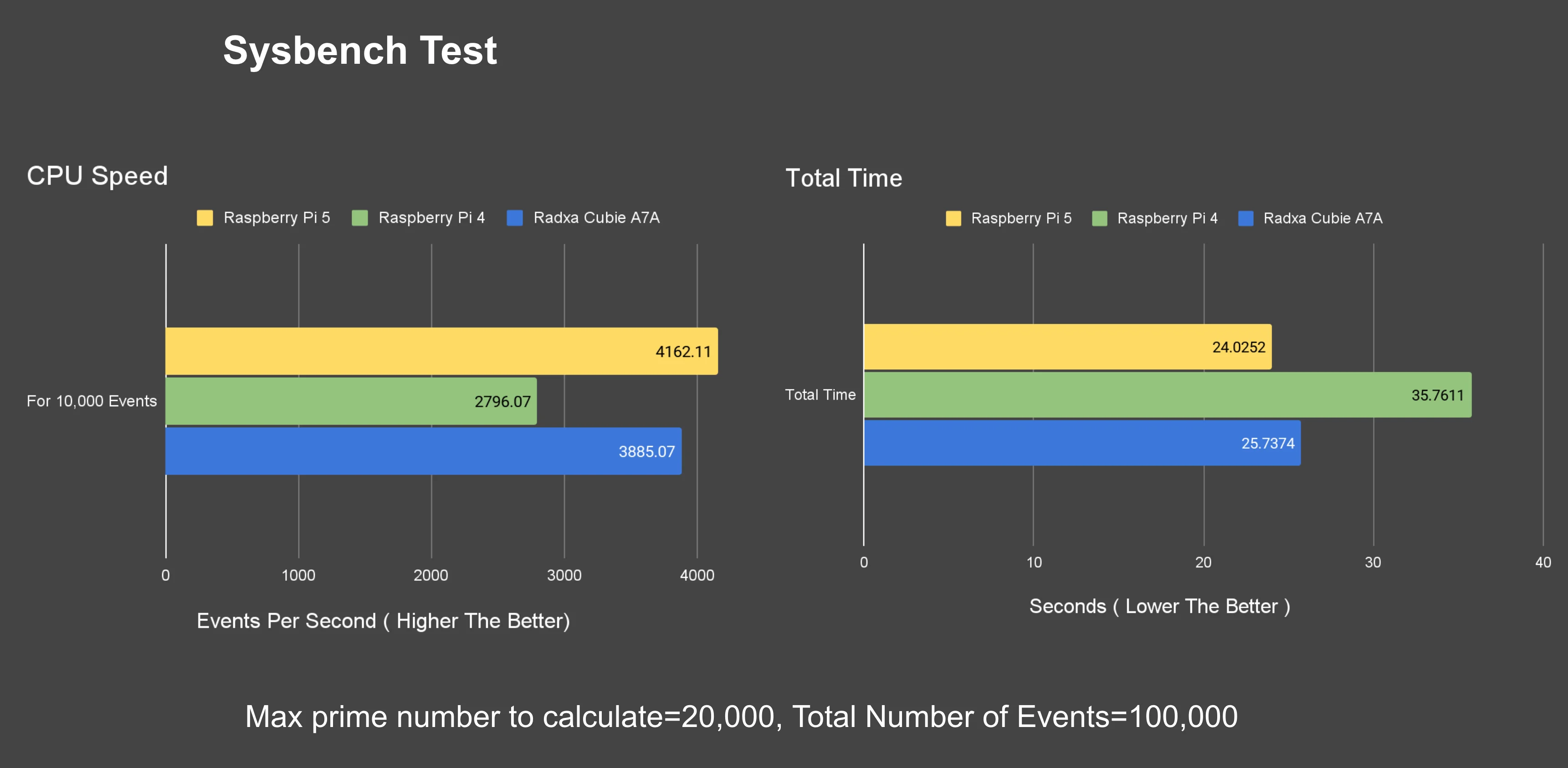
For a simple repeatable check, I used sysbench test
- Task : Calculate prime numbers up to 20,000
- No. of Requests: 10,000 requests.
Results
- Total time: ~25.73 s
- Throughput: ~3,885 requests/sec.
Memory Tests:
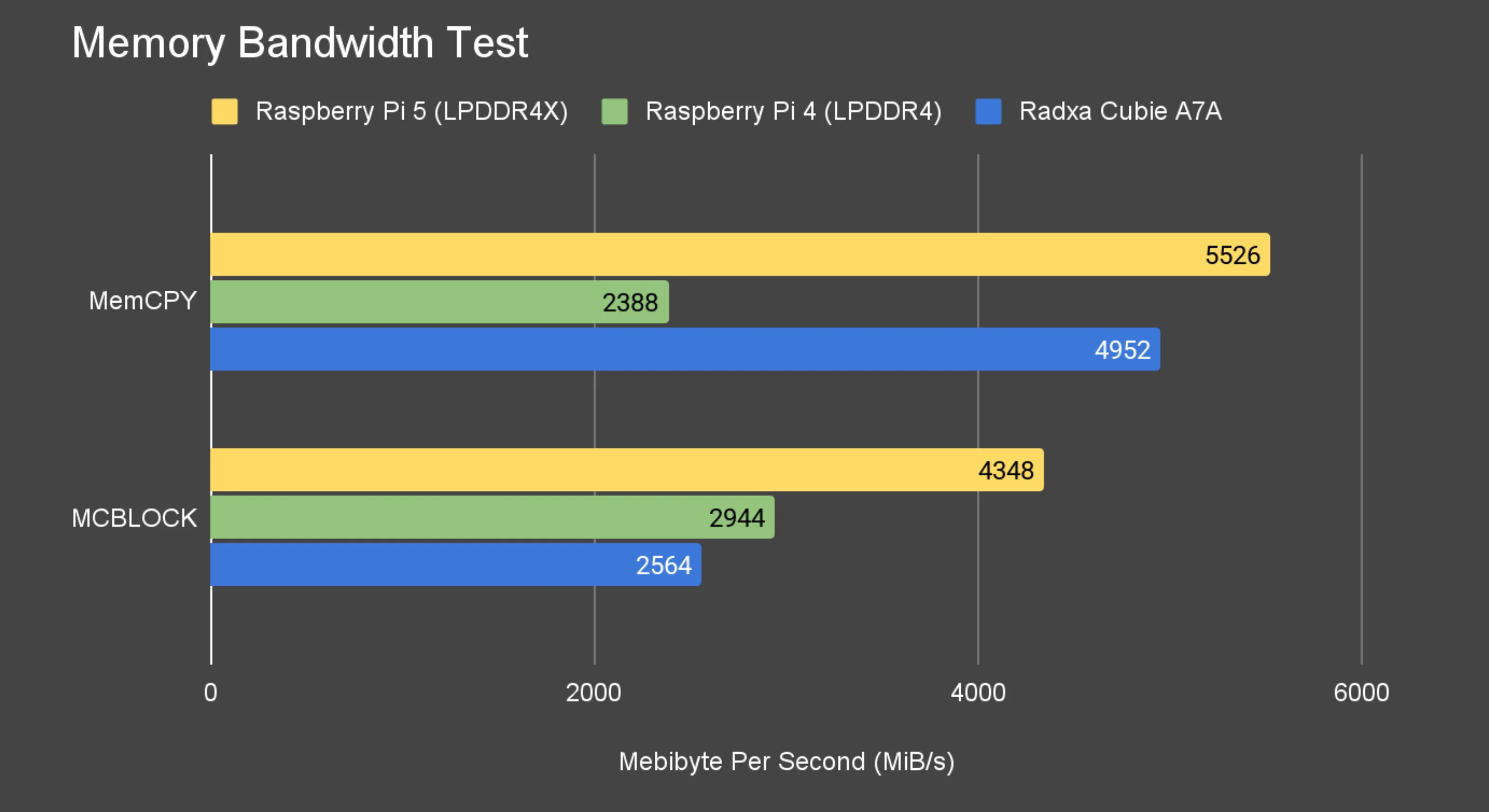
Memory Bandwidth Test
Memory numbers were interesting:
- Memcpy: ~4,952 MiB/s
- 1 KiB Block Copy: ~2,564 MiB/s
Tiny MemBench Test
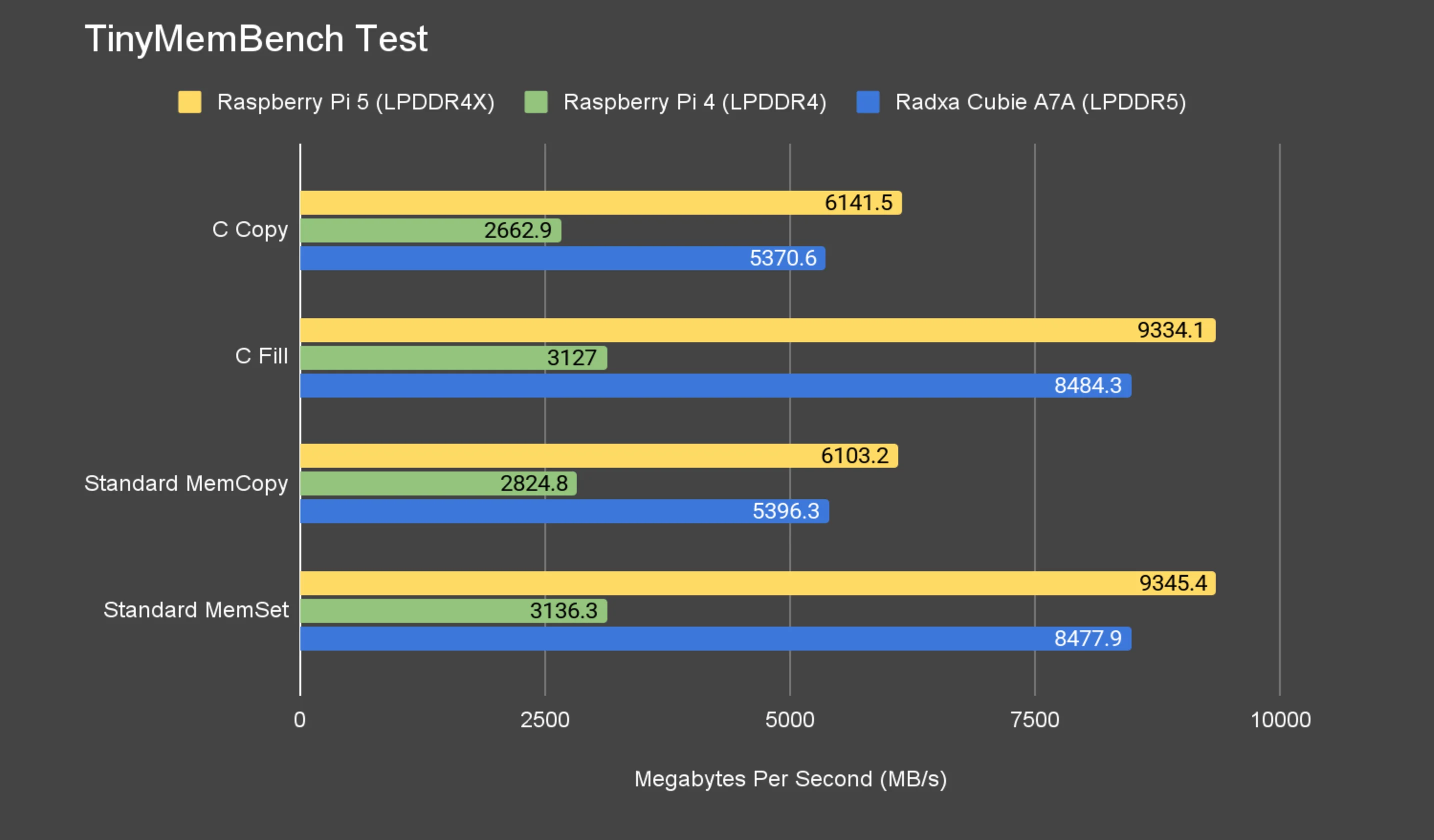
My 8 GB unit’s LPDDR5 seemed clocked at 1800 MHz. From what I’ve seen, 2400 MHz is currently available on the 4 GB and 6 GB variants, not (yet) on the higher-RAM versions.
Geekbench
On Geekbench, I recorded 636 (single-core) and 1496 (multi-core). That’s roughly 2× a Pi 4, but still a notch under a Pi 5.
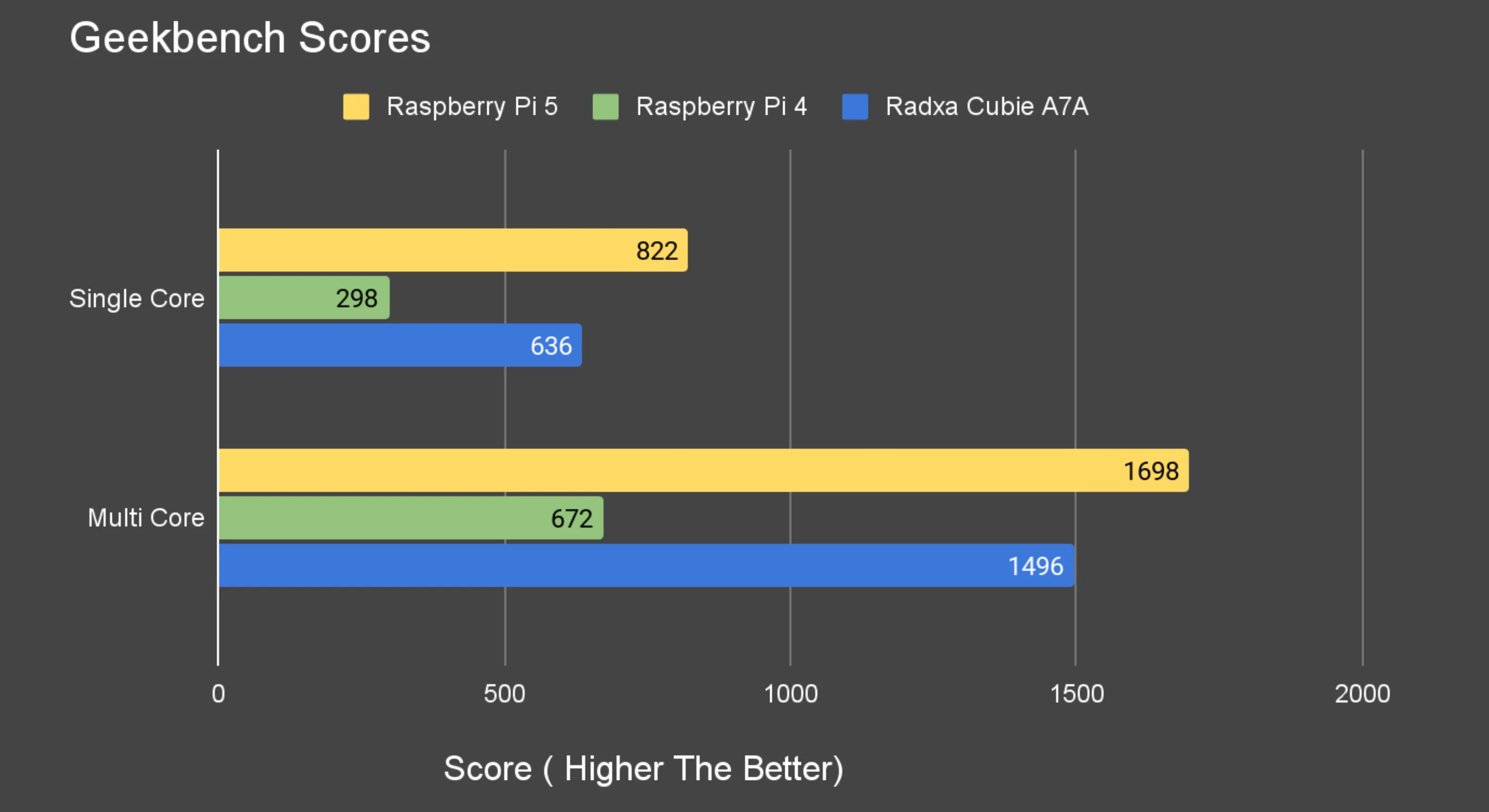
Geekbench Score: Link
Power Consumption
- Idle (no heatsink): ~2.8 W
- Multicore phase in Geekbench (with fan spin-up): ~8 W
NVMe via PCIe HAT
The A7A exposes PCIe 3.0 over FPC. On my first try, the board didn’t detect my drive/HAT combo. After a bit of back-and-forth and installing custom packages from Radxa engineers, NVMe was recognized and I measured ~521 MB/s (Gen3 x1). That’s lower than what I usually get on a Pi 5 in the same lane configuration, but it’s workable—and I’m optimistic this will improve as compatibility expands.
Networking & USB 3.1 Gen2
Gigabit Ethernet saturated nicely for me: around ~940 Mb/s both up and down.
On the USB 3.1 port, lsusb showed my USB-to-NVMe bridge enumerated on the 10,000 Mb/s bus, confirming Gen2 capability. In a sustained transfer test (FIO), I saw roughly ~1000 MB/s, copying ~60 GB in ~60 s, which is excellent for an SBC.
/:  Bus 04.Port 1: Dev 1, Class=root_hub, Driver=sunxi-ohci/1p, 12M
/:  Bus 03.Port 1: Dev 1, Class=root_hub, Driver=sunxi-ehci/1p, 480M
/:  Bus 02.Port 1: Dev 1, Class=root_hub, Driver=xhci-hcd/1p, 10000M
    |__ Port 1: Dev 2, If 0, Class=Mass Storage, Driver=, 10000M
/:  Bus 01.Port 1: Dev 1, Class=root_hub, Driver=xhci-hcd/1p, 480M
    |__ Port 1: Dev 2, If 0, Class=Hub, Driver=hub/4p, 480M
        |__ Port 4: Dev 4, If 0, Class=Wireless, Driver=aic_btusb, 480M
        |__ Port 4: Dev 4, If 1, Class=Wireless, Driver=aic_btusb, 480M
        |__ Port 4: Dev 4, If 2, Class=Vendor Specific Class, Driver=aic8800_fdrv, 480M
Home Assistant & Faster Whisper Performance
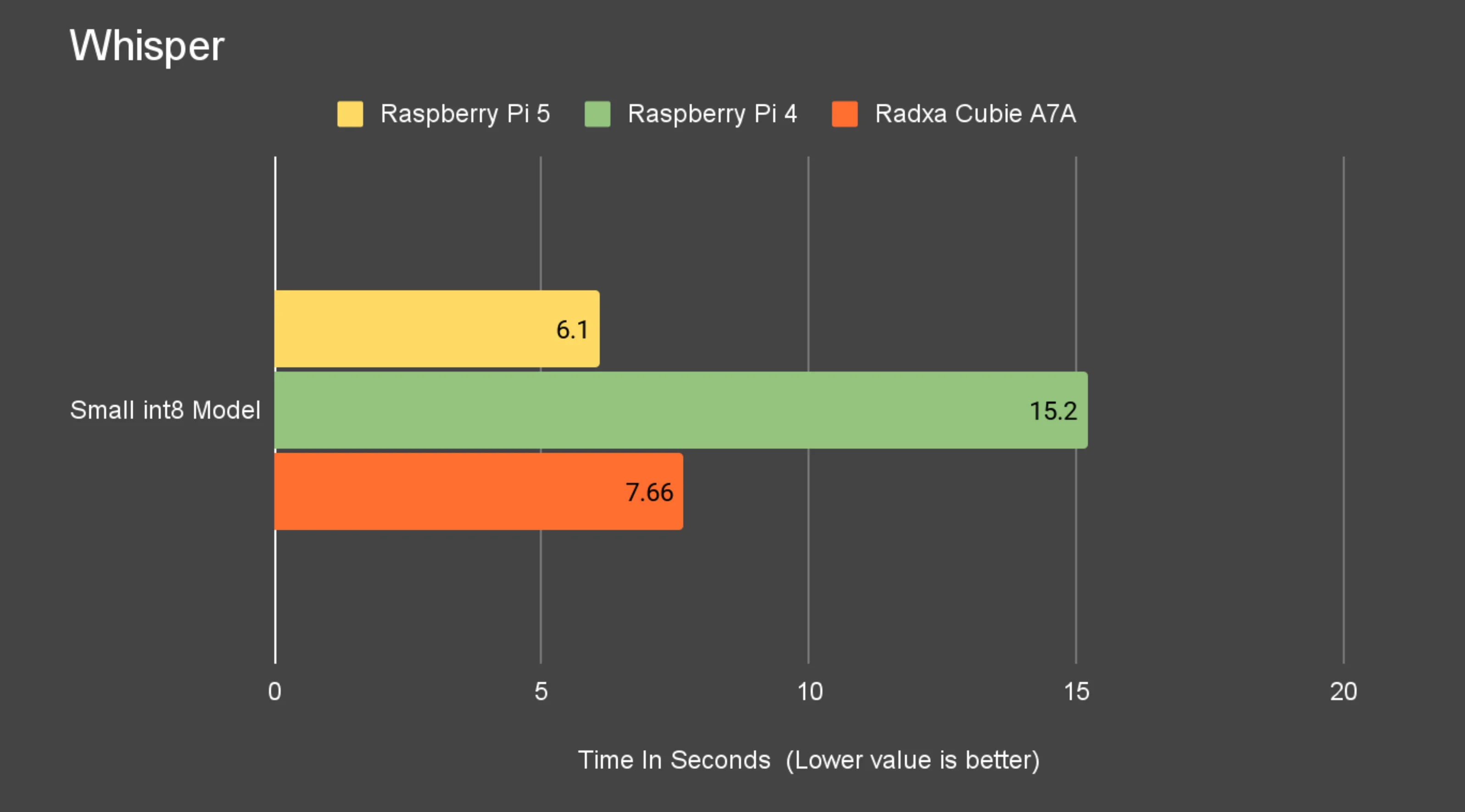
I spun up Docker, then ran Home Assistant, Whisper, and Piper in containers. With Whisper small-int8, speech-to-text on my clip took about ~7.6 s. That’s far better than Pi 4 in my environment and about 1 s slower than Pi 5 using the same model.
Desktop & GPU
The Debian image includes a desktop, so I tried Chromium first. Hardware video decode wasn’t engaged for me; 1080p YouTube dropped a few frames at the start and then settled; 4K was a bit choppy with periodic drops.
For 3D, glmark2 ran using OpenGL 3.2 on the Imagination BXM GPU
- Score : 374
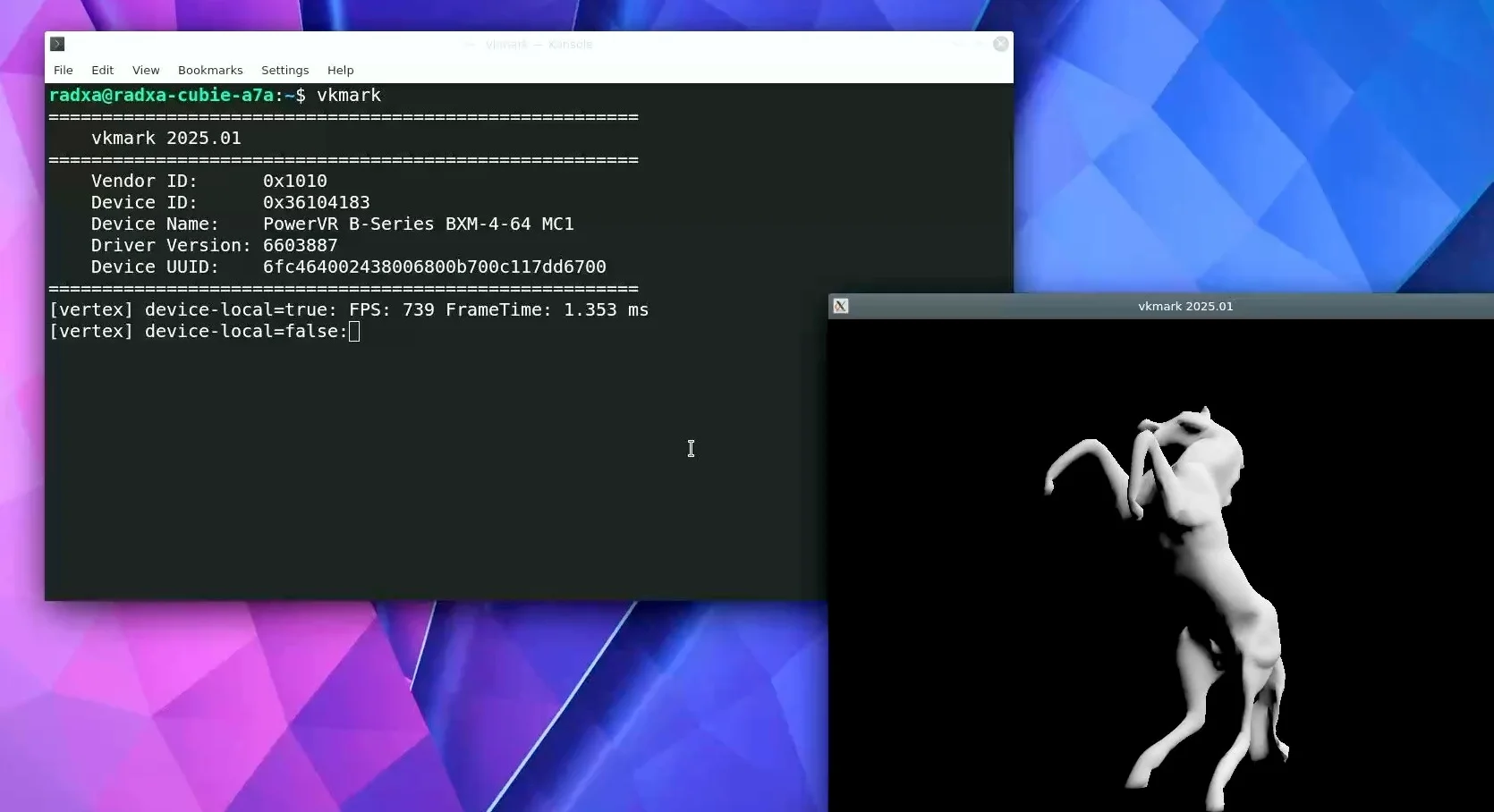
vkmark confirmed Vulkan is usable
- Score: 730
Where It Stands Today
The Cubie A7A already beats the Raspberry Pi 4 across most of aspects but still finds it slightly behind the pi5 interms of performance. The 3-TOPS NPU and PCIe 3.0 give it headroom, but I feel software is the current limiter:
- LPDDR5 frequency on my 8 GB unit is 1800 MHz (I’d love to see 2400 MHz land here).
- NVMe compatibility : I expect more support on this.
That said, engineering responses have been quick, and I’m expecting iterative improvements. If the RAM profile and NVMe support mature—and with the I/O this board already has—it could outpace a Raspberry Pi 5 in value at similar pricing, especially if you want more RAM.
Buy Radxa Cubie A7A: