
Radxa Rock 5T: Pi-Sized Power With PCIe, NVMe, USB 3.1 Gen2, Thermals & Real-World Benchmarks
Written by

Featured Video
Table of Contents
- Technical Specification
- Displays: I Ran Three at Once
- Memory: LPDDR5 That Actually Feels Fast
- Networking and Wireless: Dual 2.5 GbE
- The Unexpected Feature: HDMI Input
- Cellular Option: SIM Slot + 4G via M.2 B-Key
- Storage: Dual NVMe Slots on the Back
- Ports and Extras
- Performance Testing
- Sysbench CPU Test
- Geekbench: Multi-Core Is the Highlight
- Thermals: Hot Under Multi-Core Load (But Silent)
- Power Consumption: 16W Peak, ~7W Idle (With NVMe Attached)
- Storage Verification and Speed Tests
- PCIe Link Check
- NVMe Throughput
- Memory Bandwidth Testing
- Network Throughput: Real-World 2.5 GbE Performance
- My Real Use Case: Home Assistant + Voice Assistant Containers
- What I’d Use This Board For
- Final Thoughts
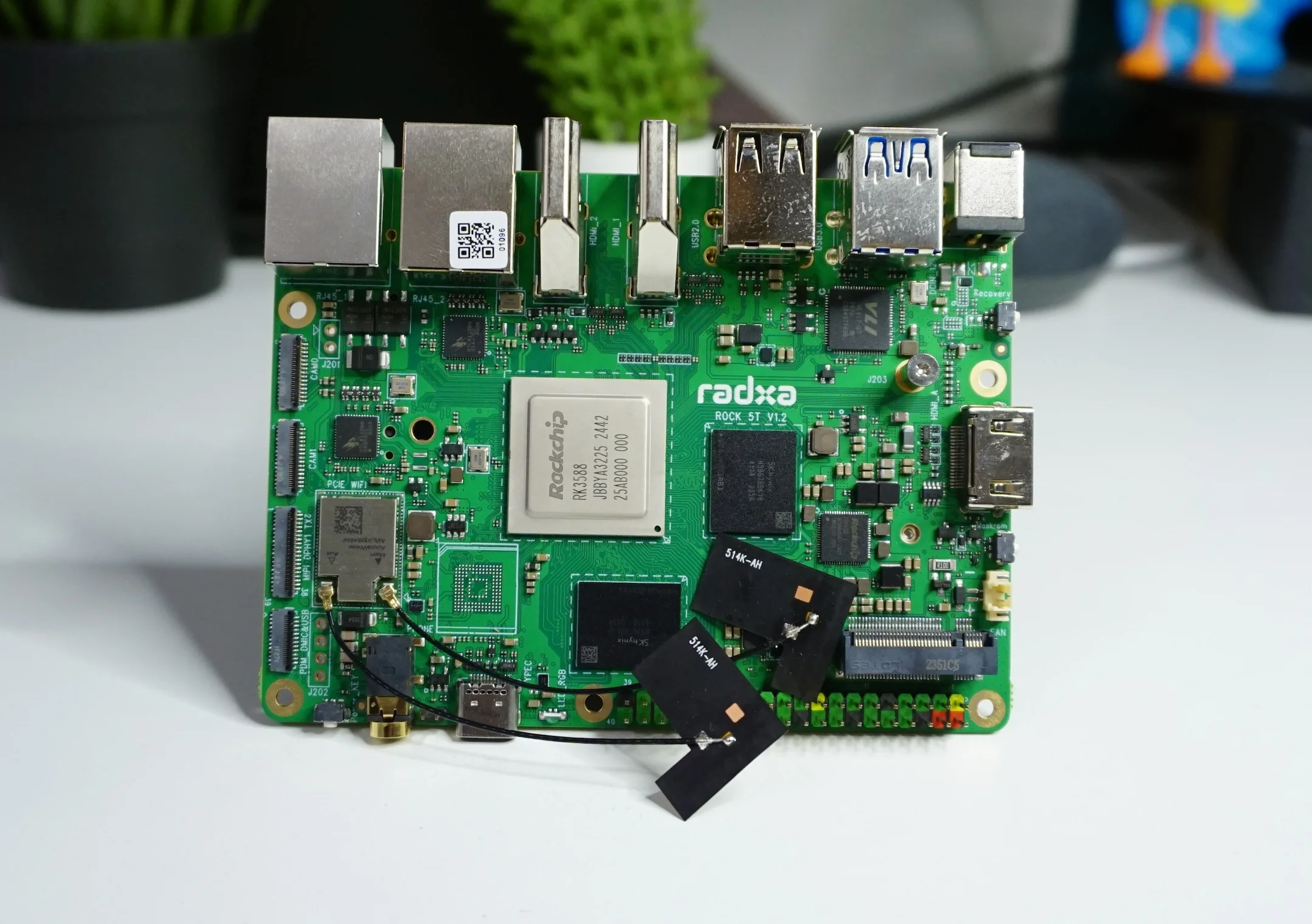
I’ve been spending time with the Radxa Rock 5T, and it’s the kind of single-board computer that immediately feels like it wants to do a lot more than the usual SBC tasks. At the heart of it is the Rockchip RK3588, an octa‑core SoC with:
- 4 cores at 1.8 GHz
- 4 cores at 2.4 GHz
- and a 6 TOPS NPU (neural processing unit)
That NPU part is especially interesting because it opens the door to running certain AI workloads locally—more on that later when I talk about my voice assistant setup.
Buy Radxa Rock 5T:
Technical Specification
Radxa Rock 5T:
Displays: I Ran Three at Once
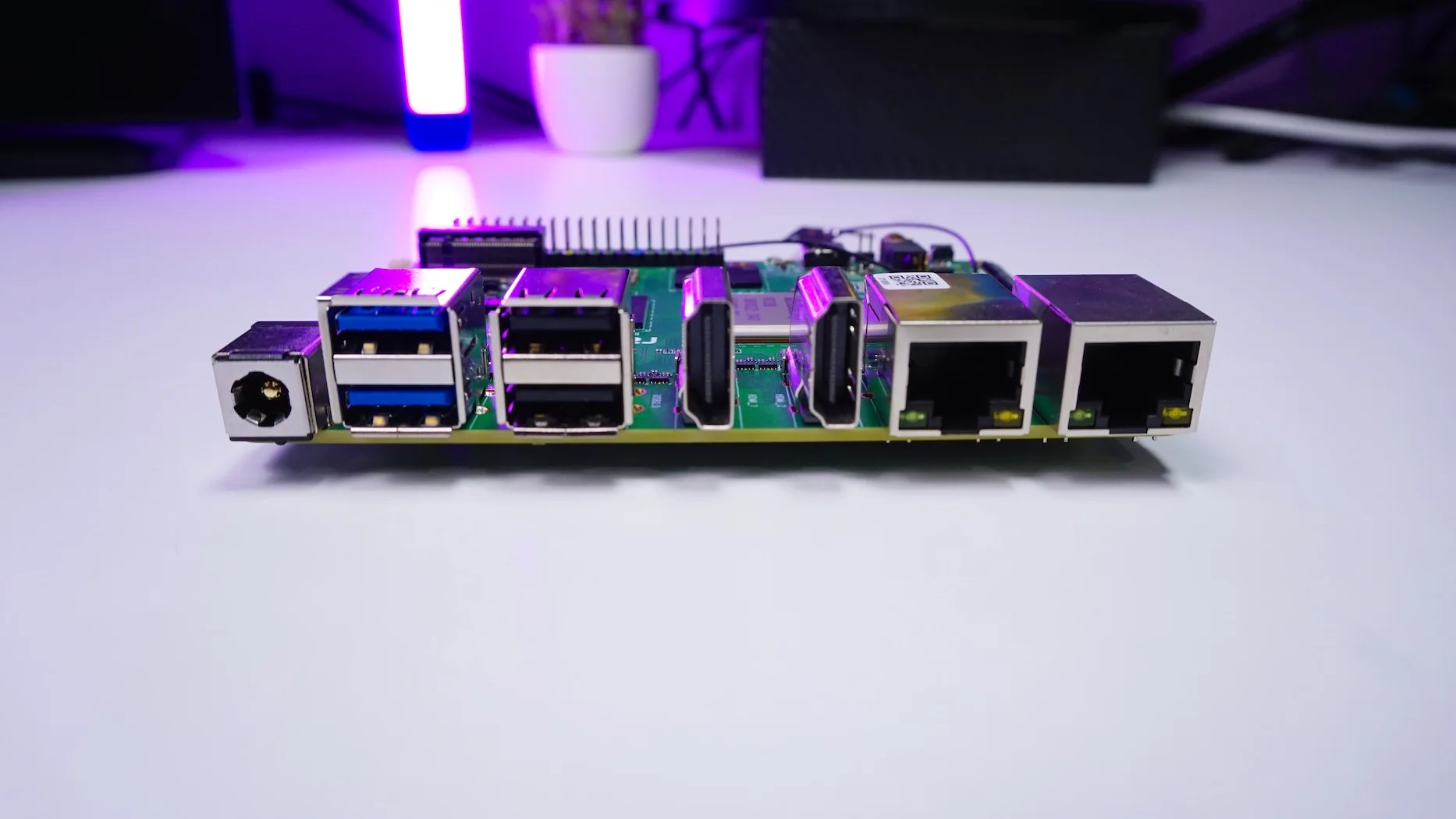
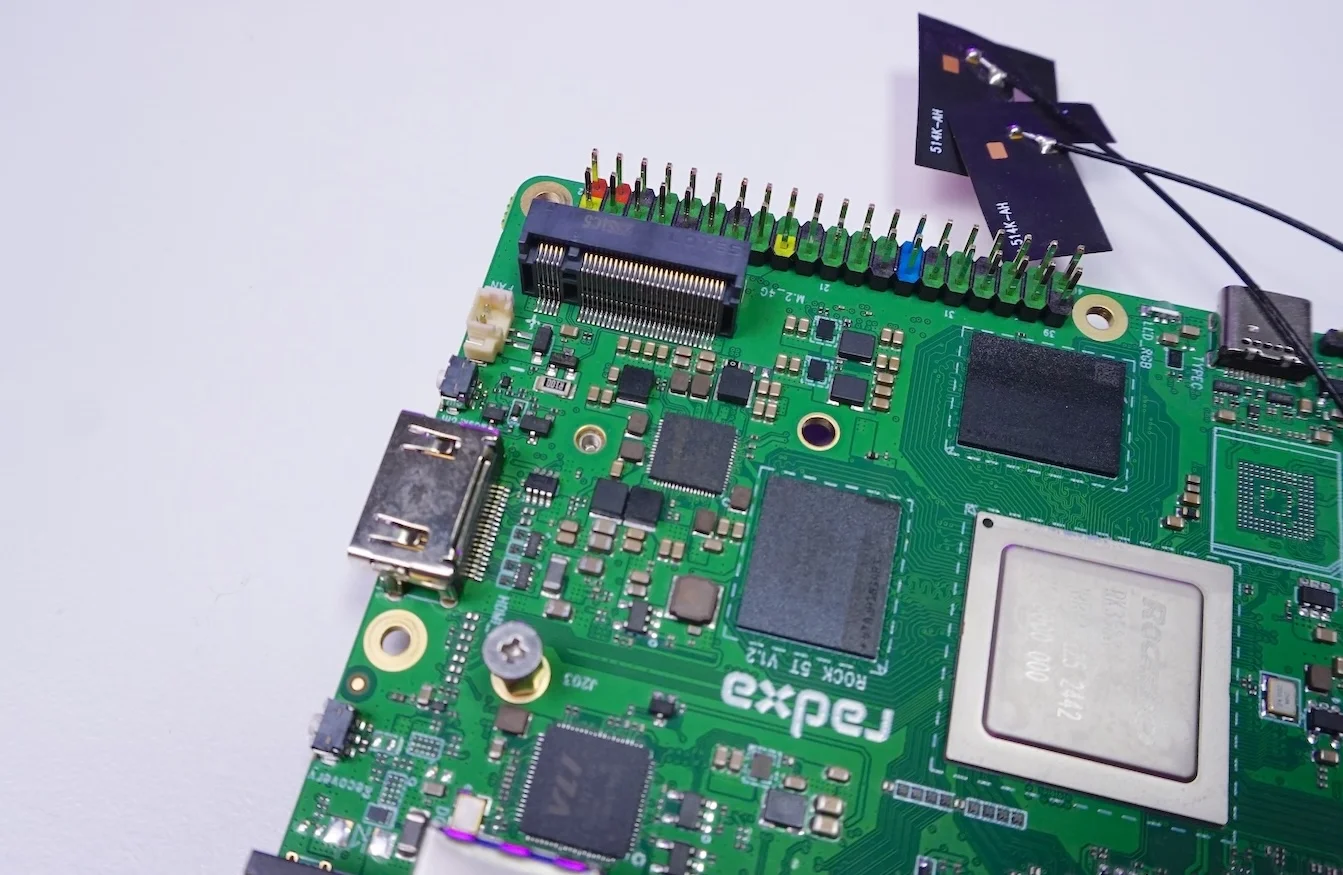
One of the first things I tried was multi-display output, because this board is designed for it. On paper, it supports up to four displays, and the ports are stacked in a way that makes it obvious this is a “serious I/O” board:
- 2× HDMI outputs
- One supports 8K @ 60 FPS
- One supports 4K @ 60 FPS
- USB‑C DisplayPort output
- Supports 4K @ 60 FPS
- MIPI DSI connector for another display
In my testing, I connected three displays at the same time, and they worked flawlessly. It behaved like a proper multi-monitor system.
Memory: LPDDR5 That Actually Feels Fast
This board uses LPDDR5 RAM rated at 5500 MT/s, which works out to roughly 44 GB/s of bandwidth. It’s also running dual 32-bit channels, spread across two memory chips.
Now, I’m not going to pretend you “feel” raw bandwidth in every task—but once you start stacking workloads (containers, services, IO, multi-display), this kind of memory subsystem helps the board stay responsive instead of getting sluggish under load.
Networking and Wireless: Dual 2.5 GbE
For connectivity, I got a lot of flexibility:
- Dual 2.5 Gigabit Ethernet
- One port supports PoE, but it needs an additional module.
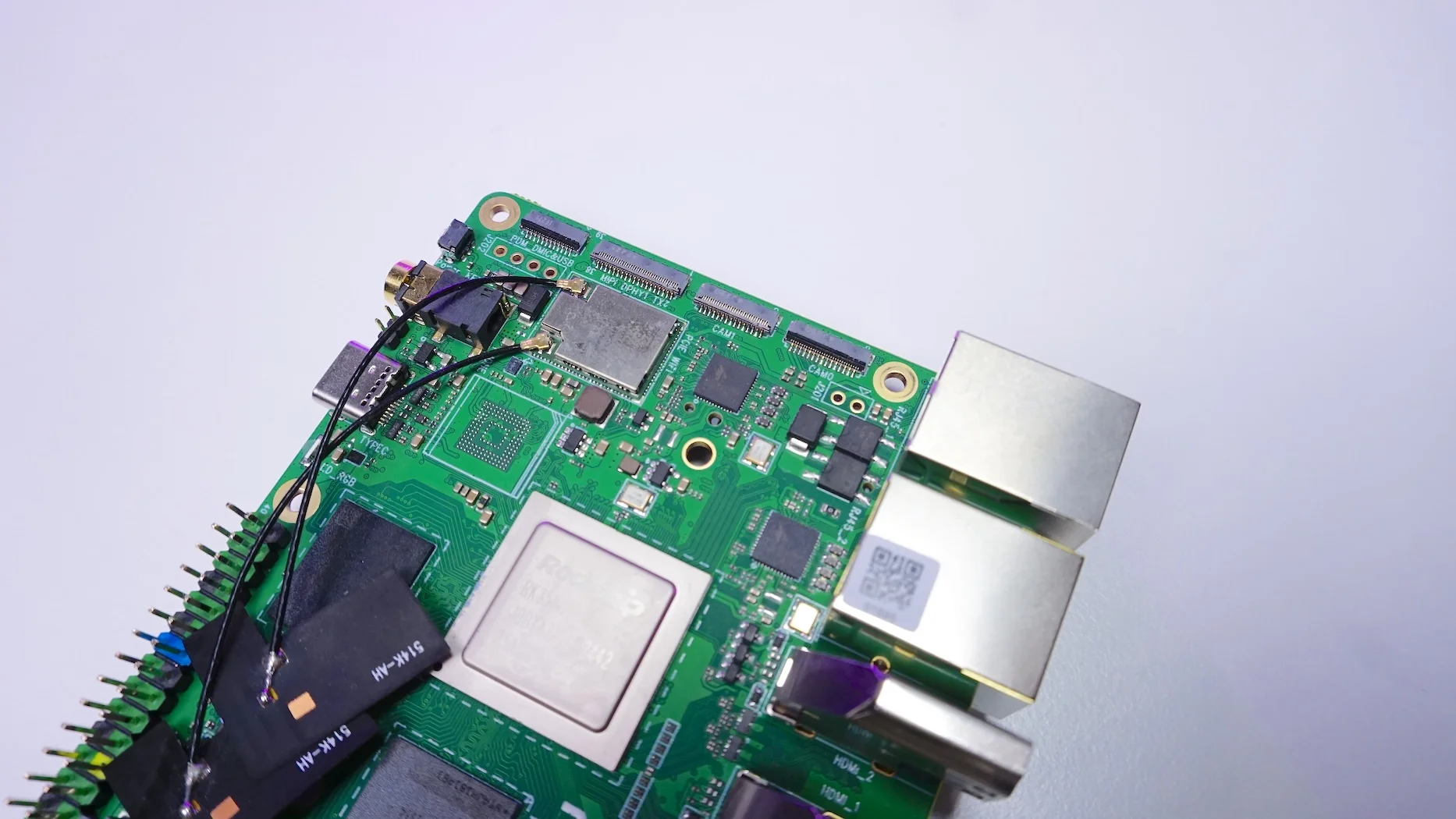
- Wireless via a module:
- Wi‑Fi 6
- Bluetooth 5.2
The dual 2.5 GbE is especially useful if you’re thinking NAS + services, routing between networks, or even just having one port for LAN and another for a dedicated storage network.
The Unexpected Feature: HDMI Input
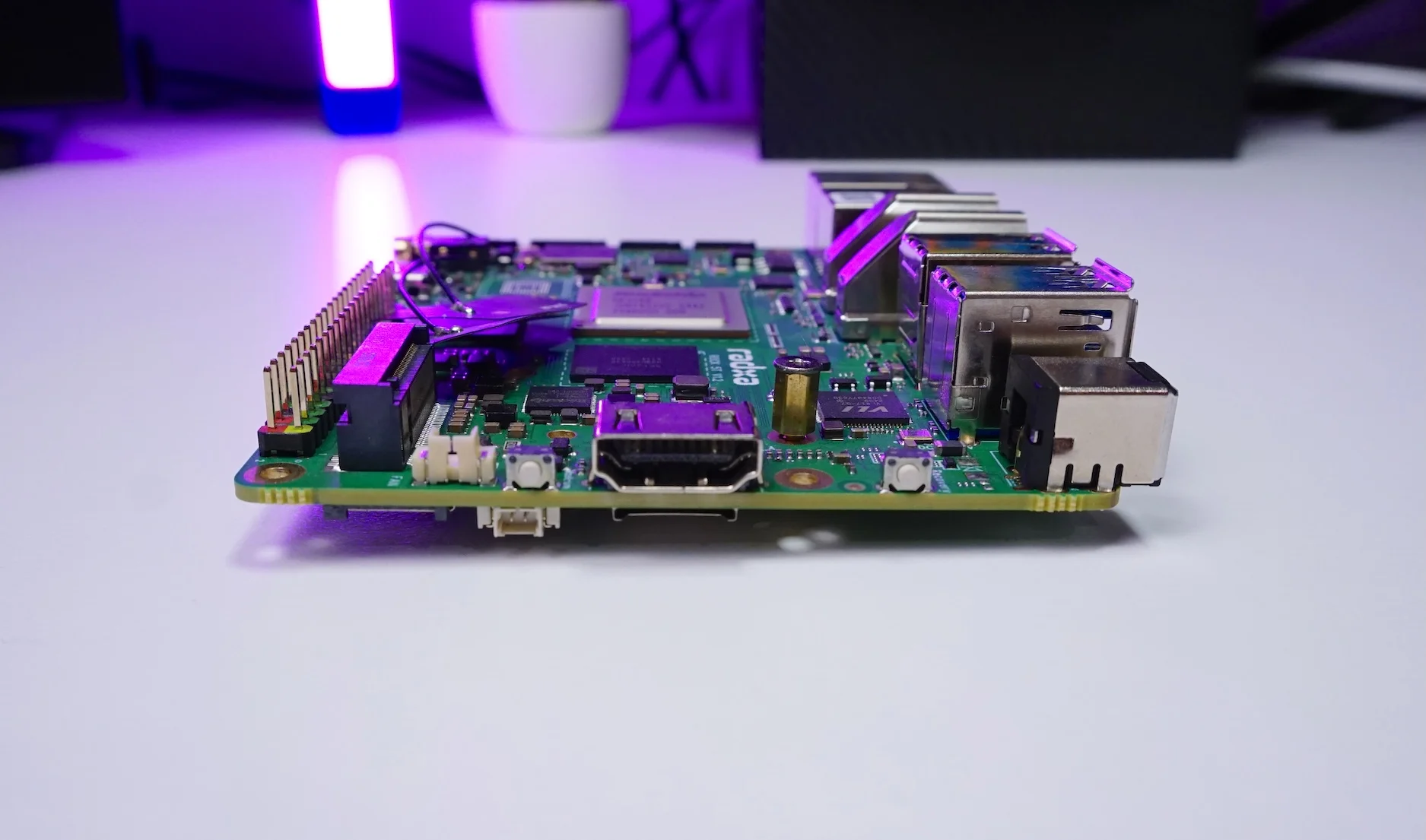
One port that immediately caught my attention is the HDMI input. This lets the board capture the HDMI output of another device—so you can do things like:
- record or stream from a gaming console
- capture from a camera
- ingest video from a laptop
- or even capture another SBC like a Raspberry Pi
When I connected the HDMI input to my laptop’s HDMI output, something really interesting happened:
my laptop detected the board as an external display, and I could mirror or extend my MacBook display through that connection.
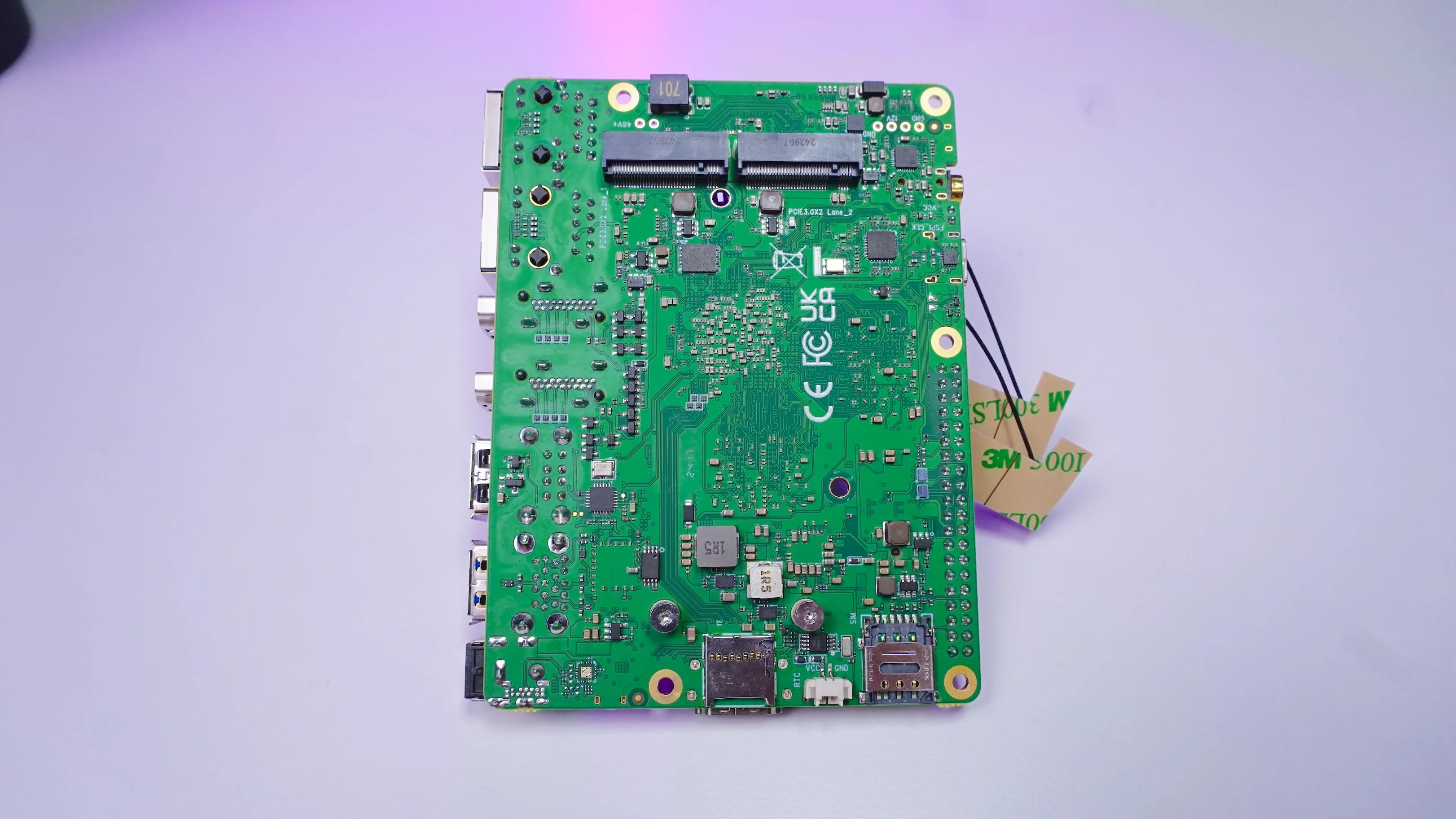
Cellular Option: SIM Slot + 4G via M.2 B-Key
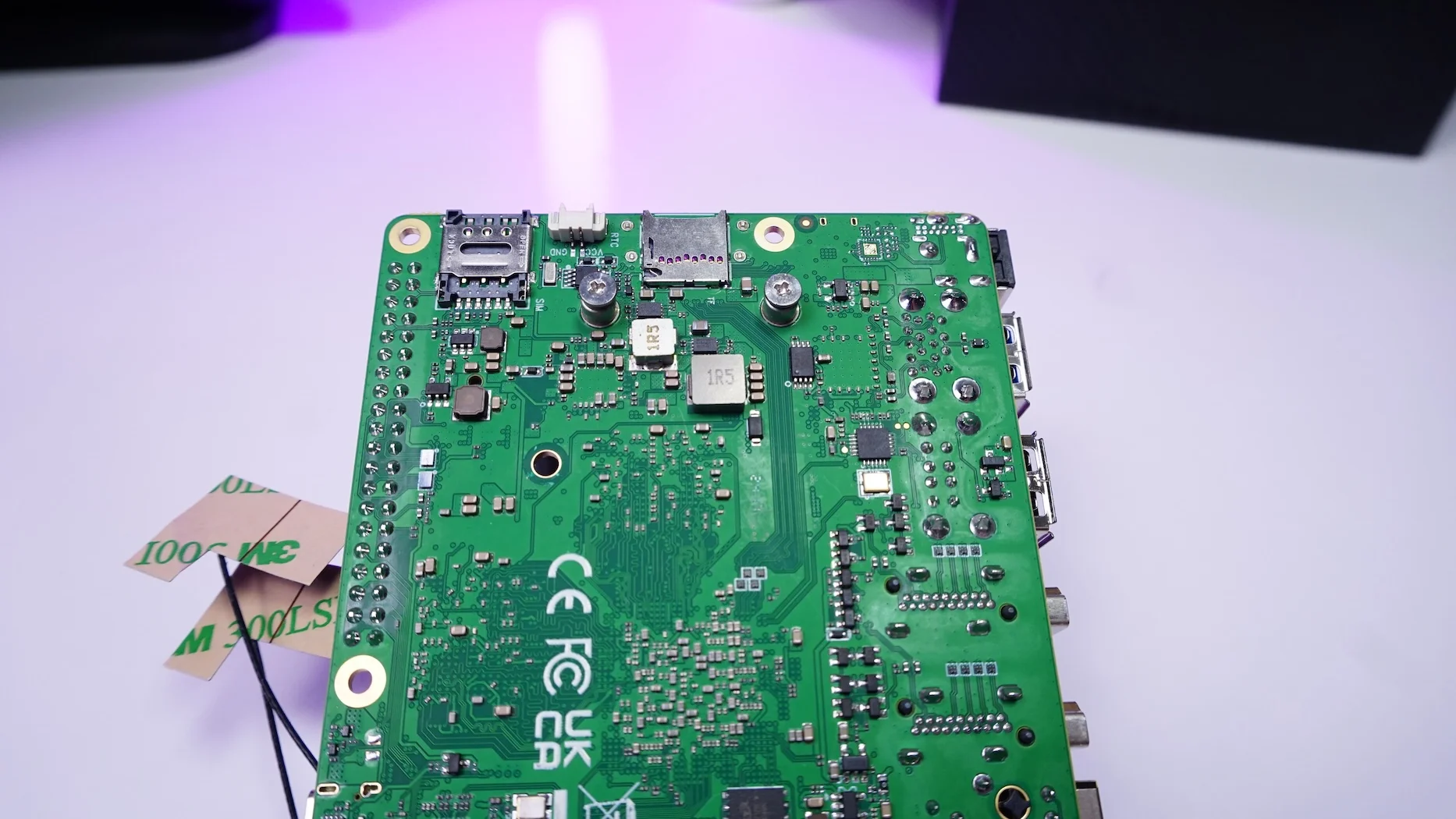
There’s also a SIM card slot, which you can pair with a 4G module using the M.2 B-key connector. So if you want cellular connectivity (remote deployments, fallback internet, portable setups), the hardware is ready for it.
Storage: Dual NVMe Slots on the Back
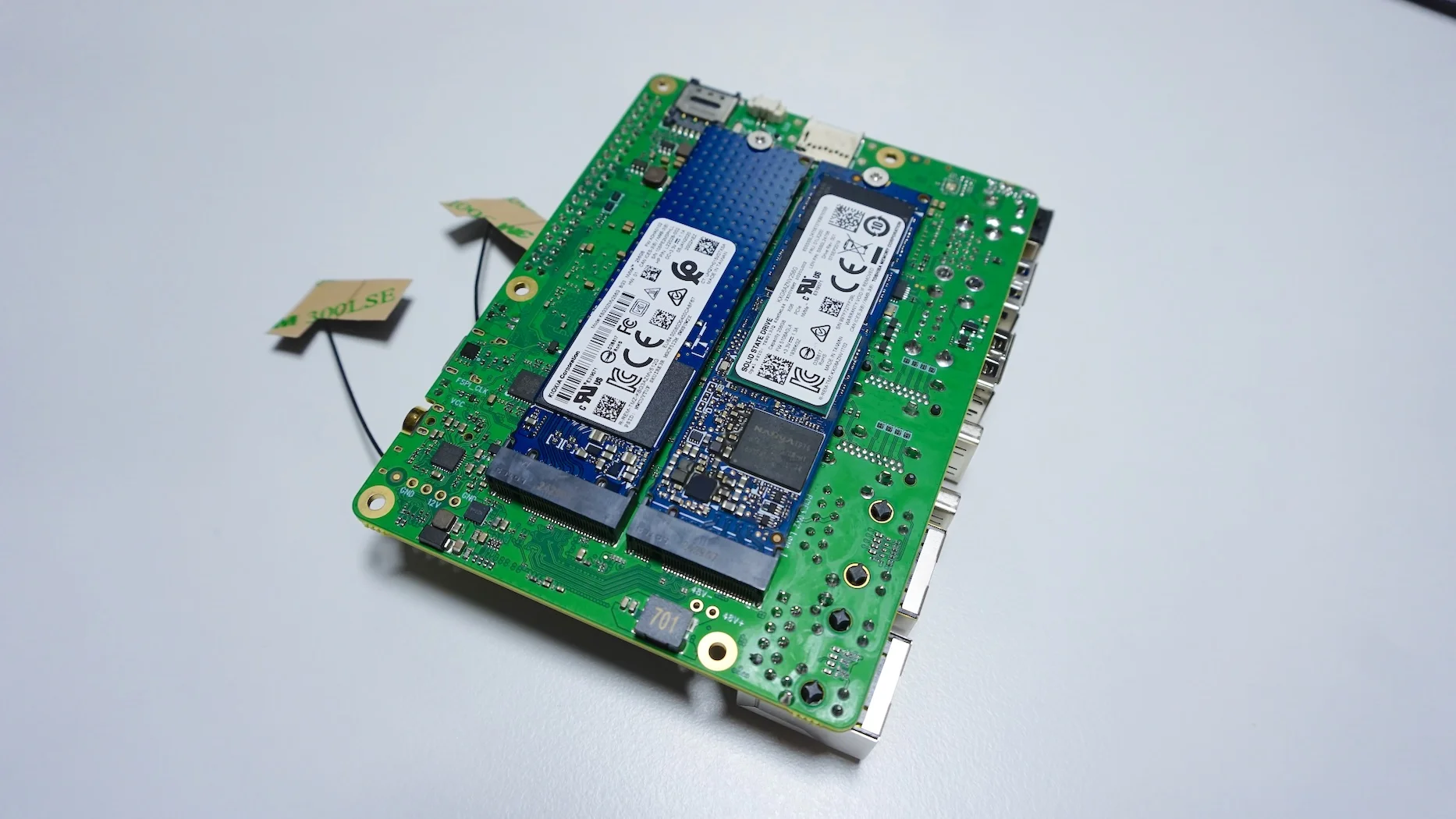
Flip the board over and you’ll see two M.2 M-key connectors for NVMe SSDs.
Each slot uses PCI Express 3.0 with 2 lanes (x2) per connector
Naturally, I had to test this because dual NVMe on an SBC is exactly the kind of thing that makes it feel like a mini server.
Ports and Extras
I also noticed a couple of practical additions:
-
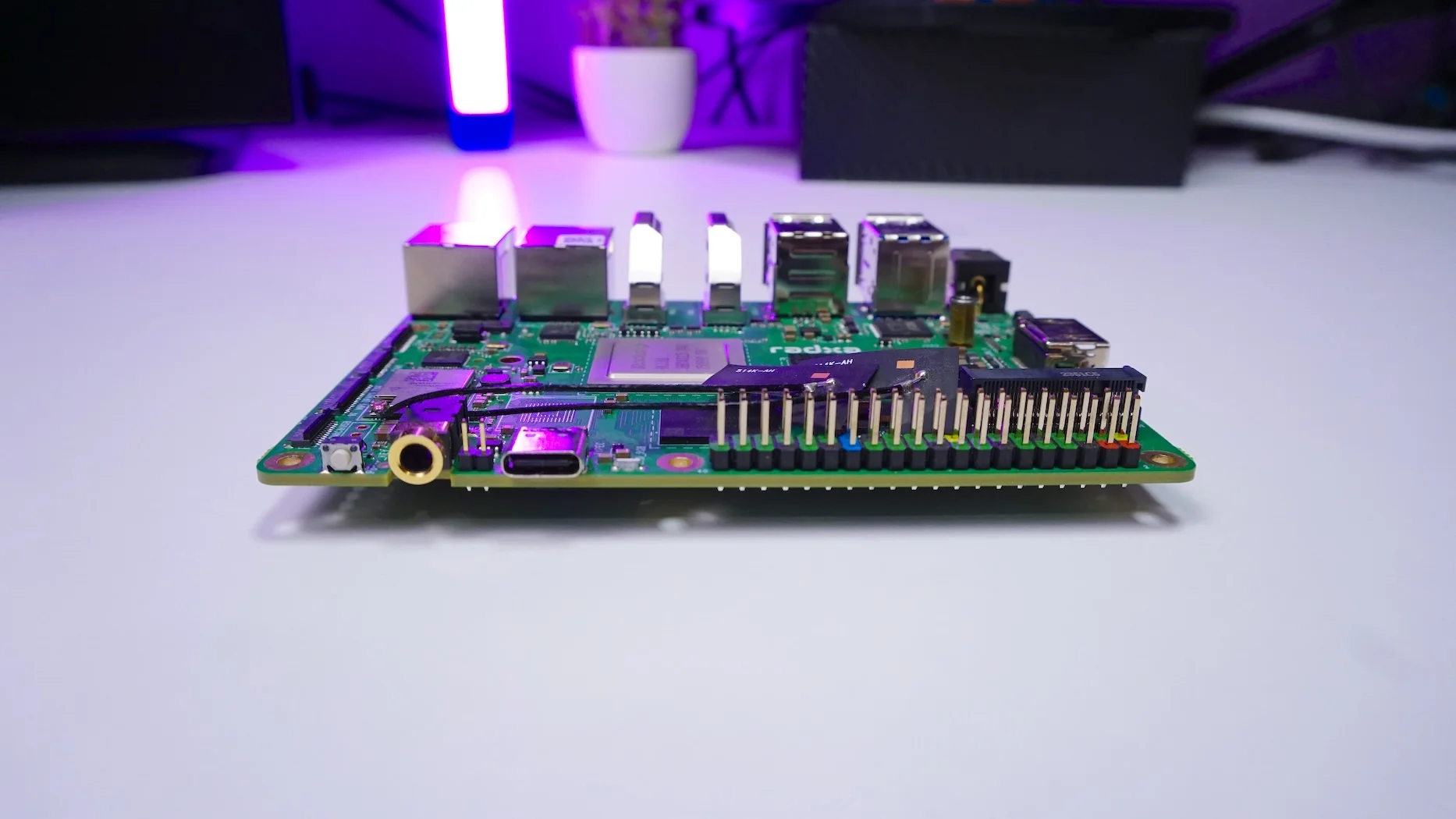
RTC battery connector
-
2-pin CPU fan connector
-
2× USB 2.0
-
2× USB 3.0
-
USB 3.0 OTG Type‑C (also supports DisplayPort)
-
3.5 mm audio jack
-
Power button
-
GPIO pins for interfaces like I²C, UART, SPI, etc.
Power is delivered through a 5525 DC barrel jack, requiring:
- 12V
- minimum 3A
Performance Testing
Sysbench CPU Test
I started with sysbench, a CPU-heavy test (prime numbers up to 20000).
For every 100000 requests, I saw:
- ~5300 requests/second
- 18.6 seconds total time
That’s a solid result for an SBC—especially one that’s often going to be used as a mini server, NAS, or container host.
Geekbench: Multi-Core Is the Highlight
Next I ran Geekbench.
What stood out:
- Single-core performance came in a little lower than the Raspberry Pi 5
- Multi-core performance was about 70% better than the Pi 5
My guess on the single-core result is that the test may have landed on a Cortex-A55 core (the efficiency cores at 1.8 GHz), which would naturally pull the score down compared to the faster cores.
Thermals: Hot Under Multi-Core Load (But Silent)
I paid attention to temperatures during Geekbench:
- During the single-core test: up to 63°C
- During the multi-core test: up to 84°C
This was done without a CPU fan attached. The CPU was pushed hard, and since there was no fan, it was completely silent during the run.
If you plan on sustained heavy workloads, a fan is going to help—but it’s good to know what the baseline looks like.
Power Consumption: 16W Peak, ~7W Idle (With NVMe Attached)
I measured power draw during Geekbench:
- Peak: ~16W
- Idle: ~7W
Important detail: these measurements were taken with both NVMe drives connected, so storage was part of the power budget.
Storage Verification and Speed Tests
PCIe Link Check
To confirm the M.2 behavior, I ran lspci And verified that each connector provides PCIe 3.0 with 2 lanes—exactly what I expected based on the board layout.
NVMe Throughput
Then I ran hdparm, and both drives hit about:
- ~1400 MB/s
For an SBC, that’s a very usable number, and it makes the dual-NVMe setup feel legitimately practical for fast storage workloads.
Memory Bandwidth Testing
I also ran a memory bandwidth test. With a 1MB block size, I got:
- mem copy: ~10000 MiB/s
- block copy: ~5500 MiB/s
That lines up nicely with the idea that this LPDDR5 setup can keep up with multi-service use.
Network Throughput: Real-World 2.5 GbE Performance
Finally, I tested both 2.5 GbE ports, and I was able to get around:
- ~2.3 Gbps for sending and receiving
That’s close enough to line rate to feel “as expected” for 2.5 gig hardware, and it’s more than enough for fast NAS workflows or a busy home server.
My Real Use Case: Home Assistant + Voice Assistant Containers
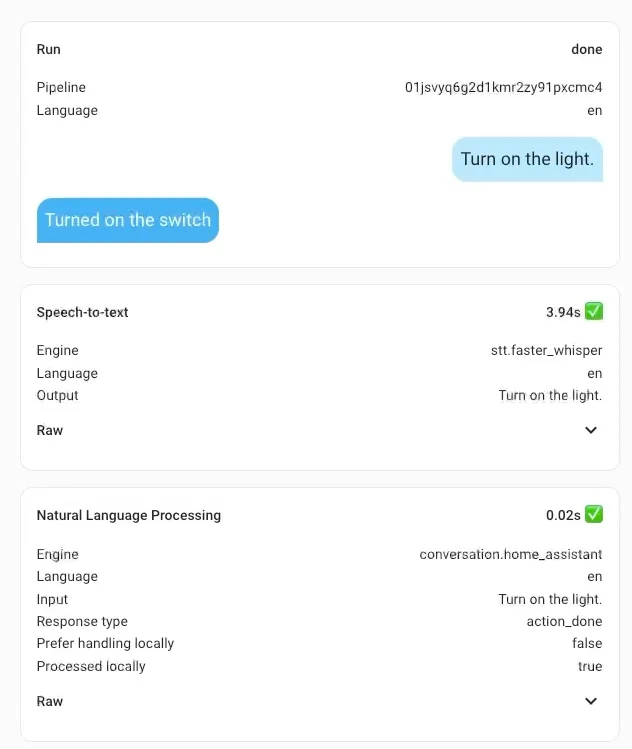
Since I make videos around Home Assistant, I wanted to run it here too. In my case, Home Assistant was only possible via Docker, so I set up Docker and ran:
- Home Assistant container
- Whisper (speech-to-text)
- Piper (text-to-speech)
The difference that stood out immediately was Whisper speed.
Using the small-int8 model:
- On this board: speech-to-text in ~4 seconds
- On Raspberry Pi 5: nearly 6 seconds
And this isn’t just a benchmark for me—I actually use this model day-to-day because it gives me the right result about 95% of the time.
So in practical terms, it made my local voice assistant feel dramatically more responsive.
What I’d Use This Board For
After testing it the way I normally use hardware, a few use cases really fit naturally:
- Home Assistant (via Docker) with extra services alongside it
- NAS setup using something like OpenMediaVault
- A small home server for apps/services
- A starter node to kick off a homelab setup
- A portable NAS, thanks to the dual NVMe slots
The big theme for me is that this board isn’t just “fast”—it’s capable, especially once you start using the IO it offers.
Final Thoughts
After living with it for a bit and running my usual mix of tests, the Rock 5T feels like one of those boards that doesn’t box you into a single purpose. Between multi-display support, dual 2.5 GbE, HDMI input, and dual NVMe, it can act like a mini workstation, a media/AI box, or a compact home server—depending on what you build around it.
If you’re curious, tell me what kind of tests you’d like to see next. I’m happy to push it further—storage workloads, thermal tests with a fan, AI experiments, Docker stress tests, whatever you’re into.
And if you want more content like this, you already know the drill: subscribe and hit like so I keep making more of these deep dives.
For more innovative projects, subscribe to my channel.
If you’d like to support my work, consider buying me a coffee or contributing via Patreon.
- Create a NAS with Raspberry Pi 5
- Radxa X4: 60$ Powerful Atlernative to Raspberry Pi 5
- Install OS on Raspberry Pi Compute Module 5 with eMMC Storage
- Orange Pi 5 MAX: A Powerful Successor to the Orange Pi 5 Pro