
Written by

Featured Video
Table of Contents
- Technical Specifications
- OS support: UEFI makes it so much easier
- GPU testing: Vulkan vs OpenGL results
- Power and thermals: efficient, cool, and silent
- CPU Cores have variying frequencies.
- AI and LLM tests on CPU
- CPU benchmarks: Geekbench and Sysbench
- Geekbench
- Sysbench
- Memory performance:
- I/O Tests
- USB 3.2 test
- Dual Gen4 NVMe slots
- Networking: 2.5GbE is solid, Wi-Fi works (after firmware)
- Home Assistant + local voice: surprisingly quick
- Mainline Linux support is still in progress
- Where I land on the Orion O6N right now
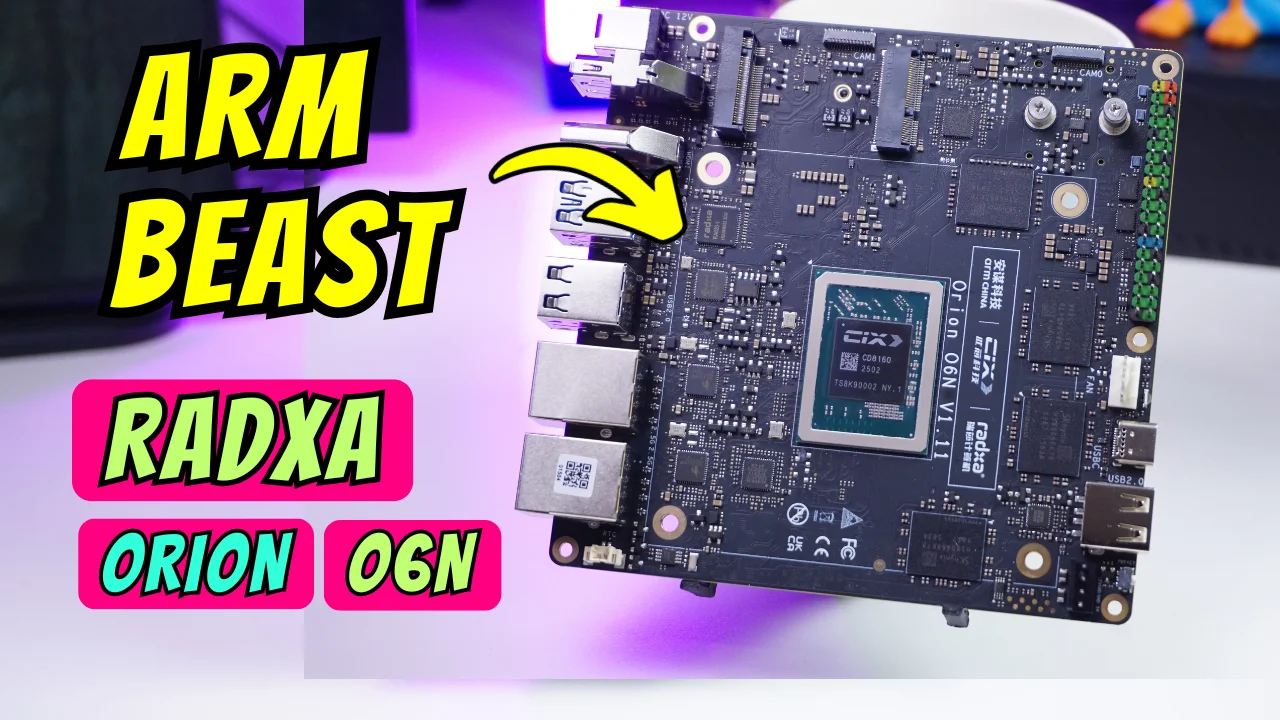
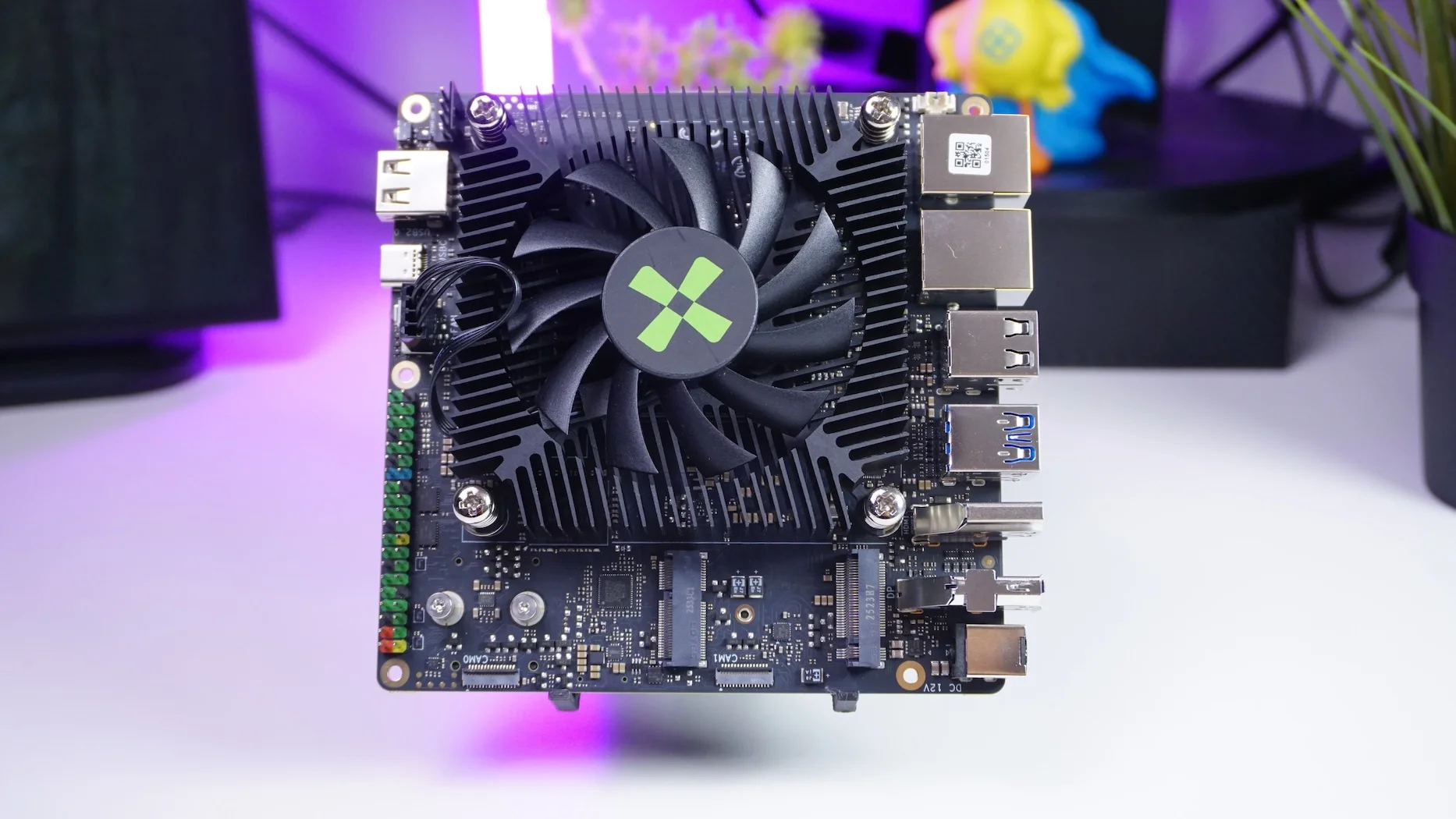
About a year ago Radxa launched the Orion O6, and now there’s a Nano-ITX version of the same platform: the Orion O6N. I’ve been putting it through the kind of real-world tests I actually care about—booting different OS images, checking hardware acceleration, measuring power and thermals, and seeing how it behaves as a small server and an AI box.
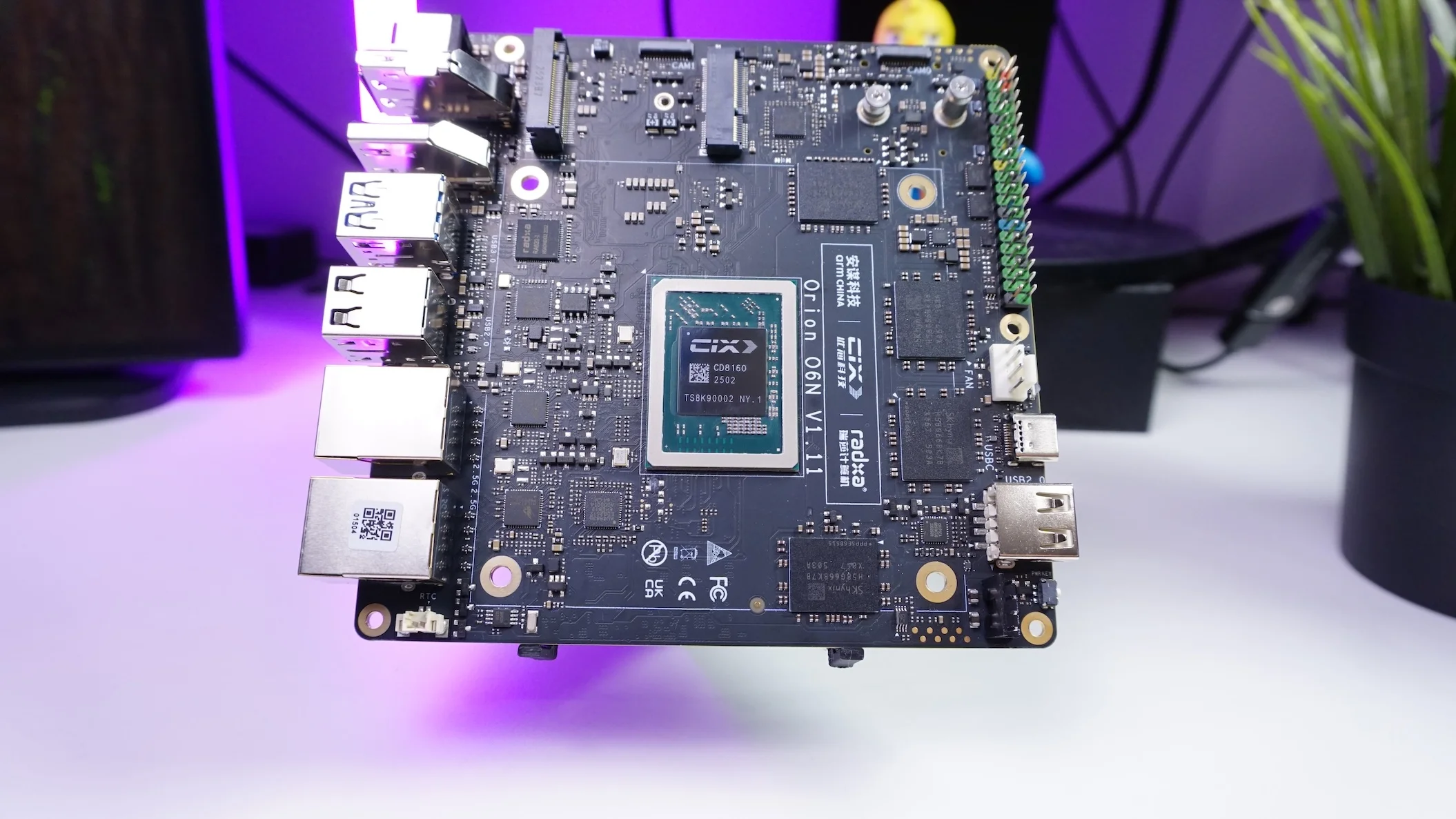
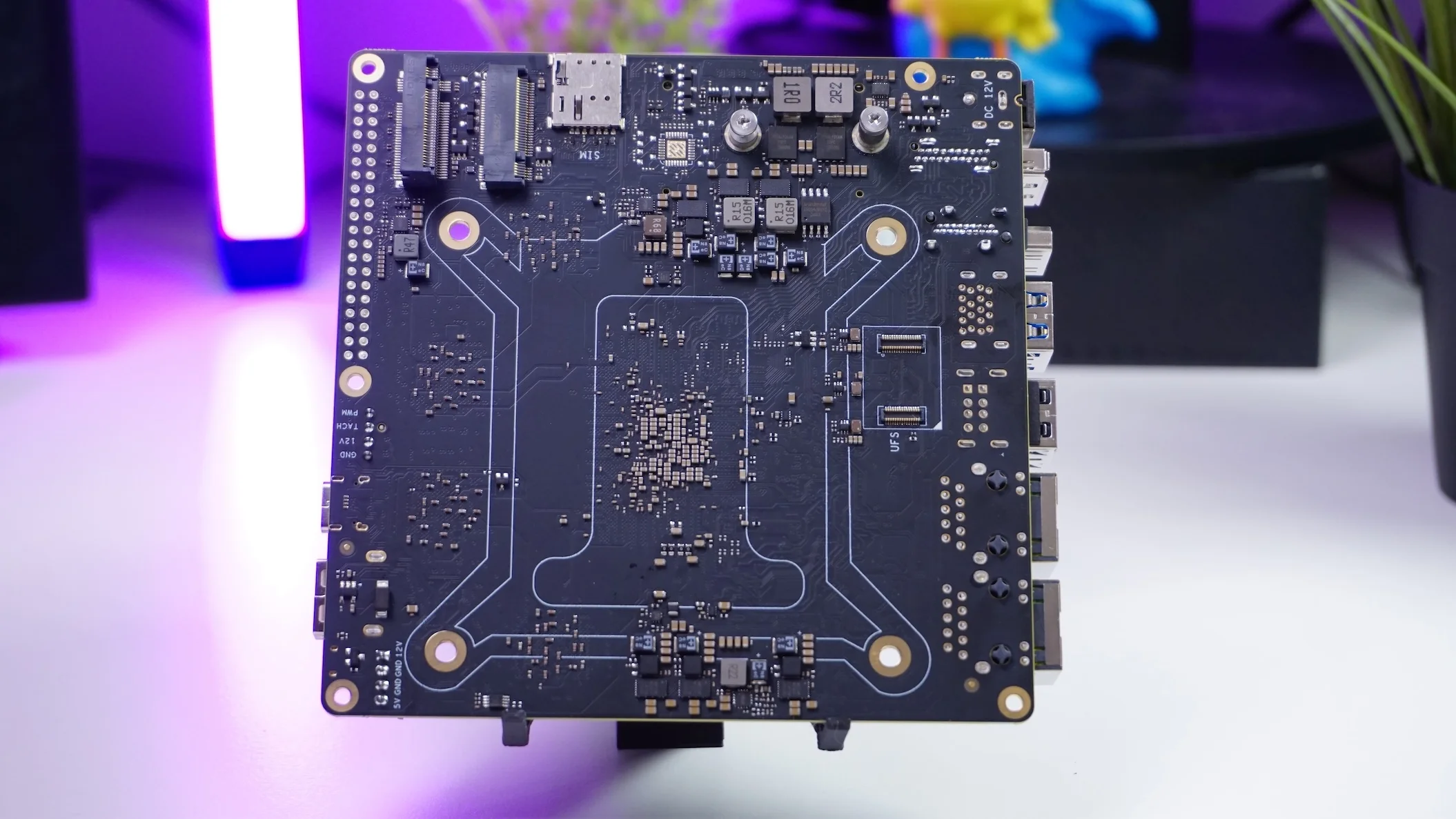
Technical Specifications
Radxa Orion O6N:
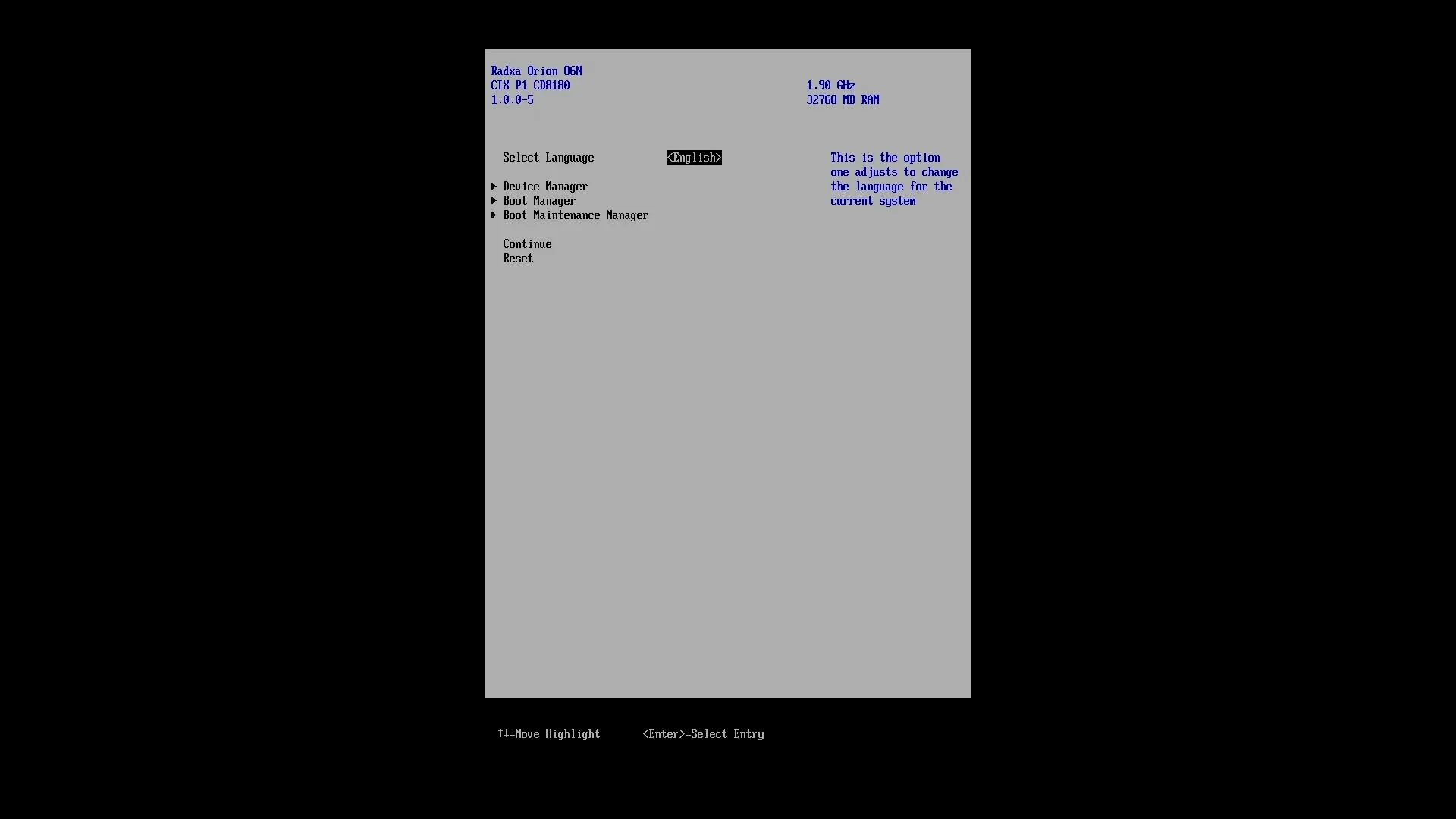
OS support: UEFI makes it so much easier
On the OS side, I had a surprisingly smooth experience.
- I downloaded a Debian desktop image meant for Arm devices, installed it, and it booted with no issues.
- I also installed an official Arm image for Ubuntu 25.10, again no issues, and it was running a fairly recent kernel (around 6.17).
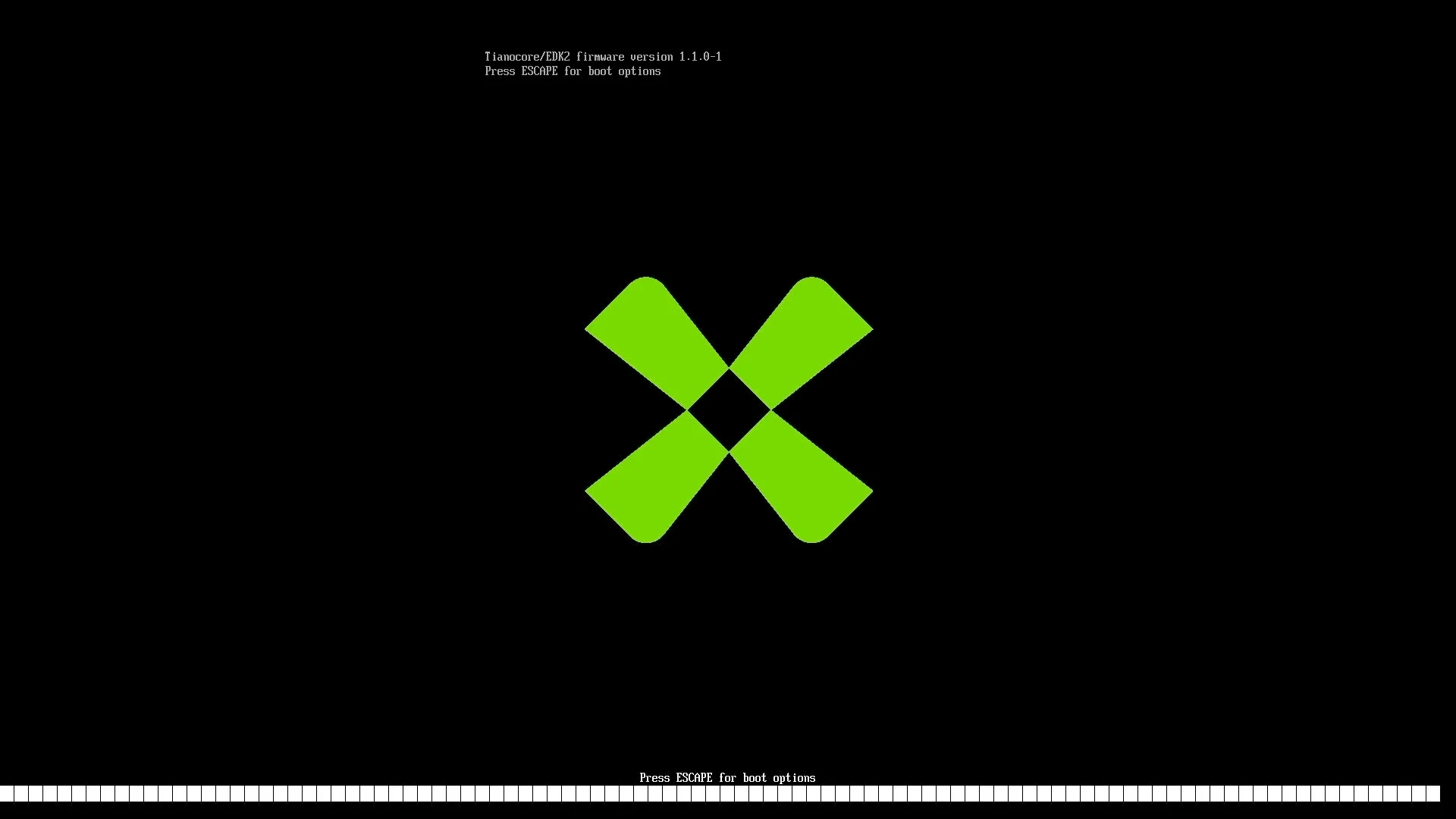
This is largely possible because the board supports UEFI (based on EDK2) and also includes ACPI support. That combination makes it feel much more “PC-like” than the usual SBC workflow.
I’ve also seen people in the Radxa Discord running other operating systems like Gentoo, Fedora, and even FreeBSD—but one important detail: on those, hardware acceleration wasn’t available yet, so graphics/video were basically running via software rendering.
Because of that, I used Radxa OS for most of my performance testing, since it does provide hardware acceleration.
GPU testing: Vulkan vs OpenGL results
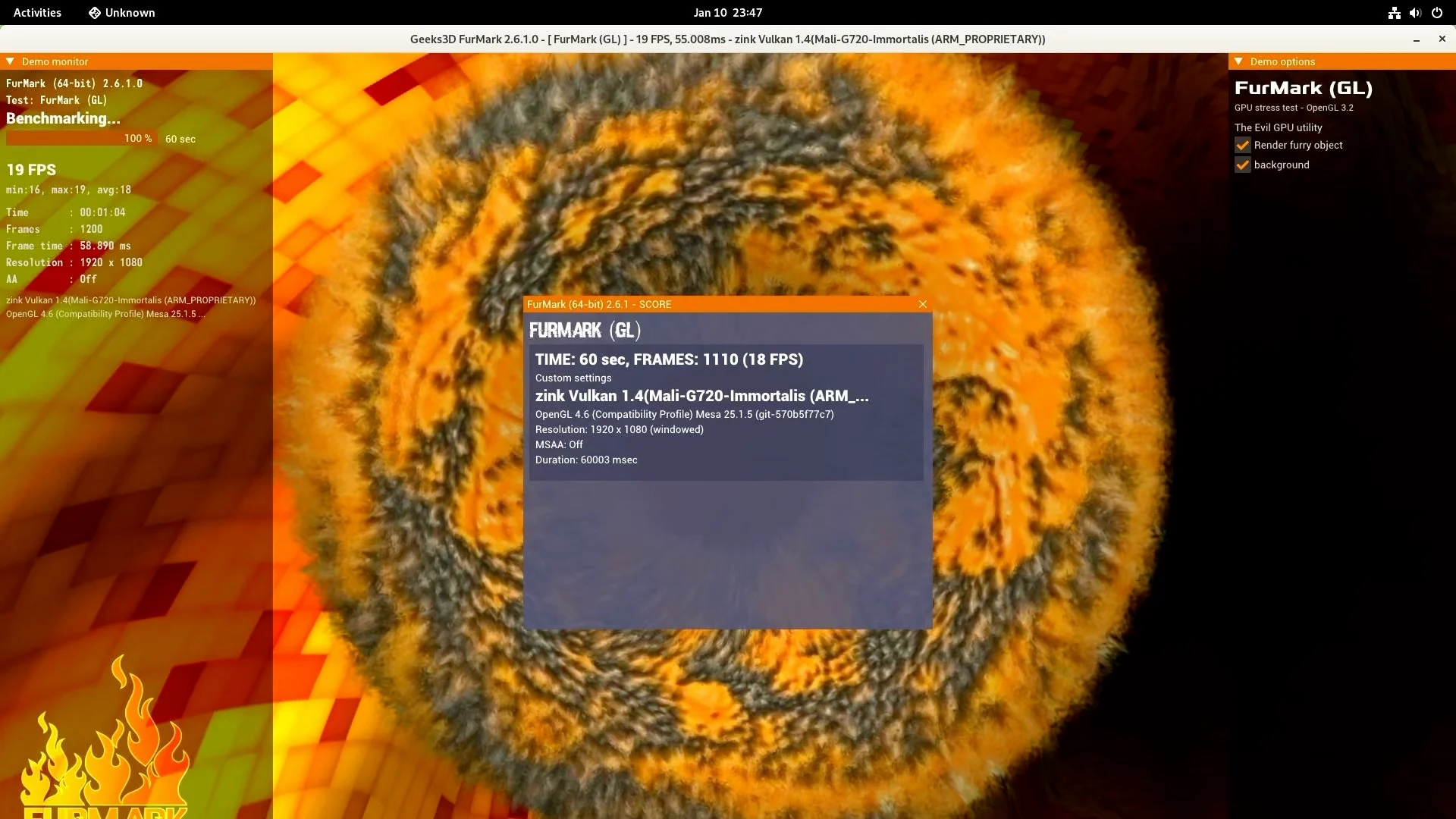
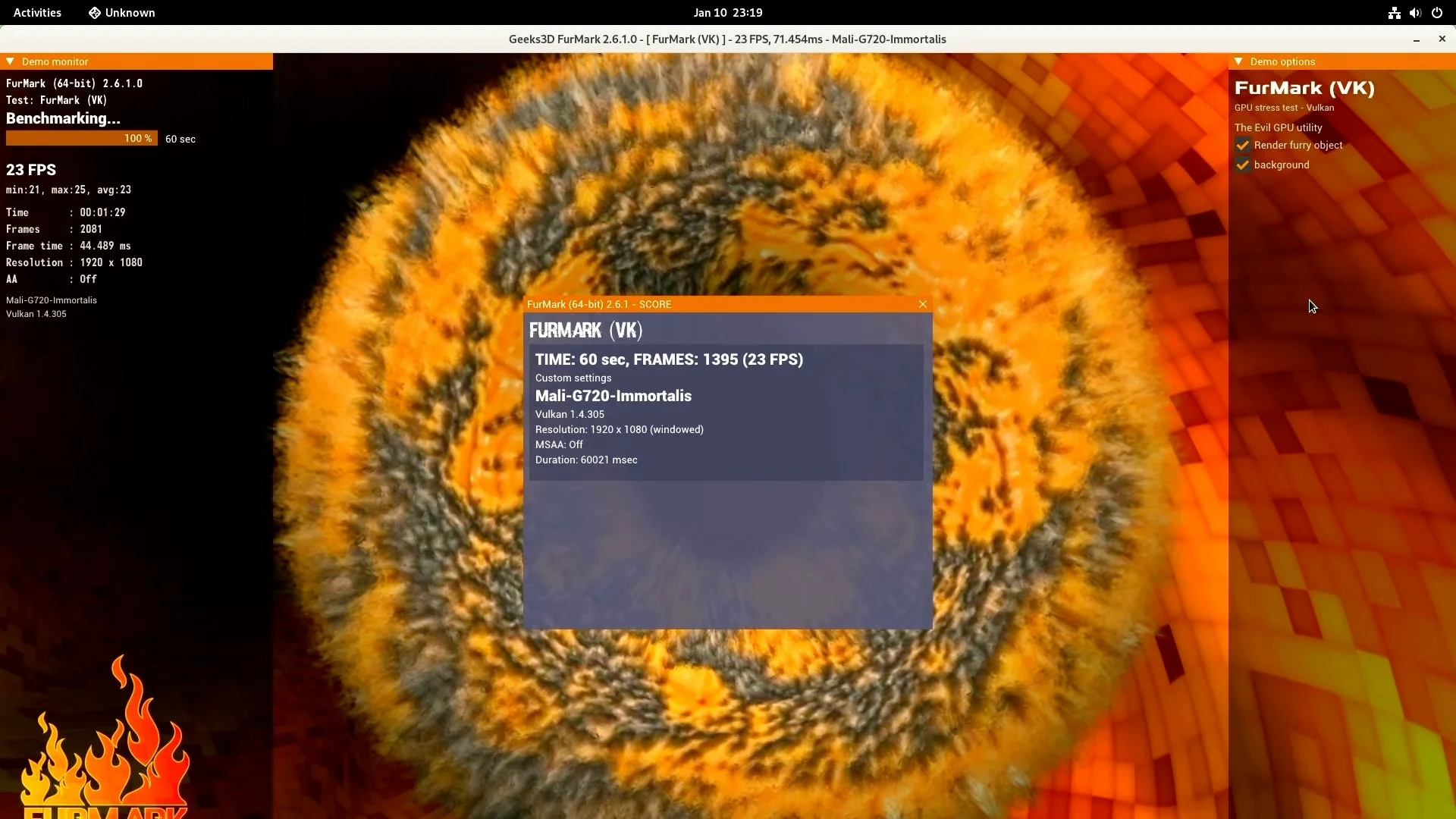
To get a quick feel for GPU performance, I ran Furmark:
- Vulkan (API 1.4): ~23 FPS
- OpenGL (4.6): ~18 FPS
Power and thermals: efficient, cool, and silent
With the CPU fan and an NVMe connected:
- Idle power: ~11 to 11.5W
- Running Ollama: jumped to ~31W
Temperature-wise:
- Idle: ~32°C
- 10-minute stress test: didn’t go above ~43°C
CPU Cores have variying frequencies.
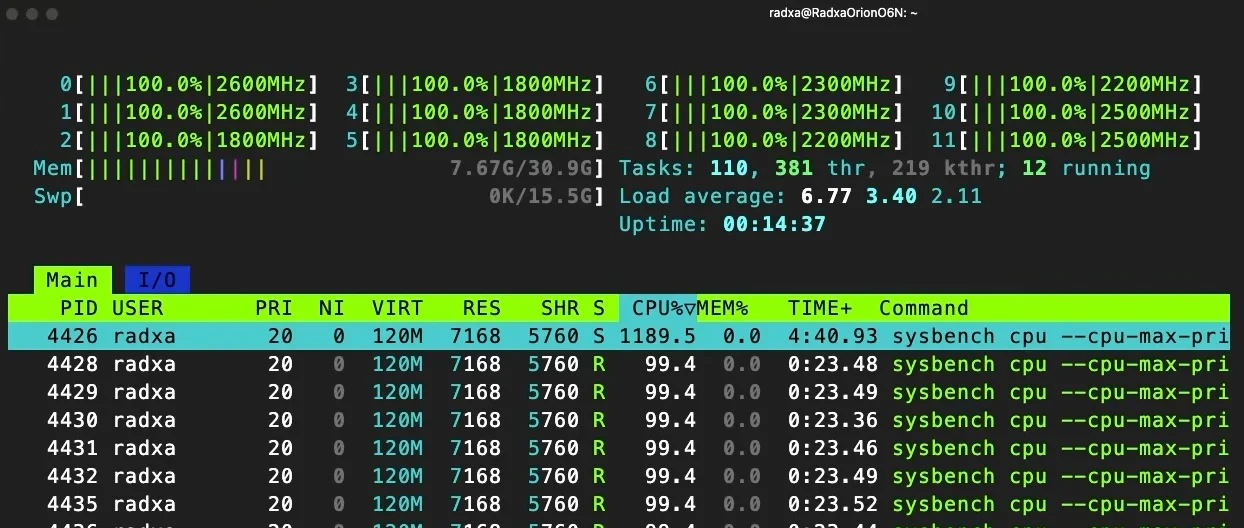
During the stress test I noticed the 12 cores weren’t all locked to the same clock:
- 2 cores around 2.6 GHz
- 2 cores around 2.5 GHz
- 2 cores around 2.3 GHz
- 2 cores around 2.2 GHz
- 4 cores around 1.8 GHz
AI and LLM tests on CPU
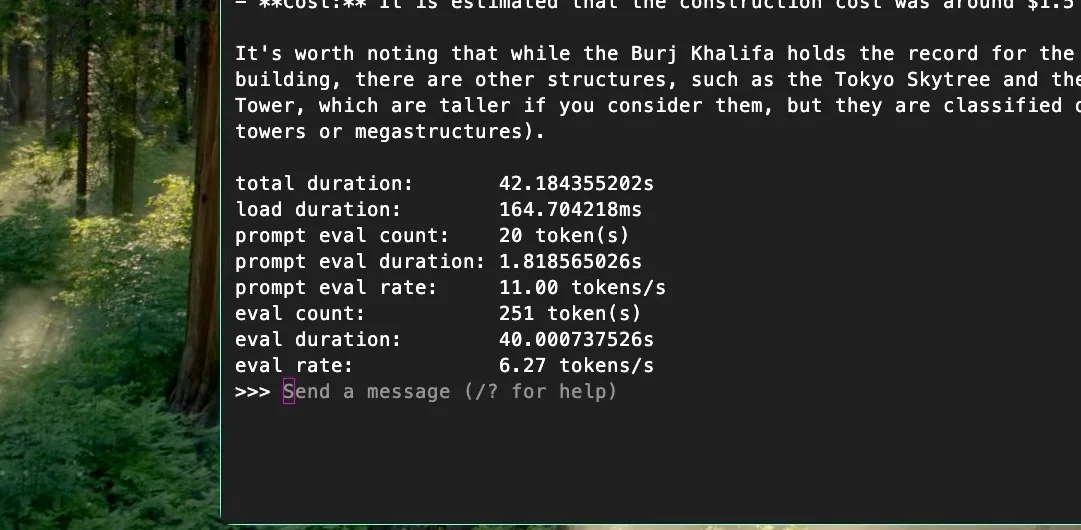
I tested a Qwen3 8B model using Ollama:
- ~11 tokens/sec for prompt evaluation
- ~6 tokens/sec for generation/evaluation
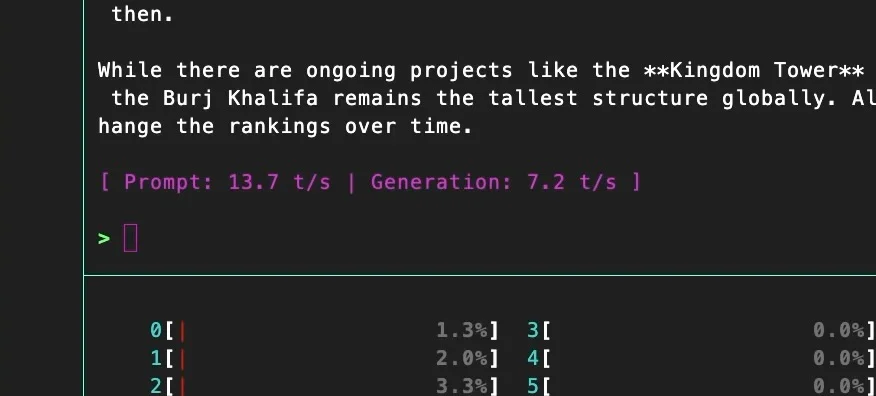
Then I built llama.cpp locally:
- ~13 tokens/sec prompt evaluation
- ~7 tokens/sec generation
Important note: these were CPU-only runs. I wasn’t using the NPU.
CPU benchmarks: Geekbench and Sysbench
Geekbench
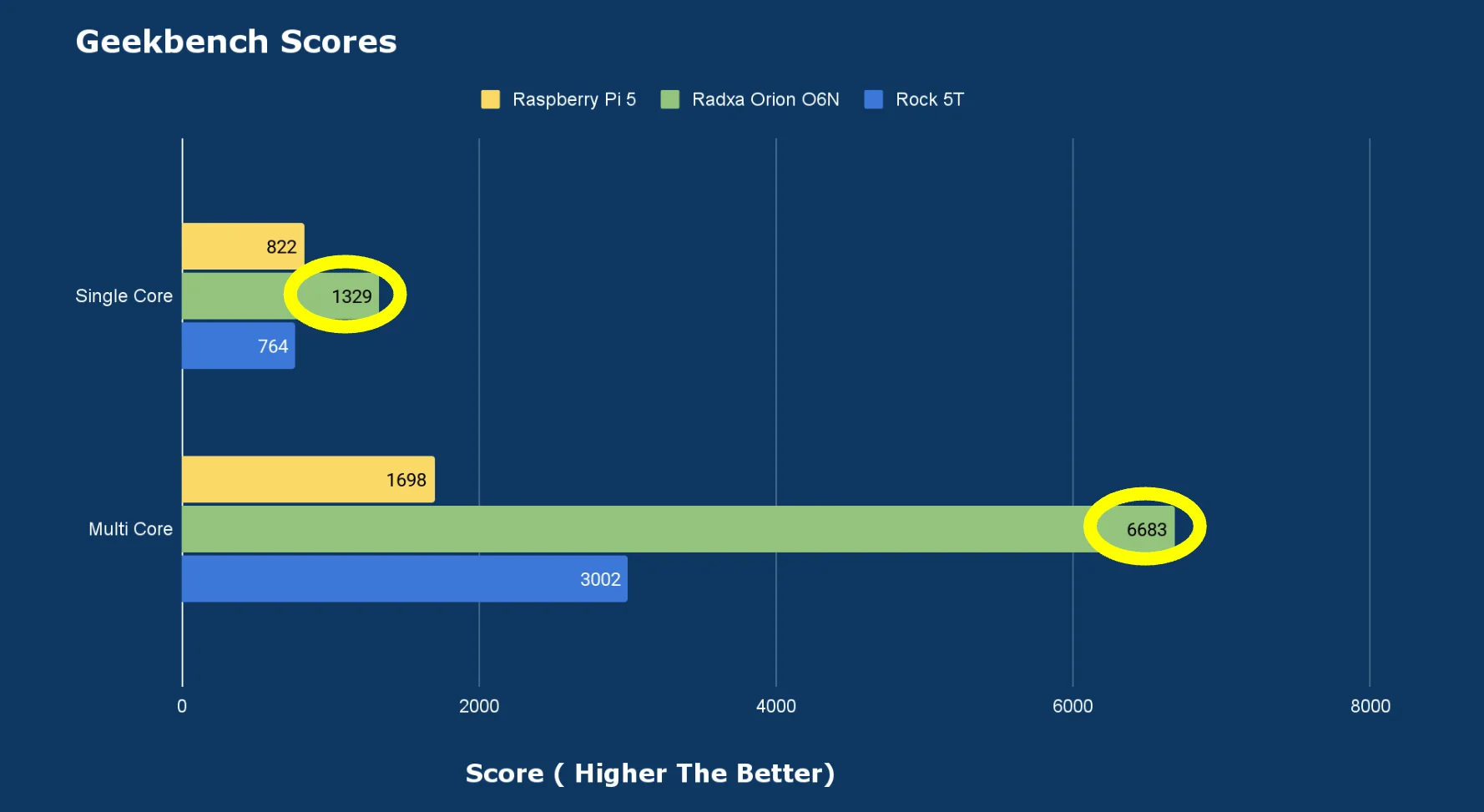
- Single-core: 1329
- Multi-core: 6683
In my comparisons, that lands around ~2× the performance of a Rock 5T (RK3588) in the same general test style.
Sysbench
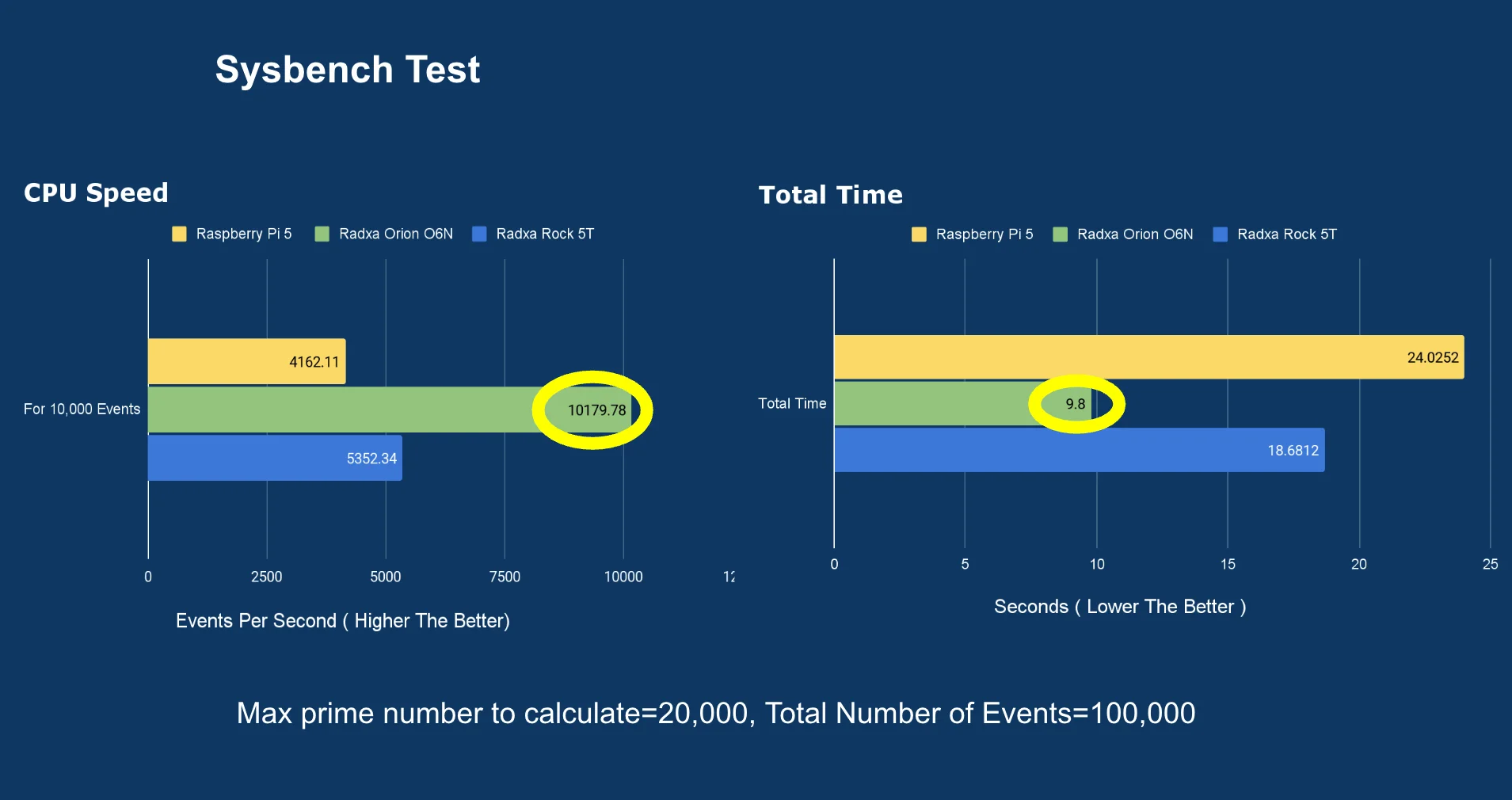
I ran a sysbench prime test (up to 20,000 per 100,000 requests), and this board completed it in:
- ~9.8 seconds
That was also roughly ~2× faster than the Rock 5T in the same type of workload.
Memory performance:
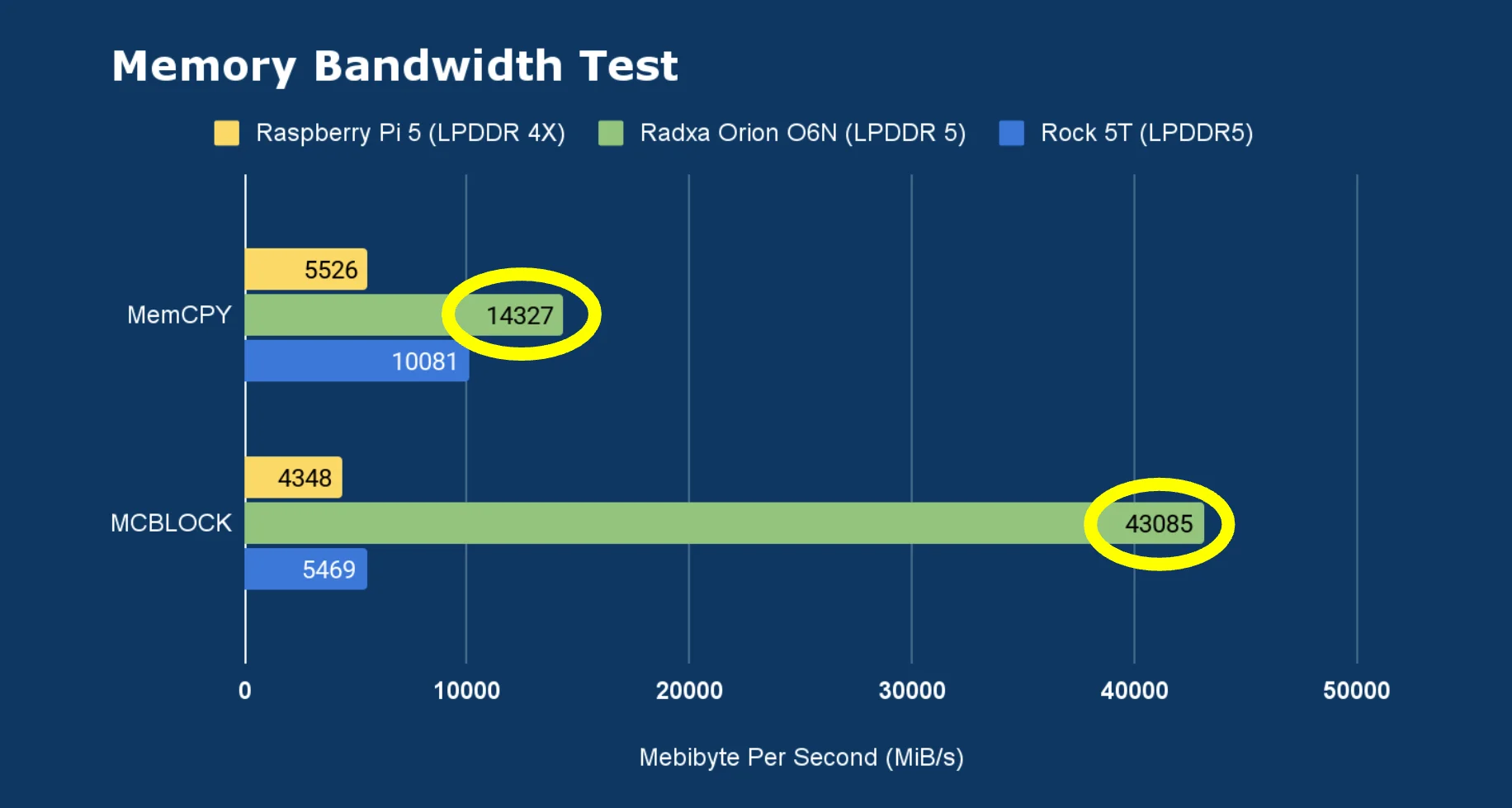
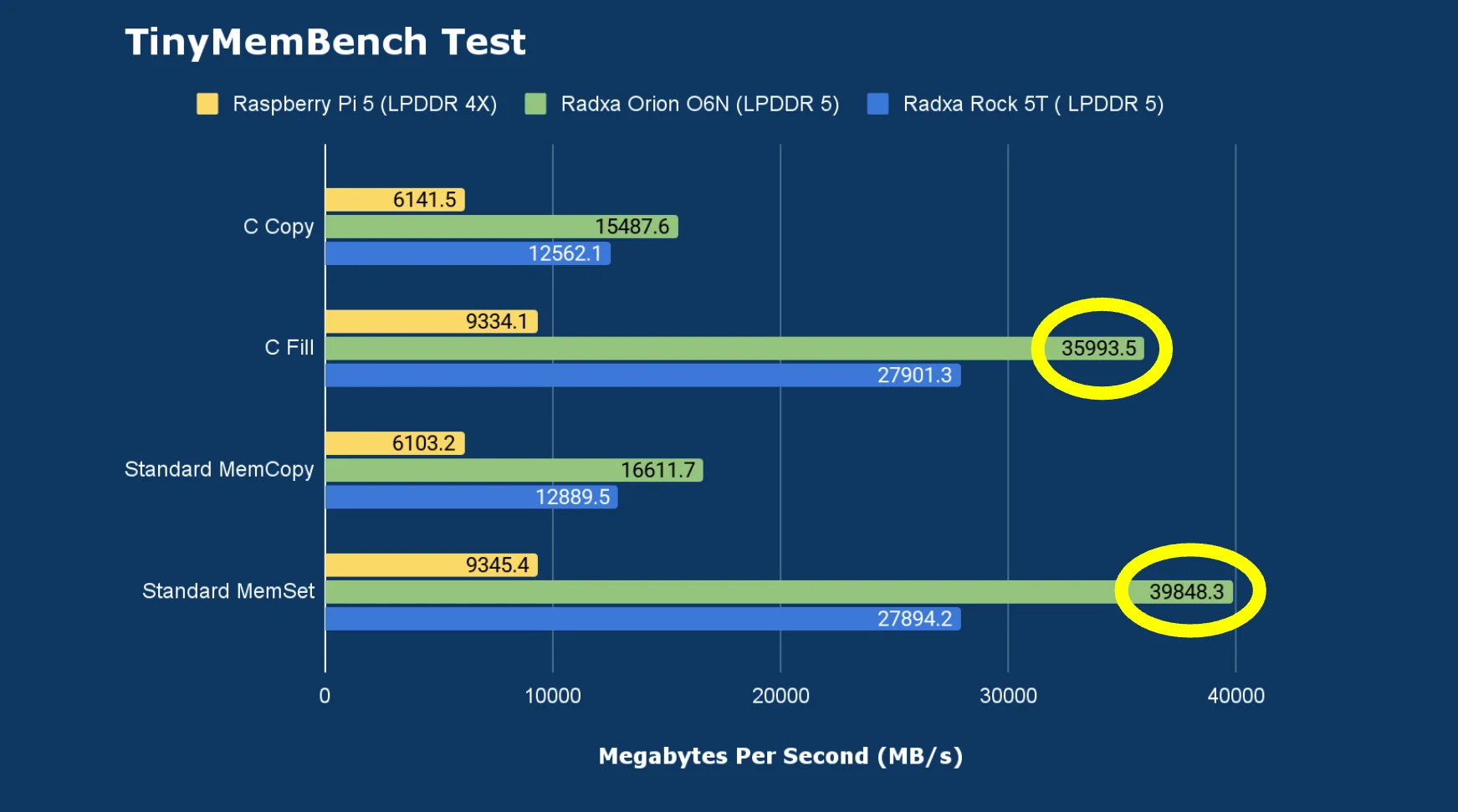
I ran the following tests:
- Memory Bandwidth Test
- Tinymembench
The results were way ahead of what I typically see on boards like the Rock 5T and Raspberry Pi 5. This is exactly where that 128-bit memory bus makes a difference.
I/O Tests
USB 3.2 test
With a USB-to-NVMe adapter, I confirmed it was running on the 10,000 Mbit bus, and using fio I saw:
- ~970 MB/s write speed
Dual Gen4 NVMe slots
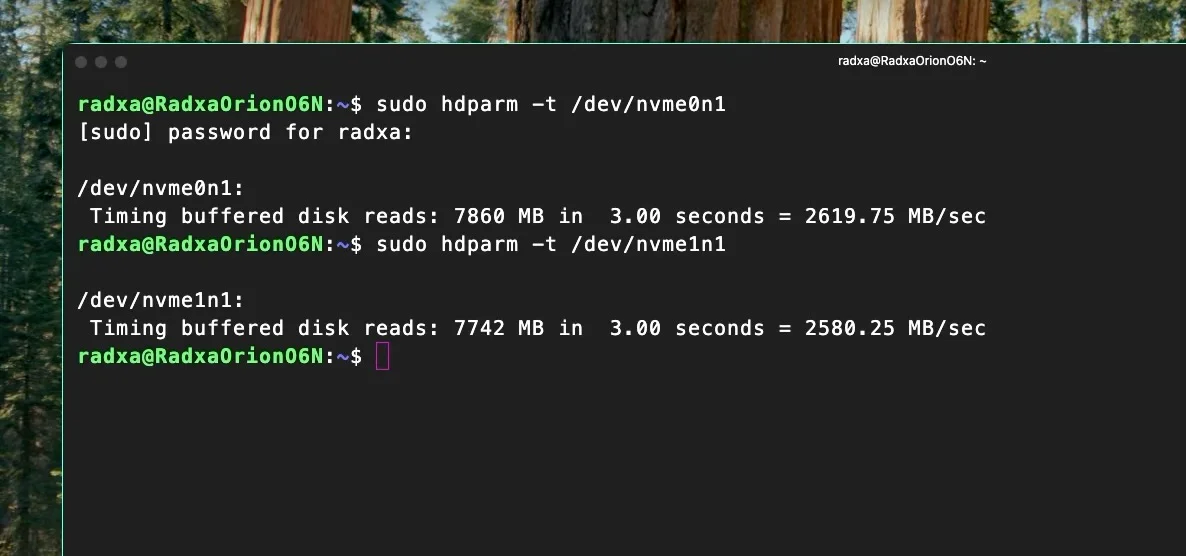
Both M.2 M-key slots provide PCIe Gen 4 x4, and in hdparm I saw read speeds around:
- ~2600 MB/s
That’s excellent for a board in this category, and it makes it much more realistic to run it as a proper server or lab box with fast local storage.
Networking: 2.5GbE is solid, Wi-Fi works (after firmware)
For Ethernet, I tested with iperf3 and got about:
- ~2.3 Gbit/s sending and receiving
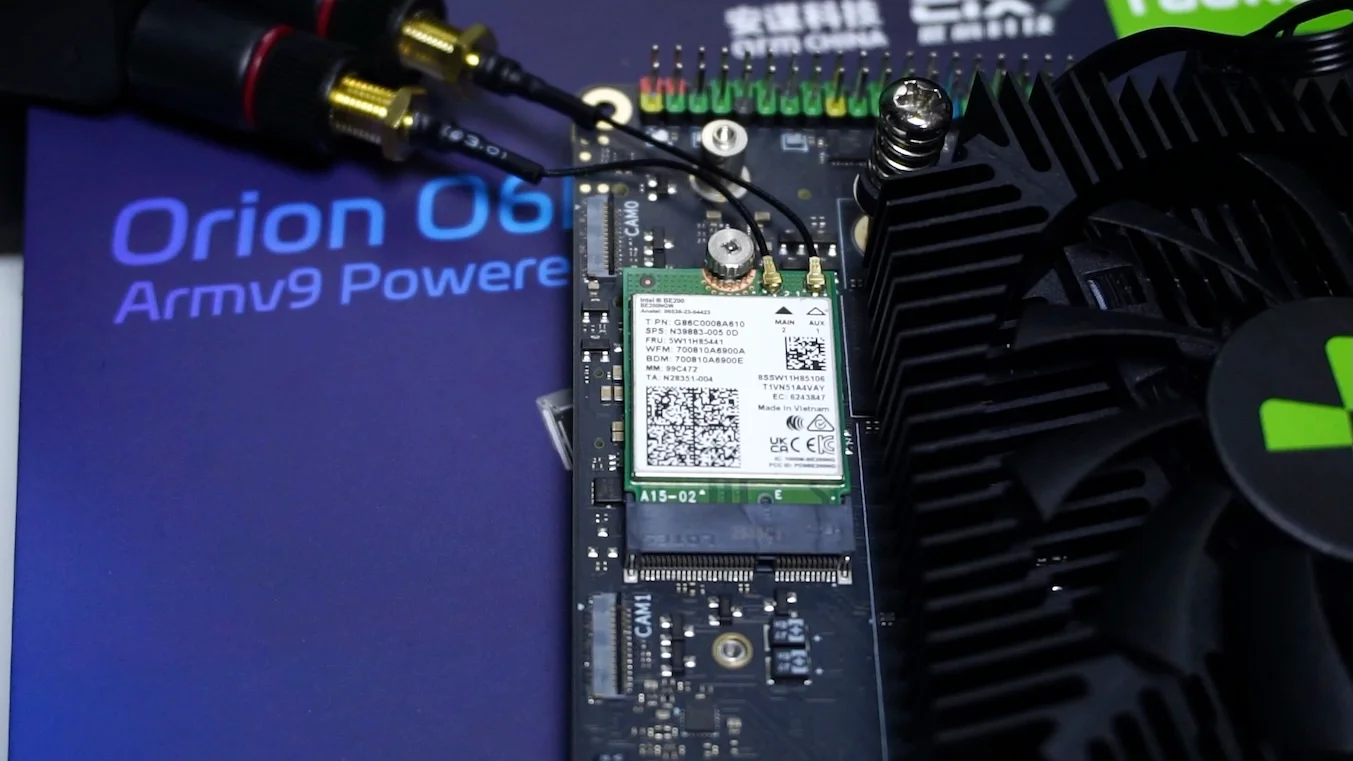
For Wi-Fi, I used an Intel BE200 (Wi-Fi 7) card, which was detected, but firmware wasn’t loaded. After copying the required firmware file, Wi-Fi worked and I measured about ~500 Mbit/s
Home Assistant + local voice: surprisingly quick
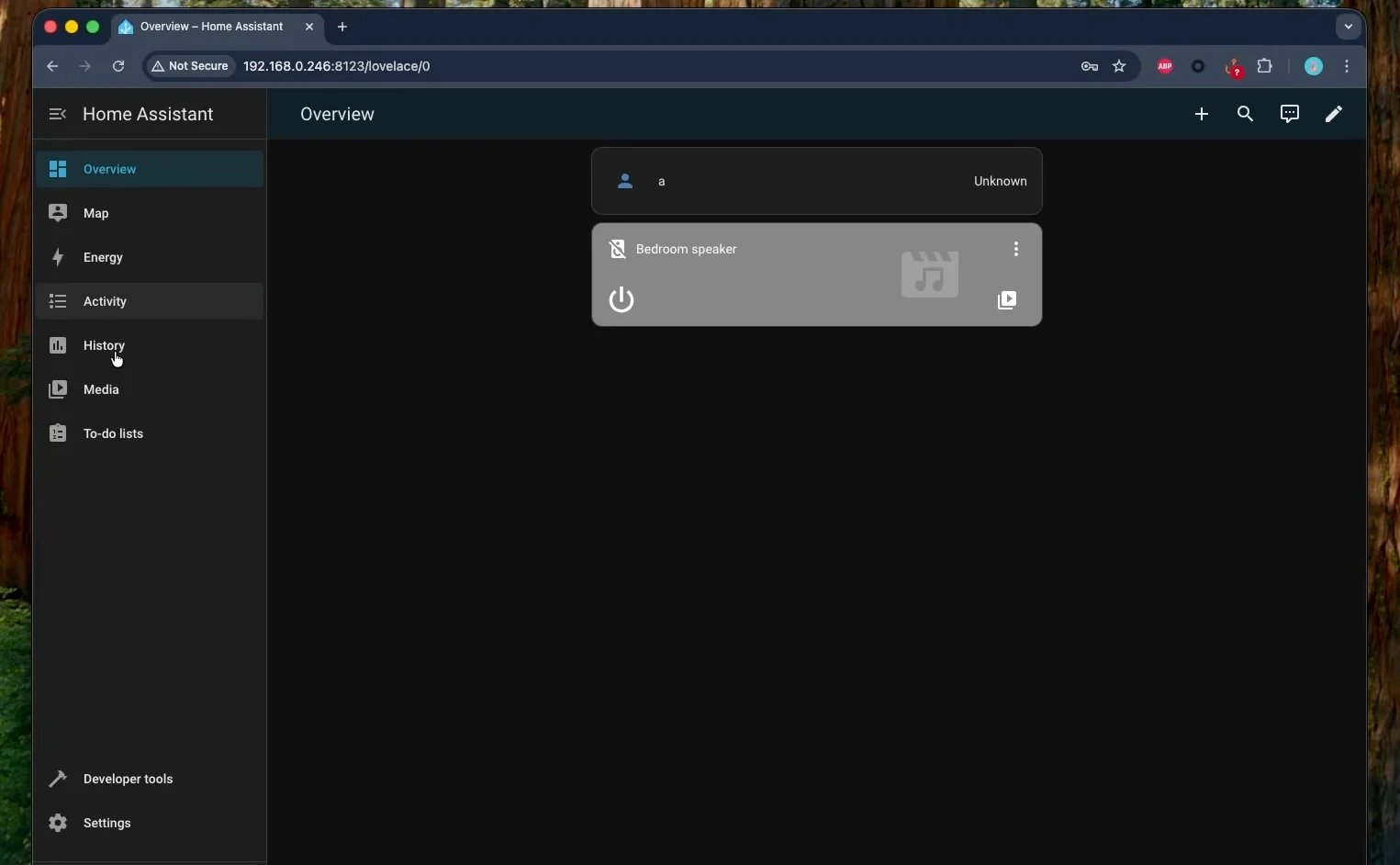
I ran Home Assistant as a container (Docker), along with local voice assistant components i.e Piper and Whisper (small int8 model)
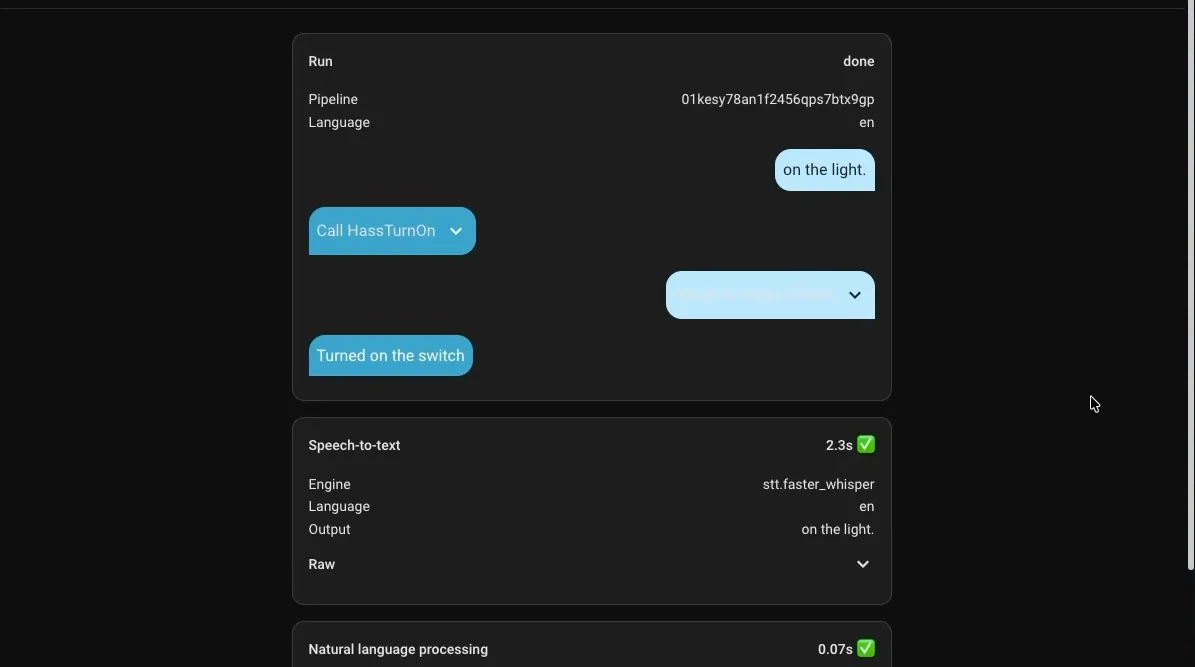
When I gave it a voice command, the board converted speech to text in about:
- ~2.3 seconds
That’s a strong result—better than what I’ve seen from the Rock 5T and even Radxa X4 (Intel N100) in similar “local voice” style workloads.
Mainline Linux support is still in progress
Right now, mainline Linux support still isn’t fully complete, and it’s been in progress for close to a year since the Orion O6 release.
There is a linux-sky repository that provides patches intended for Linux 6.18, so you can build a patched kernel yourself. I tried that approach on the O6N, but I couldn’t get it working properly on this board yet.
So at the moment, if you want the best experience—especially around things like GPU acceleration—Radxa OS is the safer choice.
Where I land on the Orion O6N right now
At this stage, the software side is still evolving—especially if you want the full experience of the inbuilt GPU and the NPU across different distros.
But even with that caveat, this board is already very usable because:
- UEFI + ACPI make OS installation and booting feel much more “PC-like”
- The 12-core CPU is excellent for compute-heavy workloads
- Storage and I/O are genuinely strong (dual Gen4 x4 NVMe, fast USB, 2.5GbE)
- Thermals and power draw are efficient for what it delivers
Right now I see it as a really capable server / lab / compute box, especially if you want to run serious workloads on Arm hardware that starts to feel comparable to modern desktop-class CPUs in day-to-day usage.
Buy Radxa Orion O6N: