

Radxa Dragon Q6A: my hands-on experience (benchmarks, thermals, and Windows 11 Pro on ARM)

Written by

Featured Video
Table of Contents
- Technical Specification
- Cooling is not optional
- Operating systems I tested: Armbian, Radxa OS, and Windows 11 with preview support
- UEFI Support Avaiable
- Thermals Performance: Windows 11 Pro & Armbian
- Benchmarks: GPU, CPU, and memory
- Geekbench Test
- Graphics benchmarks
- CPU benchmark (sysbench)
- Memory benchmark
- Memory bandwidth Test
- Tinymembench Test
- Networking: Gigabit Ethernet & Wifi 6
- Storage tests: NVMe, UFS module, and USB
- NVMe Speeds
- UFS Speeds
- USB 3.1 Speeds
- Home Assistant : Voice Assistant With Whisper Performance
- Power usage: surprisingly reasonable for the performance
- How I’d use it (and why it impressed me)
- Price snapshot
I’ve been testing the Radxa Dragon Q6A as a compact, high-performance single-board computer, and I want to share what I learned after pushing it through real benchmarks, storage tests, thermals, and even Windows 11 on ARM.
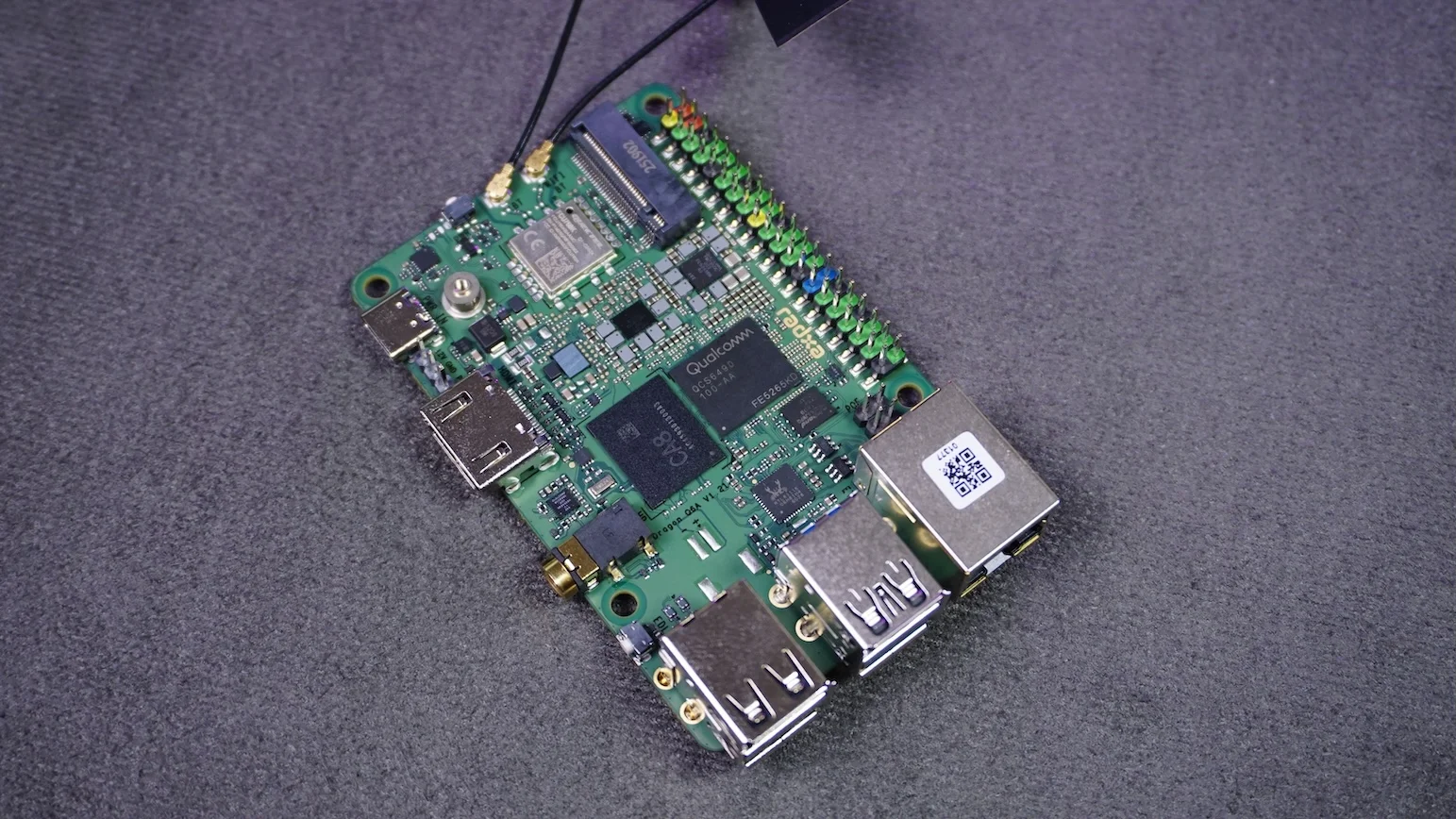
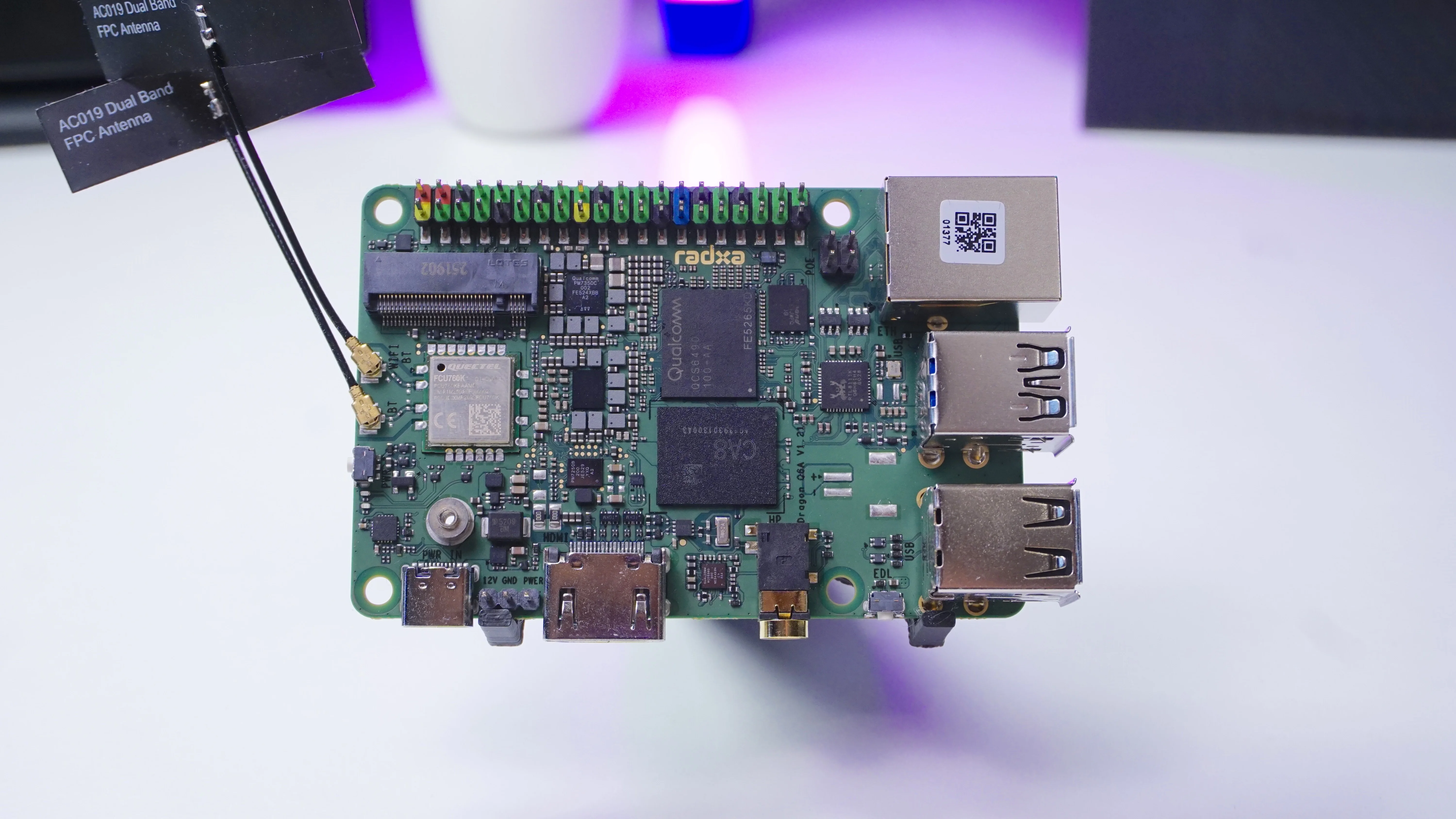
Buy Radxa Dragon Q6A:
Technical Specification
Radxa Dragon Q6A:
Cooling is not optional
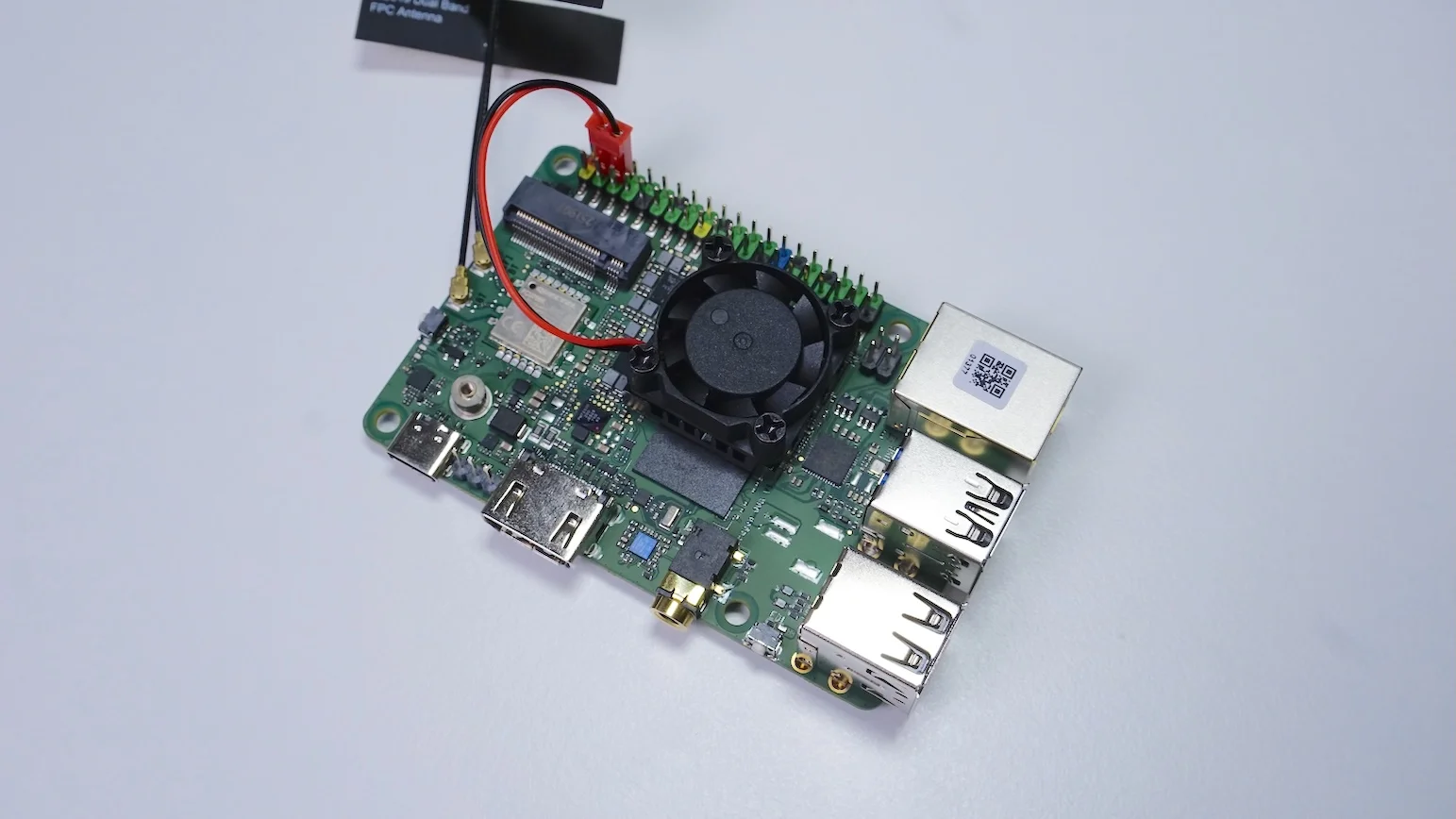
I initially ran the board bare, without any heatsink. That worked fine for light tasks… until I started a Vulkan benchmark (vkmark). The board would shut down when the temperatures went out accepatble levels (105°C).
My fix was simple: I installed a tiny 25 mm heatsink + fan (the kind often used on a Raspberry Pi 4) and powered it via the GPIO pins.
Operating systems I tested: Armbian, Radxa OS, and Windows 11 with preview support
- Armbian: Link.
- Radxa OS: Radxa’s Ubuntu-based build. Link
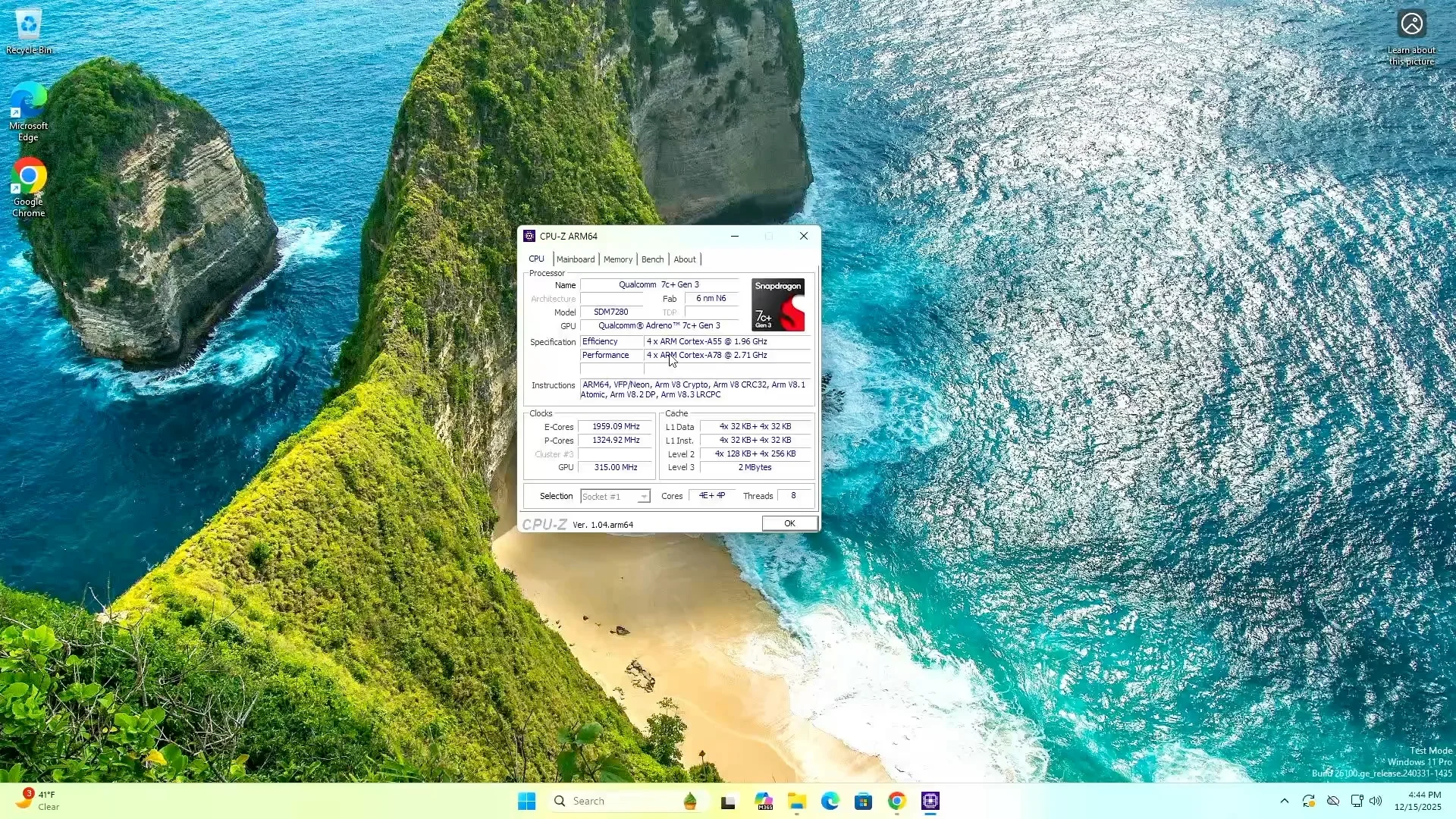
- Windows 11 on ARM (preview): full guide here .
UEFI Support Avaiable
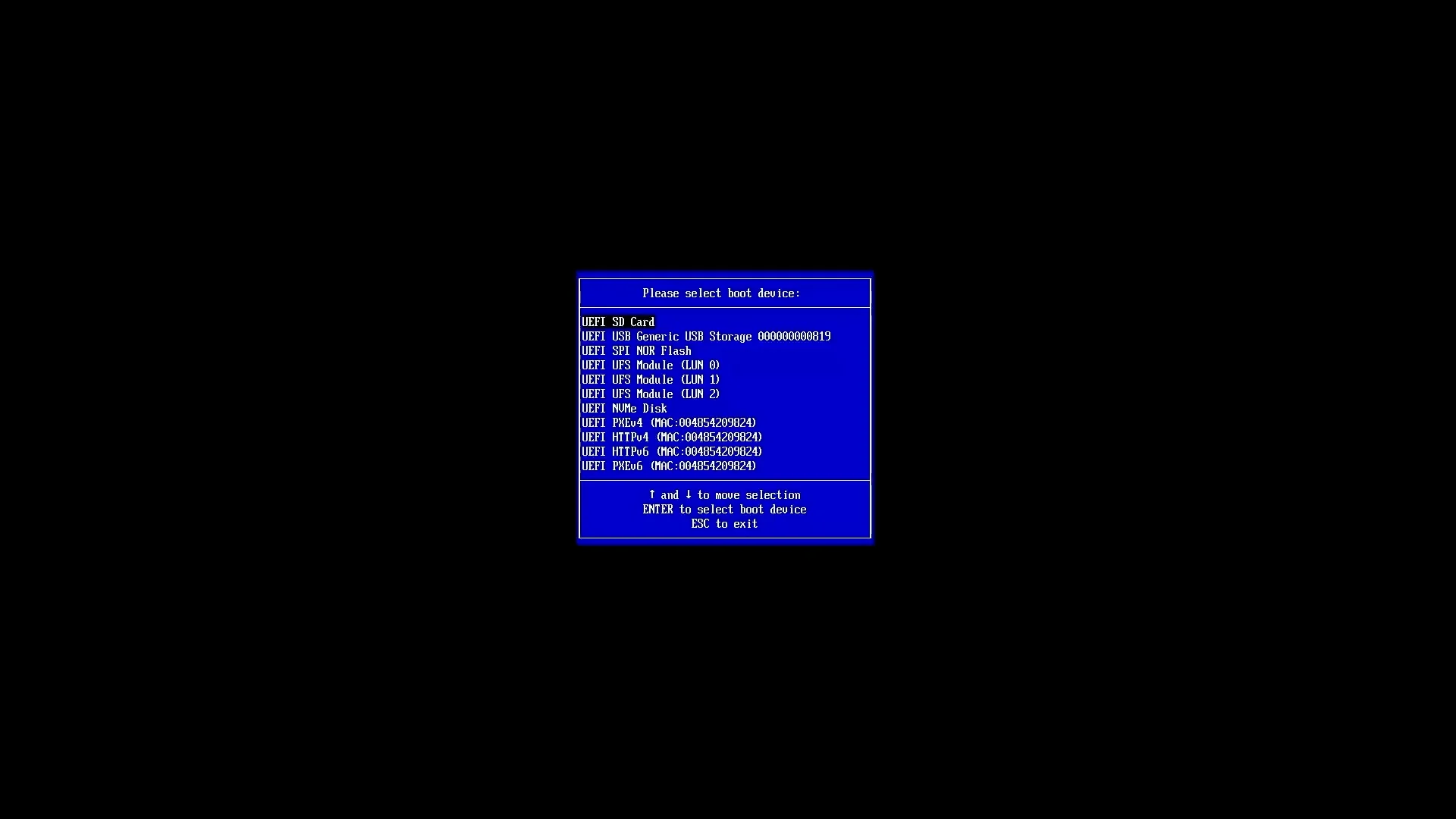
To get UEFI support, you need to flash the custom firmware mentioned in this here.
With UEFI available, I downloaded the Windows for ARM image and prepared a USB drive with Rufus. Next, I plugged it into the board and started the installation selecting the USB as the boot medium.
Thermals Performance: Windows 11 Pro & Armbian
The thermal numbers are based on the small heat sink fan that I had used.
-
Windows 11 Pro
- Idle temps: ~47°C
- 5-minute stress: ~90°C
- 10-minute stress: ~92°C
-
Armbian
- Idle temps: ~43°C
- 10-minute stress: stayed under ~80°C
In all the cases, the CPU did not throttle down at all.
I’m also keeping an eye out for an official heatsink from Radxa, because the SoC can run hot when pushed.
Benchmarks: GPU, CPU, and memory
I ran a mix of benchmarks to understand how this board behaves across graphics and compute.
Geekbench Test
Geekbench test showed pretty high result which were similar to those from an Intel N100.
- Windows 11 Pro
- Single Score: 1089
- Multi-Core Score: 2906
- Ambian
- Single Score: 1177
- Multi-Core Score: 3100
Graphics benchmarks
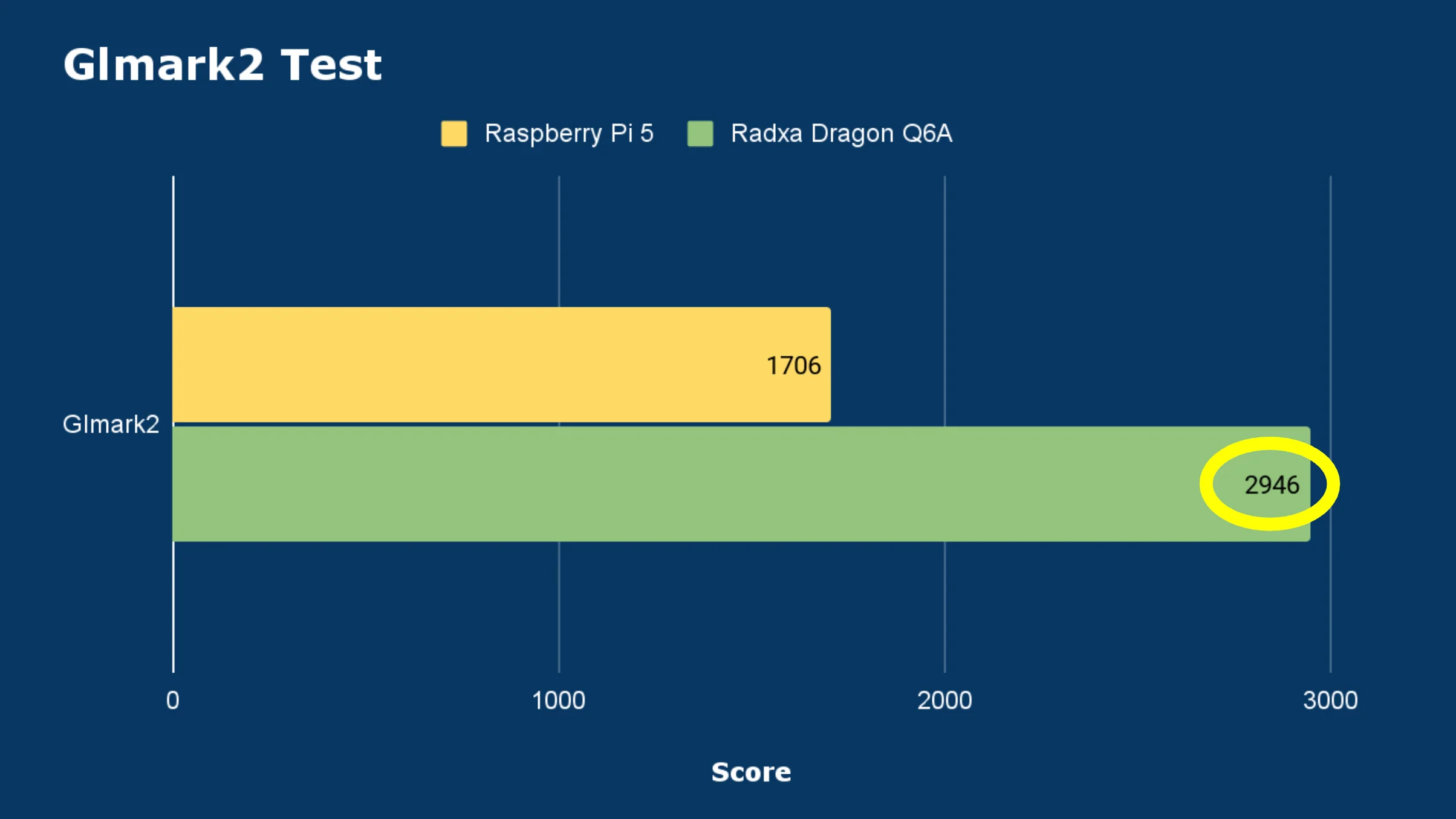
- glmark2 (OpenGL) Score: 2946
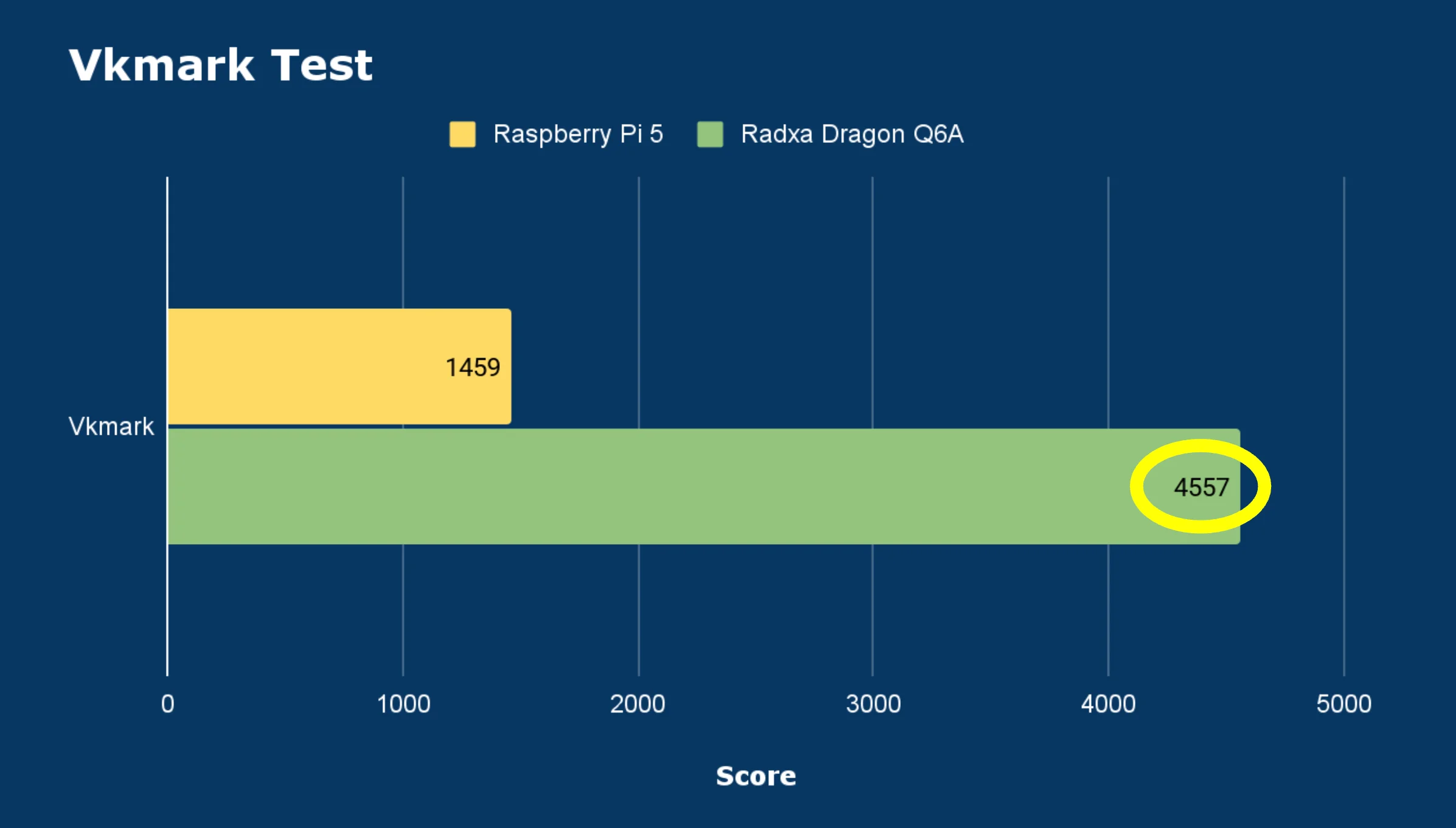
- vkmark (Vulkan) Score: 4557
CPU benchmark (sysbench)
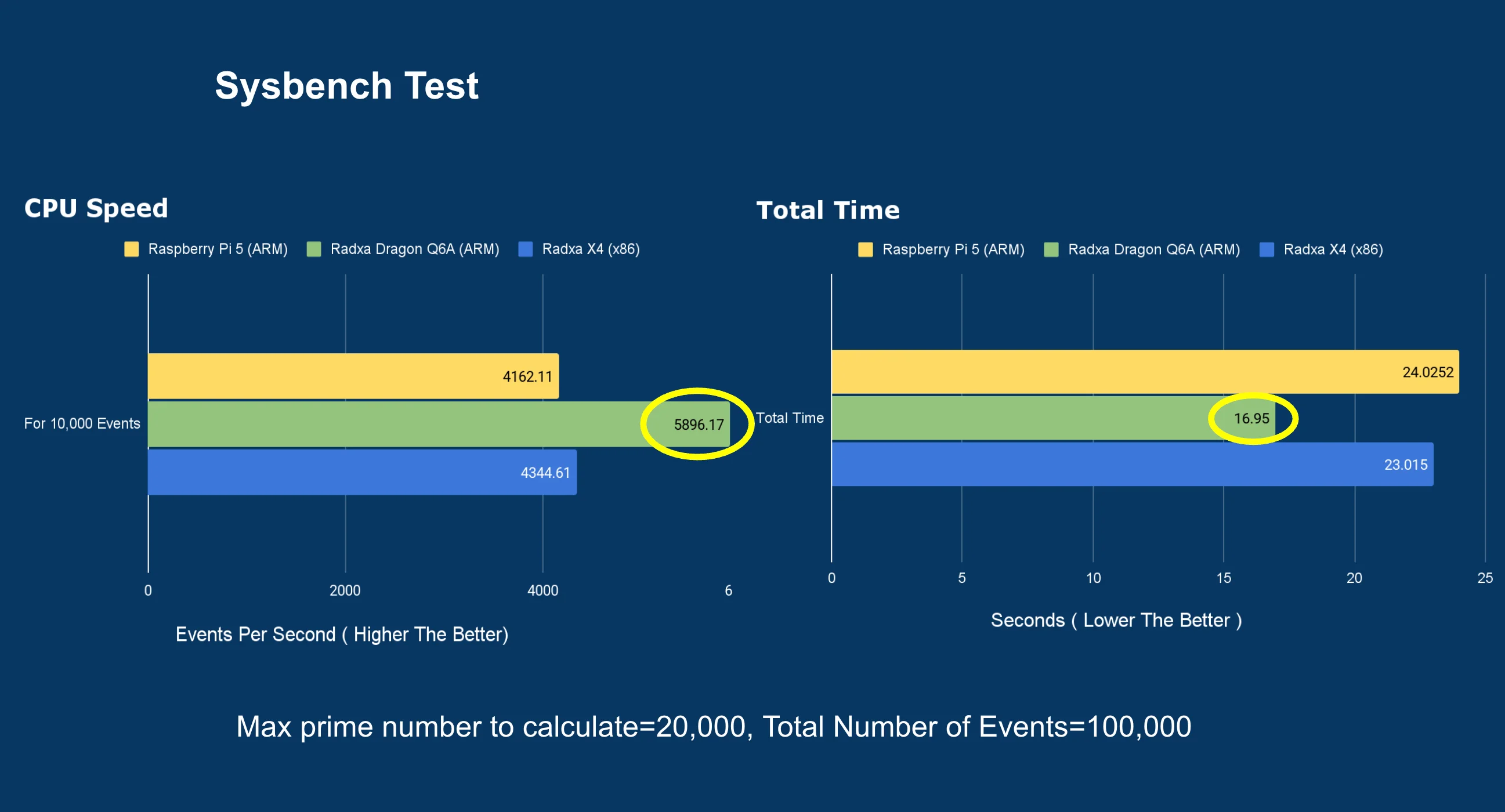
For a prime number calculation up to 20,000 for every 100,000 request made to it, the results showed quick response, consuming less amount of time.
- Total time : 16.95 seconds
- No. of event/requests per second : 5896.17
Memory benchmark
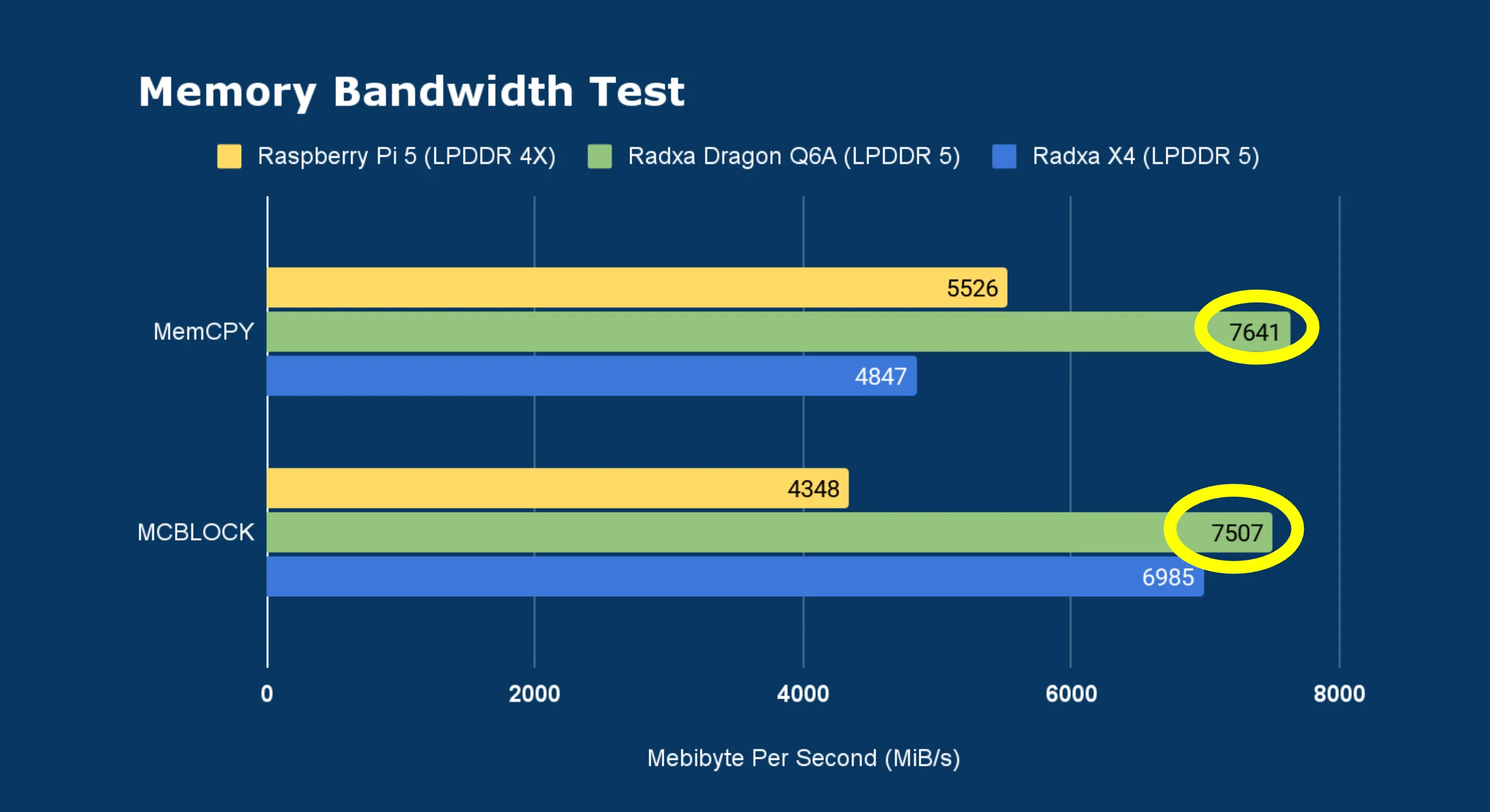
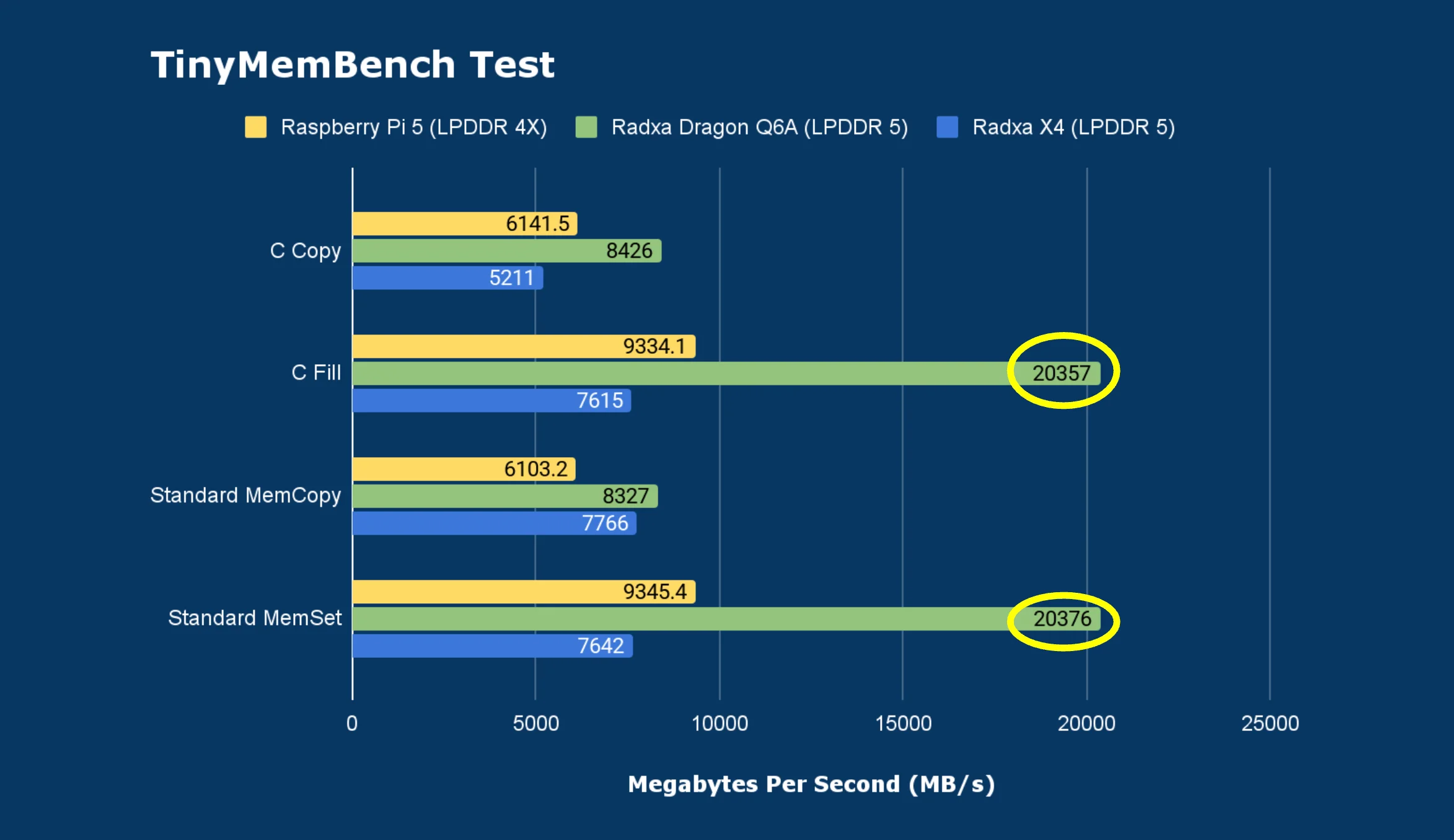
This board makes use of LPDDR5 RAM and the memory benchmark results were really impressive. These number were pretty high as you can see then below.
Memory bandwidth Test
- MemCPY : 7641 MiB/s
- MCBLOCK : 7507 MiB/s
Tinymembench Test
- C Copy: 8426 MB/s
- C Fill: 20357 MB/s
- Standard MemCopy: 8327 MB/s
- Standard MemSet: 20376 MB/s
Networking: Gigabit Ethernet & Wifi 6
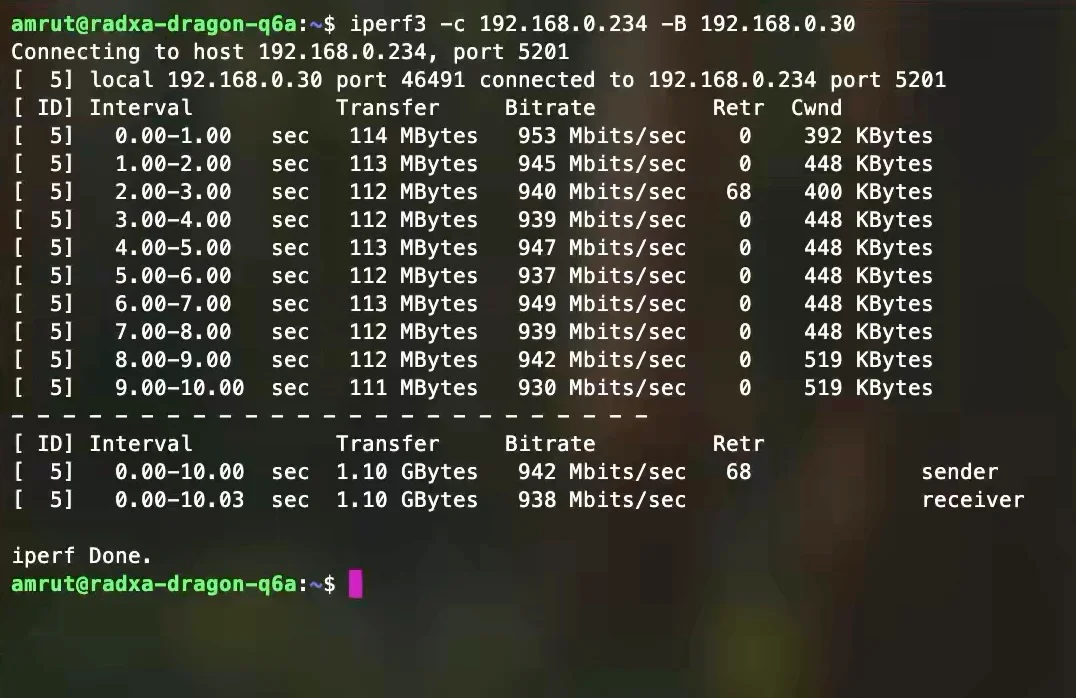
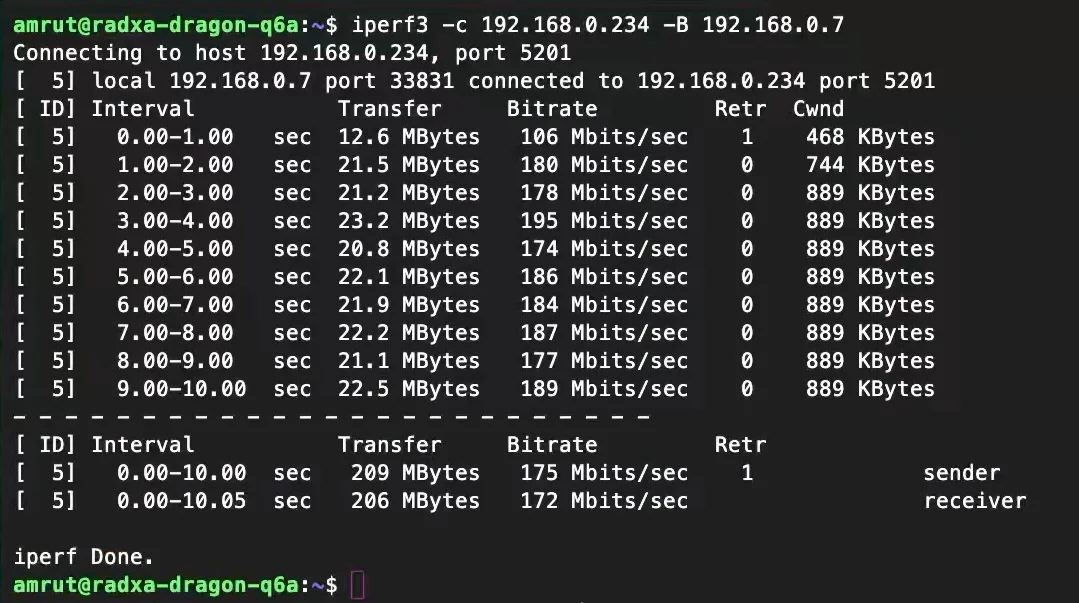
I tested the ethernet and Wifi speeds using iPerf3 test and these were the results.
- Gigabit Ethernet: ~942 Mbps
- Wi‑Fi: ~170 Mbps
Storage tests: NVMe, UFS module, and USB
NVMe Speeds
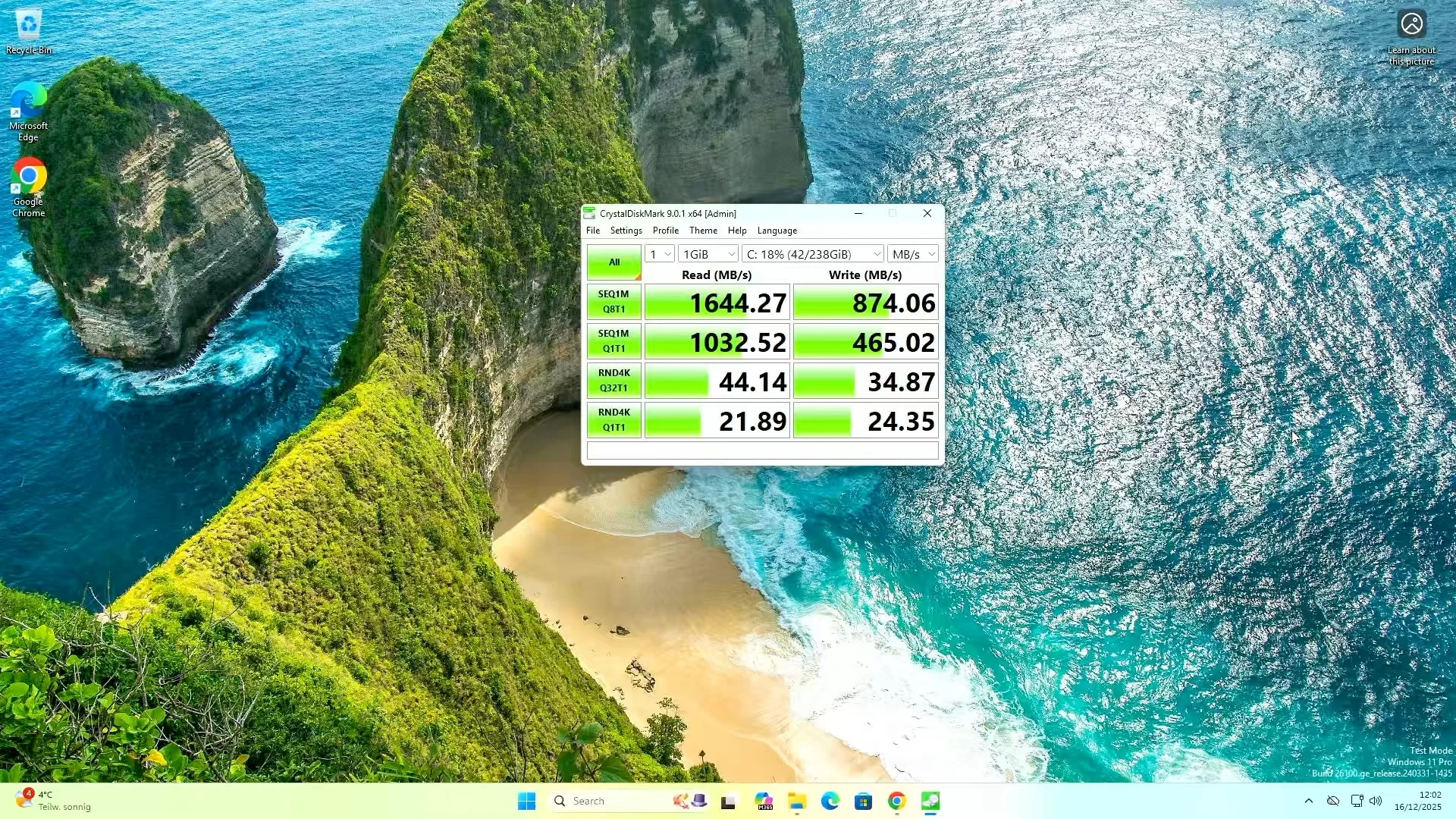
The M.2 M-key onboard slot provide PCIe Gen 3 speeds with 2 lane connectivity. I tested the speed on windows 11 Pro and I got pretty good result. I tested it on Armbian and Radxa OS and I got slightly lower results
- Windows 11 Pro: ~1644 MB/s
- Armbian : ~1000 MB/s
- Radxa OS : ~750 MB/s
UFS Speeds
I connected a UFS 3.1 module to the board and I got pretty good speeds.
- Windows 11 Pro: ~1416 MB/s
- Armbian : ~1384 MB/s
- Radxa OS : ~1187 MB/s
USB 3.1 Speeds
I connected a USB 3 to NVMe adapter and confirmed it it was using the 5000 Mb/s bus (USB 3.1 Gen 1).
amrut@radxa-dragon-q6a:~$ lsusb -t
/:  Bus 001.Port 001: Dev 001, Class=root_hub, Driver=xhci-hcd/1p, 480M
    |__ Port 001: Dev 002, If 0, Class=Hub, Driver=hub/4p, 480M
        |__ Port 004: Dev 007, If 0, Class=Wireless, Driver=btusb, 480M
        |__ Port 004: Dev 007, If 1, Class=Wireless, Driver=btusb, 480M
        |__ Port 004: Dev 007, If 2, Class=Vendor Specific Class, Driver=aic8800_fdrv, 480M
/:  Bus 002.Port 001: Dev 001, Class=root_hub, Driver=xhci-hcd/1p, 480M
/:  Bus 003.Port 001: Dev 001, Class=root_hub, Driver=xhci-hcd/1p, 5000M
    |__ Port 001: Dev 002, If 0, Class=Mass Storage, Driver=uas, 5000M
Using Flexible I/O Tester (fio), I got ~395 MB/s write speeds
Home Assistant : Voice Assistant With Whisper Performance
One of my favorite test is running Home Assistant and seeing how quickly the local voice assistant components respond.
I ran Home Assistant, Whisper and Piper with Docker:
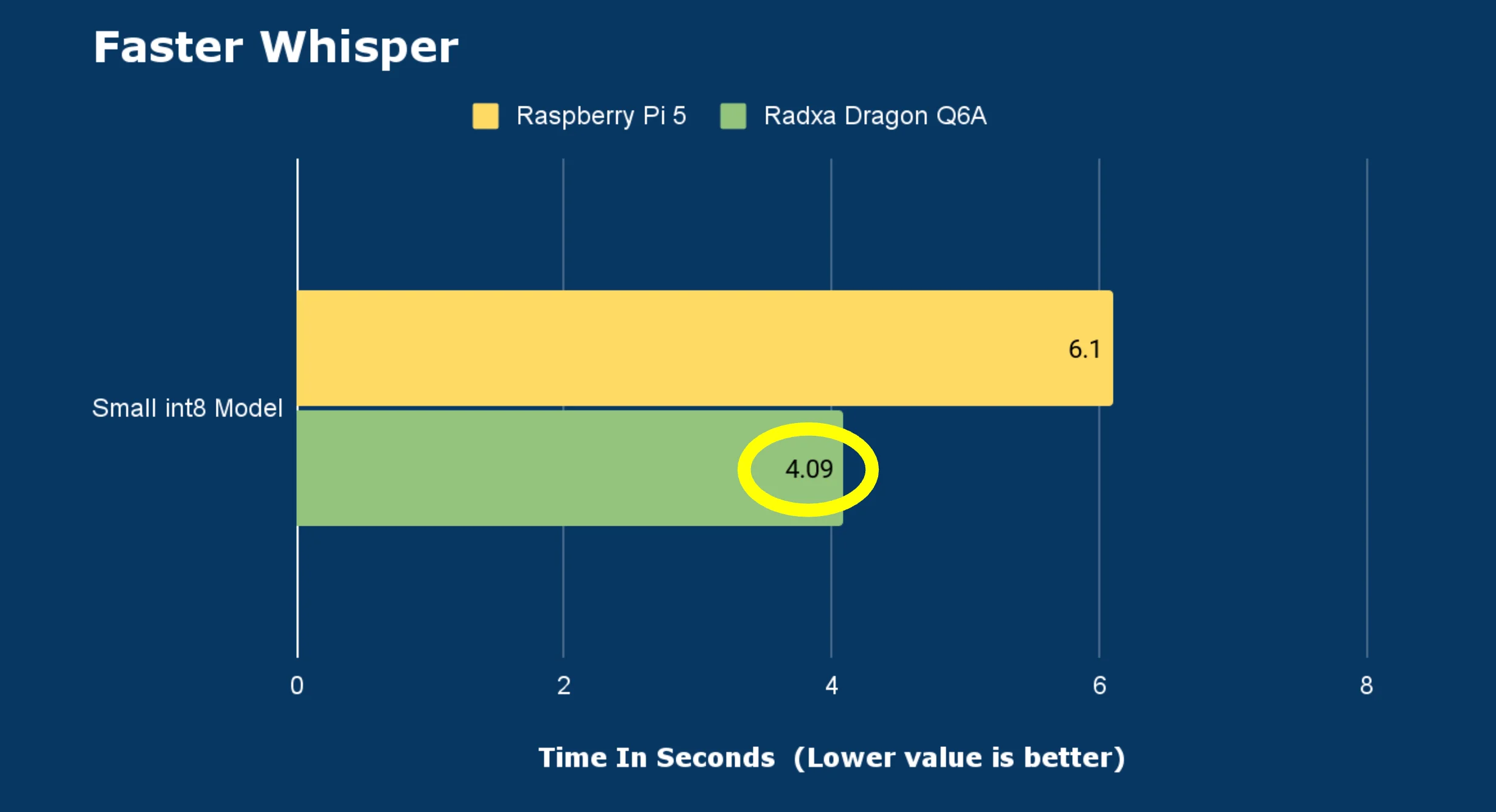
When I gave a voice command, Whisper (with small-int8 model) converted speech-to-text in about ~4 seconds, which was roughly ~50% faster than the Raspberry Pi 5 in my own comparisons.
Power usage: surprisingly reasonable for the performance
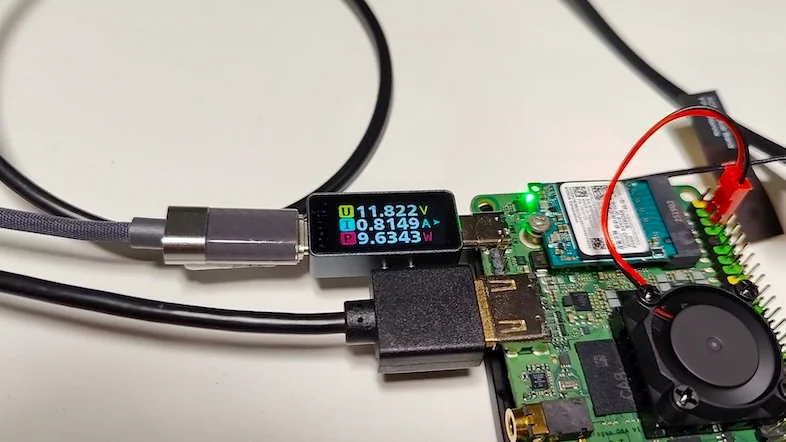
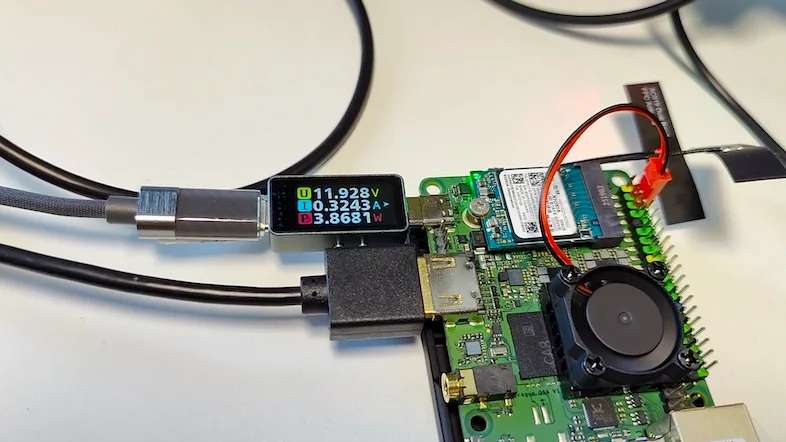
With NVMe + UFS module + fan connected:
- Idle power draw: ~3.9 – 4 Watt
- Under stress testing: ~9.5 – 10 Watt
How I’d use it (and why it impressed me)
After running all these tests, what stood out most was that this board feels like a serious SBC — fast CPU performance, strong GPU results, and very capable storage + I/O options.
I can see it fitting in a few different roles:
- Windows-on-ARM mini desktop for normal usage and even some light gaming.
- Home server / rack setup to run containers, services, and automation.
- Cluster node for something like Kubernetes.
Price snapshot
Prices for the 8Gb variant as below In my searches, I saw pricing around:
Buy Radxa Dragon Q6A: