
Written by

Featured Video
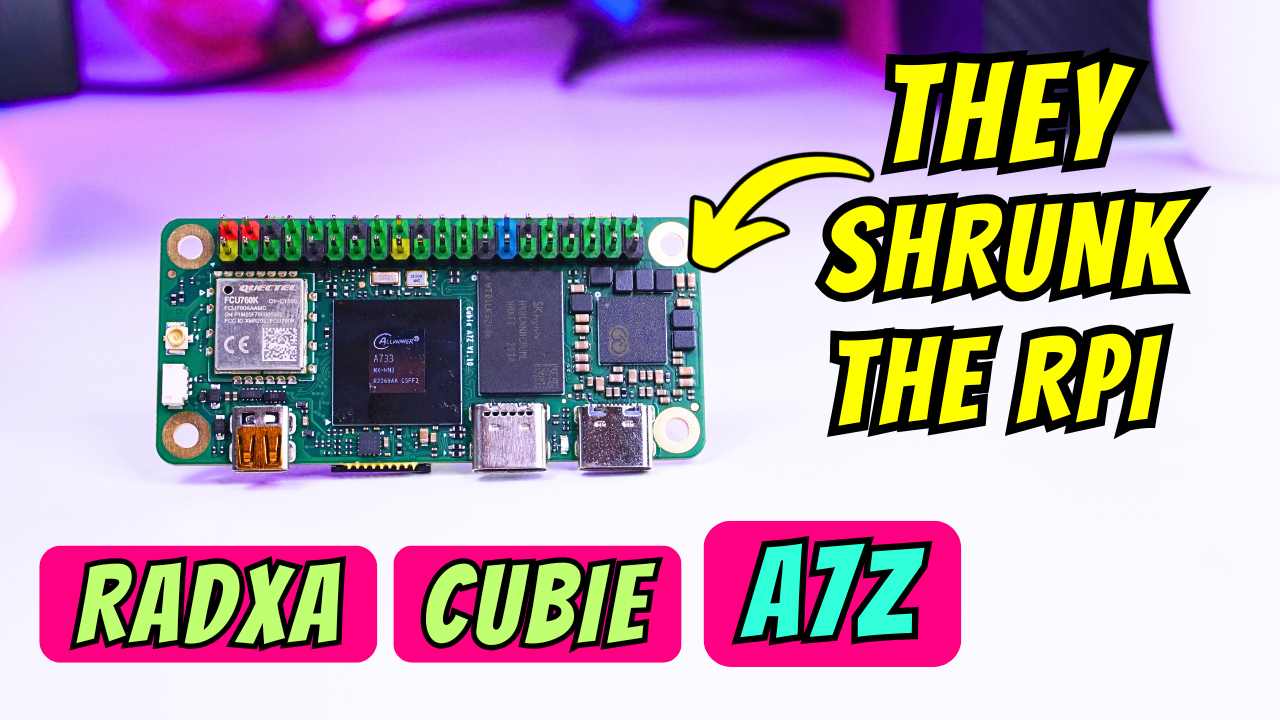
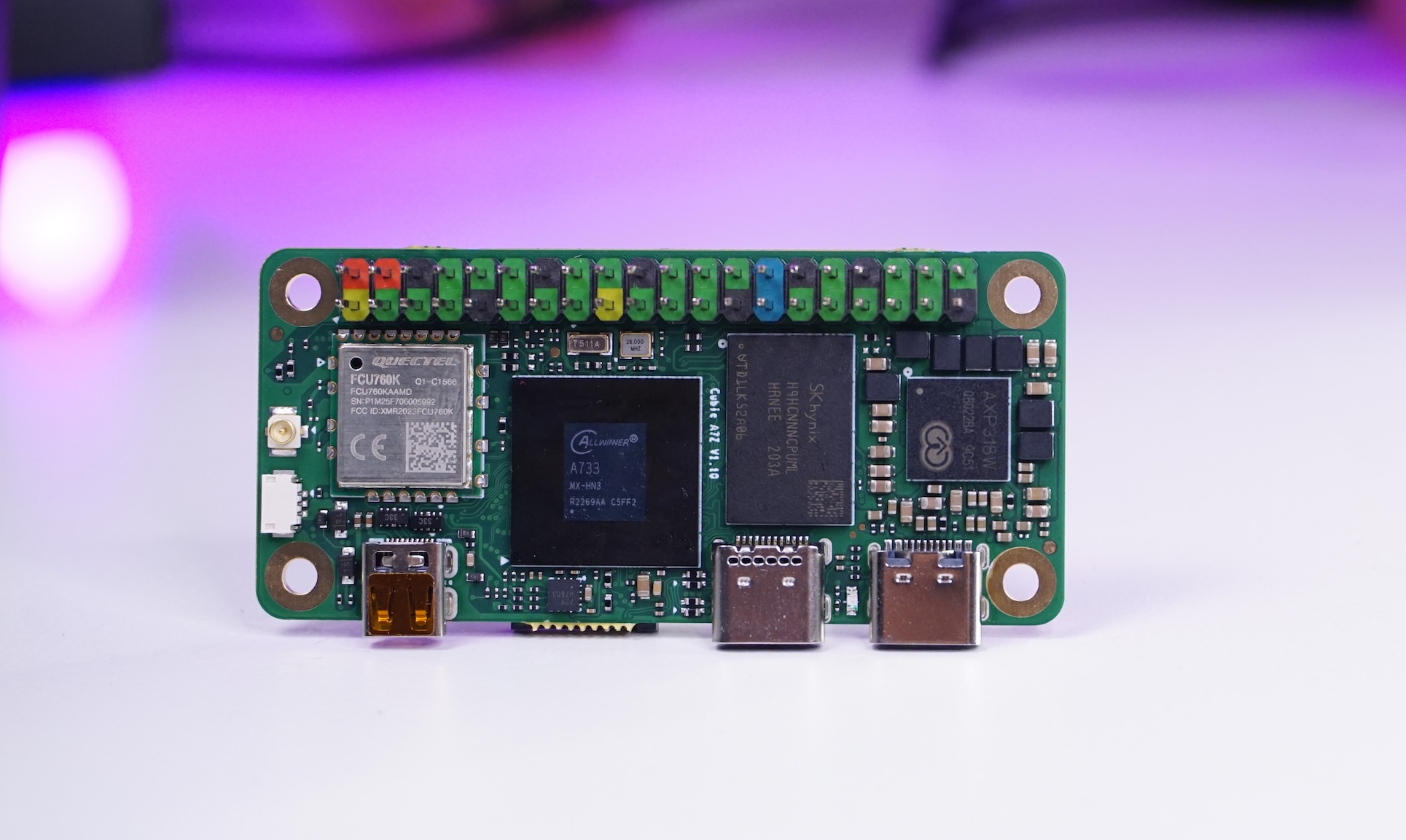
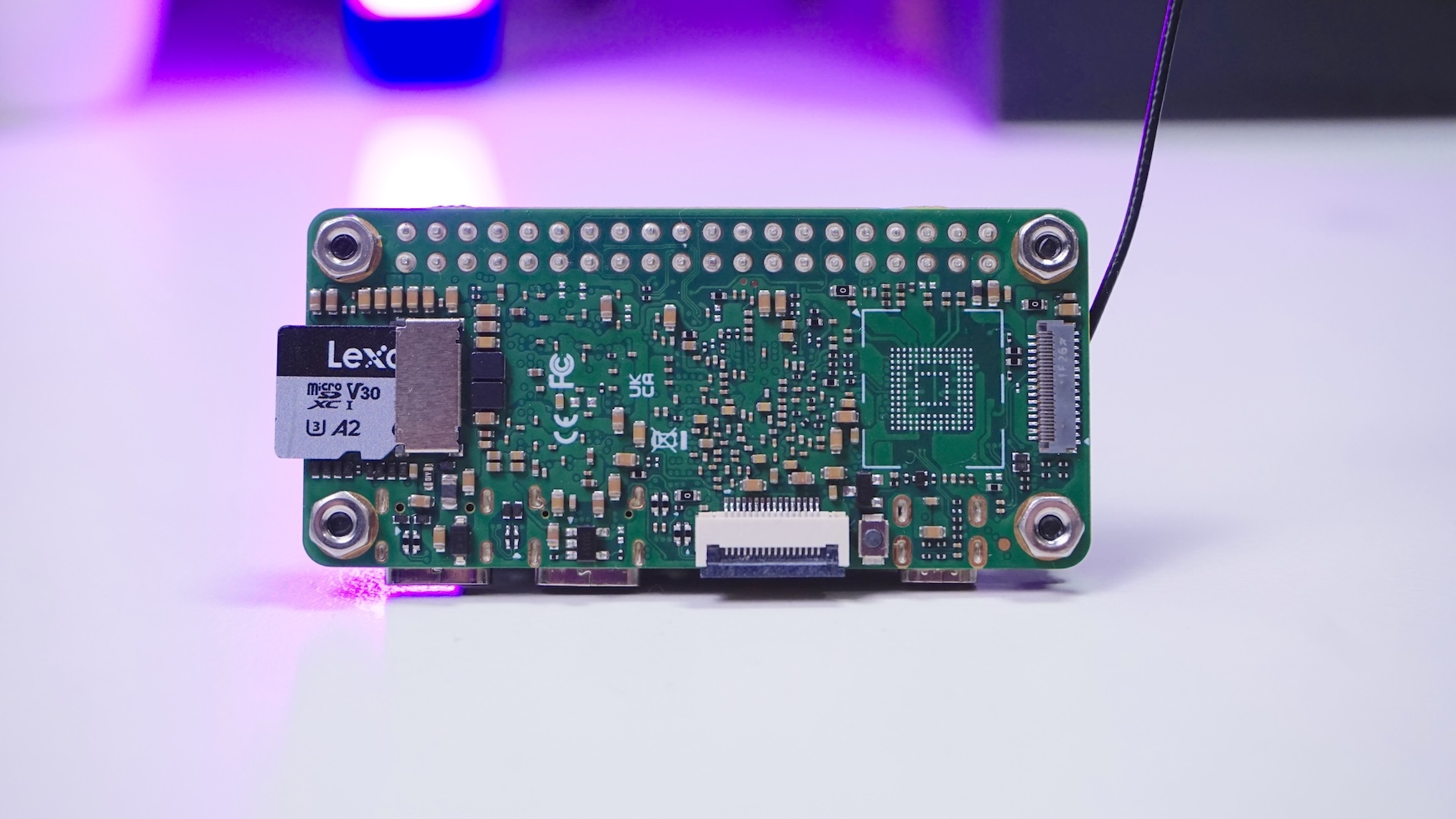
If you like tiny single-board computers, the Radxa Cubie A7Z is one of those boards that makes you do a double‑take. It’s basically Pi Zero–sized, but it packs a lot more I/O and compute than you wouldn't expect from something this small.
Buy Radxa Cubie A7Z:
Technical Specification
Radxa Cubie A7Z:
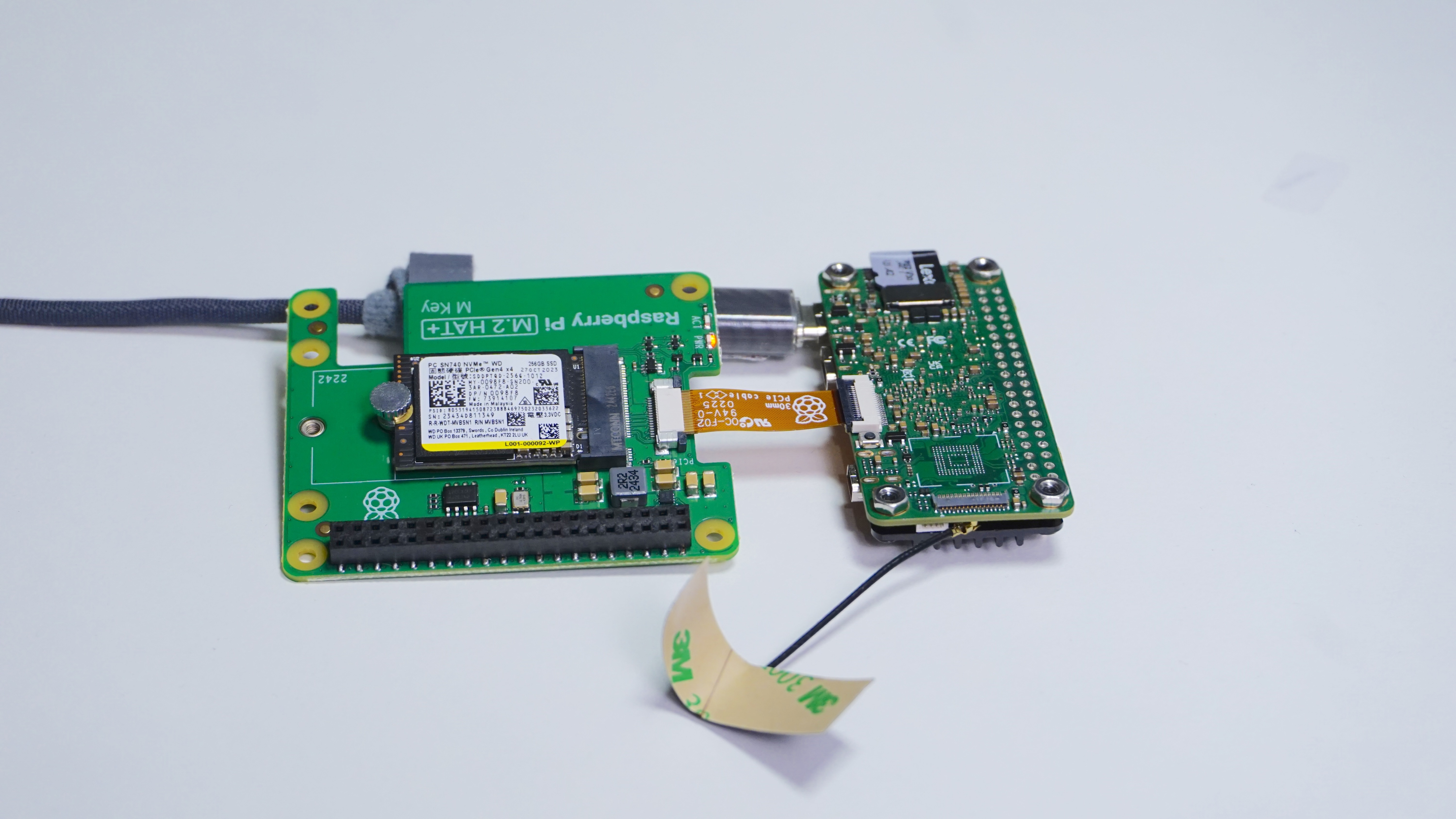
Storage expansion: Connected an NVMe HAT via the PCIe FPC Connector
I connected a Raspberry Pi NVMe hat to the FPC connector to access PCIe capabilities.
With a WD NVMe, I measured about 654 MB/s read. That’s absolutely usable, but it was still lower than my Raspberry Pi 5, even though I’m using PCIe Gen3 x1 here.
OS options: Debian-based Radxa OS and Android
On the software side, I’m seeing two main options:
Cooling: small board but needs cooling
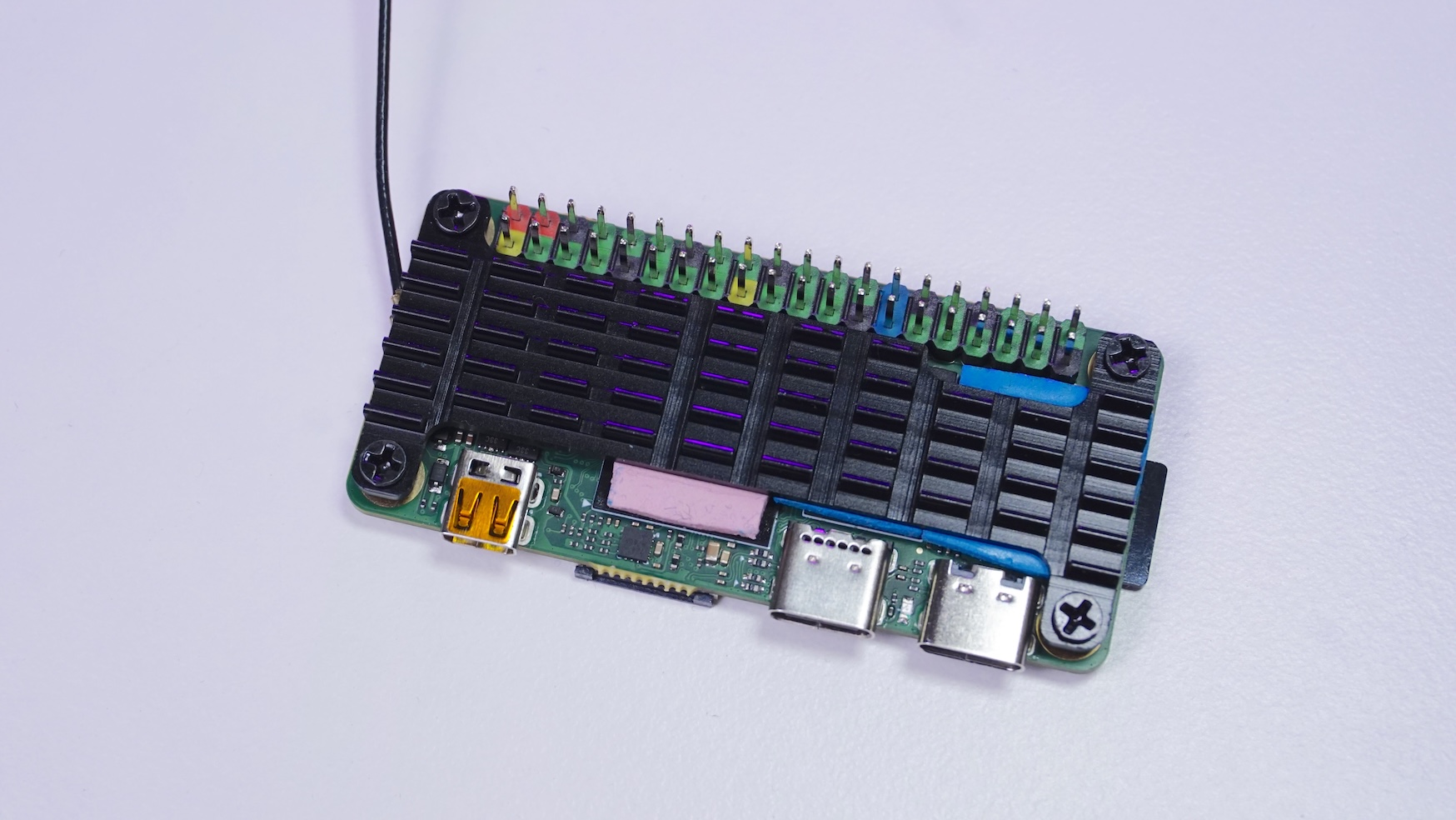
This SoC definitely heats up when you try to get that octa‑core performance out of it. Radxa has an official heatsink + fan, but I wanted to see if I could keep it passively cooled.
So I tried a Pi Zero heatsink, and it fit surprisingly well—especially after I used a slightly thicker thermal pad to make sure it had good contact.
the temperatures with that setup and desktop environment running:
- Idle: ~52°C
- Stress test ~10 minutes: stayed under 70°C
For a tiny passively cooled board, that felt pretty acceptable, and it gave me enough confidence to move on to the rest of my tests.
GPU benchmarks: OpenGL and Vulkan both worked
To sanity-check graphics support, I ran:
- glmark2 (OpenGL): 404
- vkmark (Vulkan): 785
The important part for me wasn’t chasing the biggest number but was that both stacks ran successfully, which is a good sign for experimentation and lightweight UI/graphics use.
CPU performance
I ran a couple of CPU benchmarking tests to get a feel for where it lands.
Geekbench 6
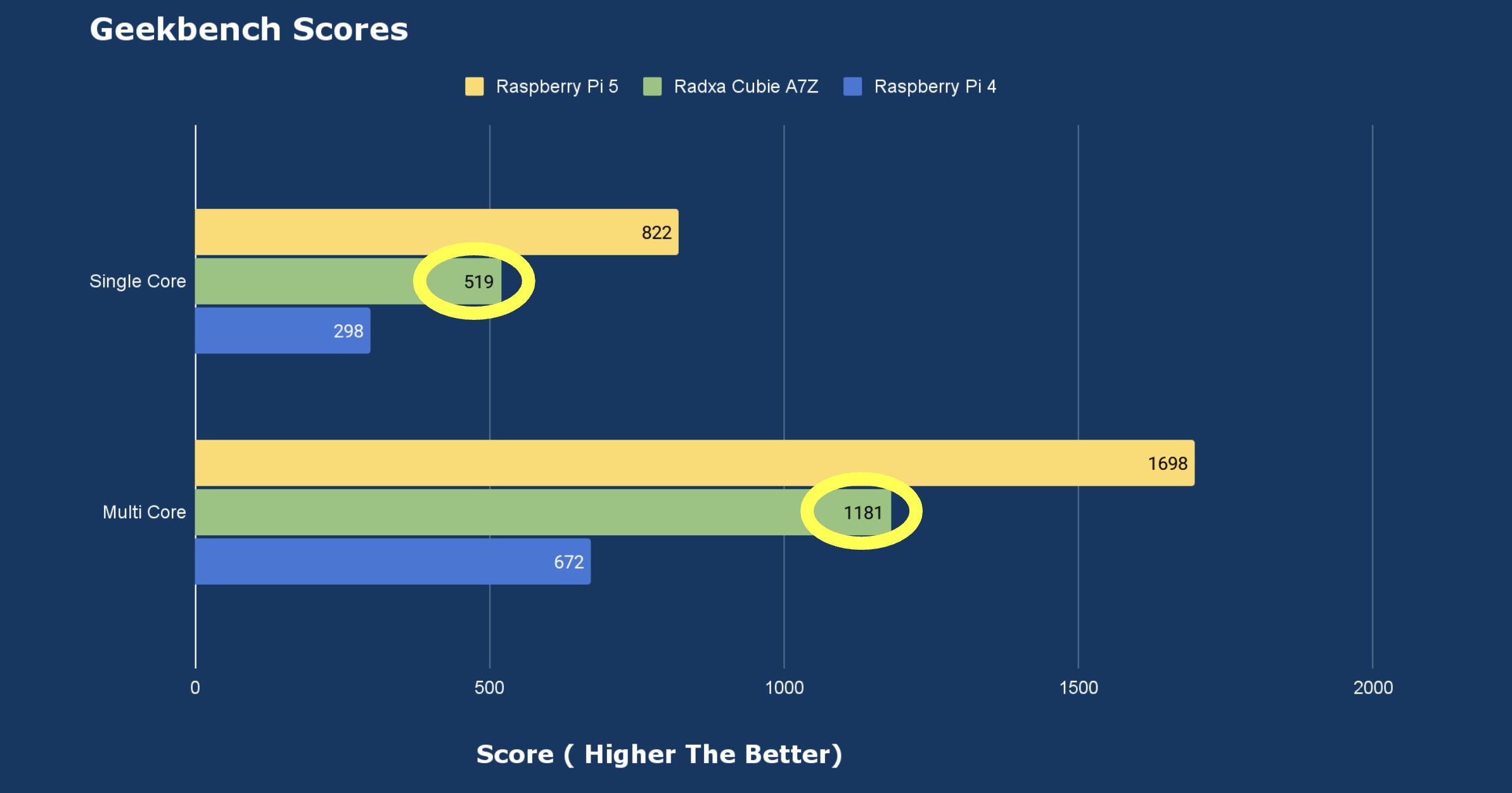
The Geekbench scores are Lower than Raspberry Pi 5 but Much better than Raspberry Pi 4
Sysbench Test
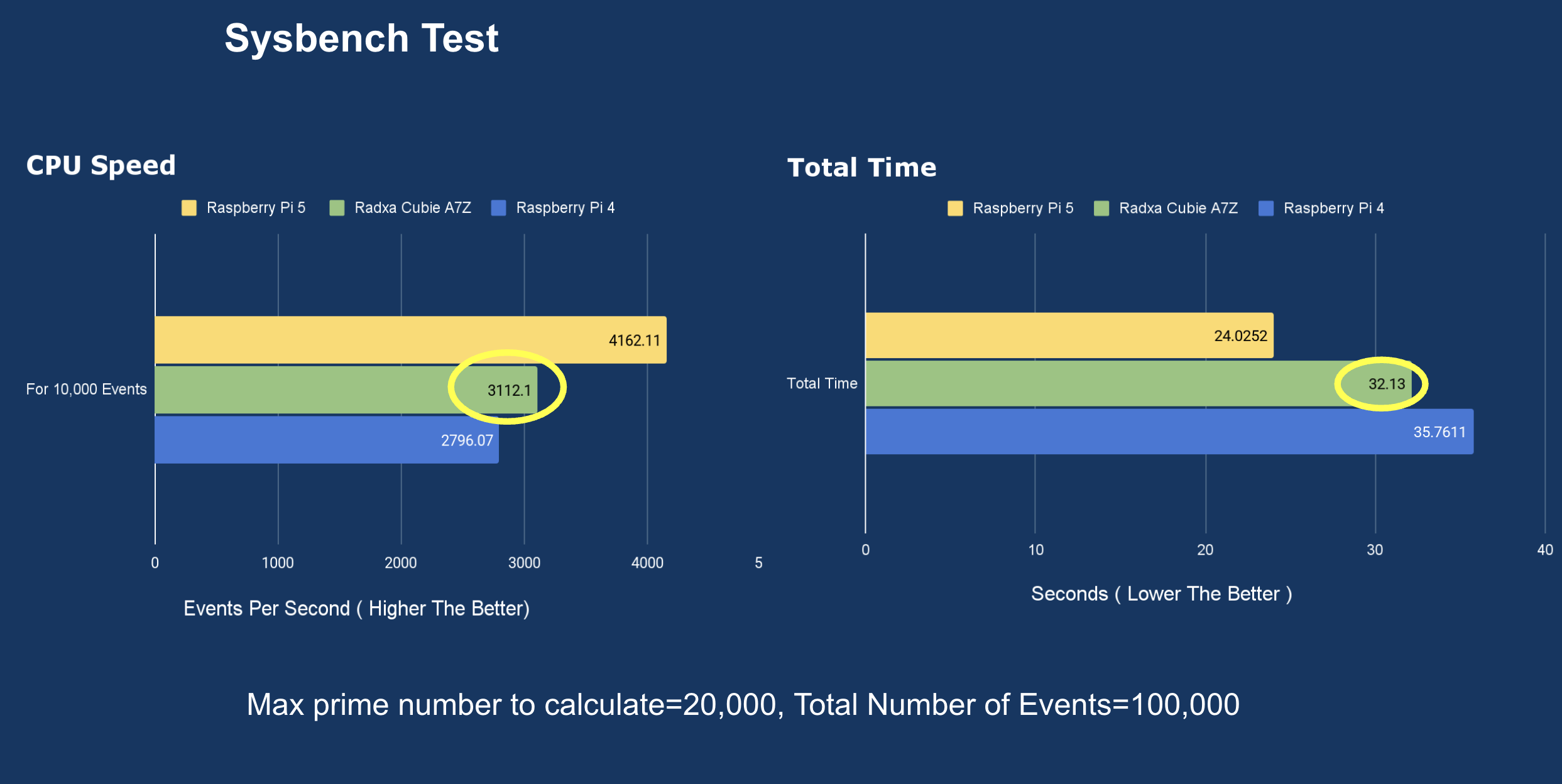
In sysbench, I tested prime calculation up to 20,000 with 100,000 requests and it completed in about 32 seconds.
Memory performance
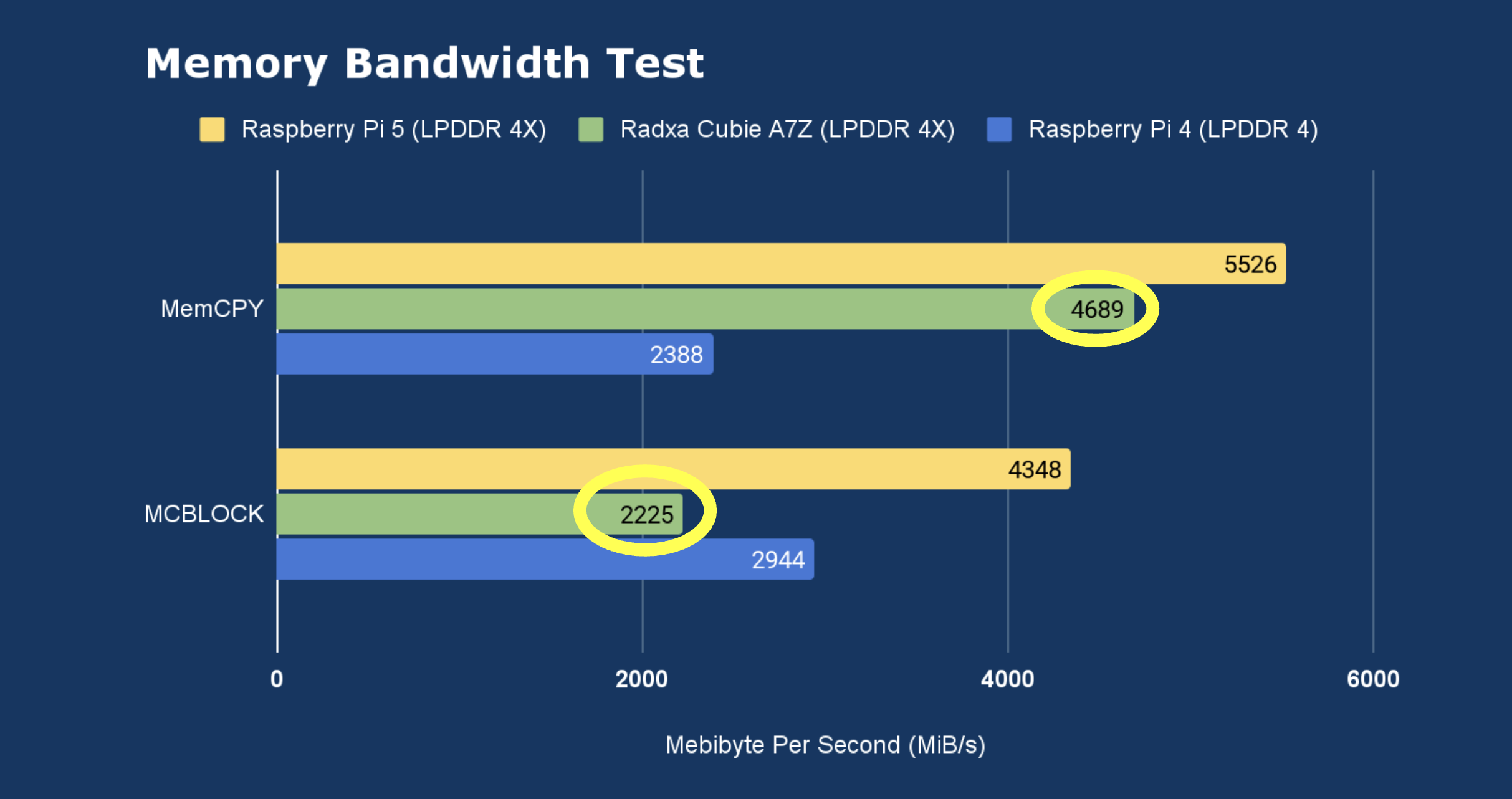
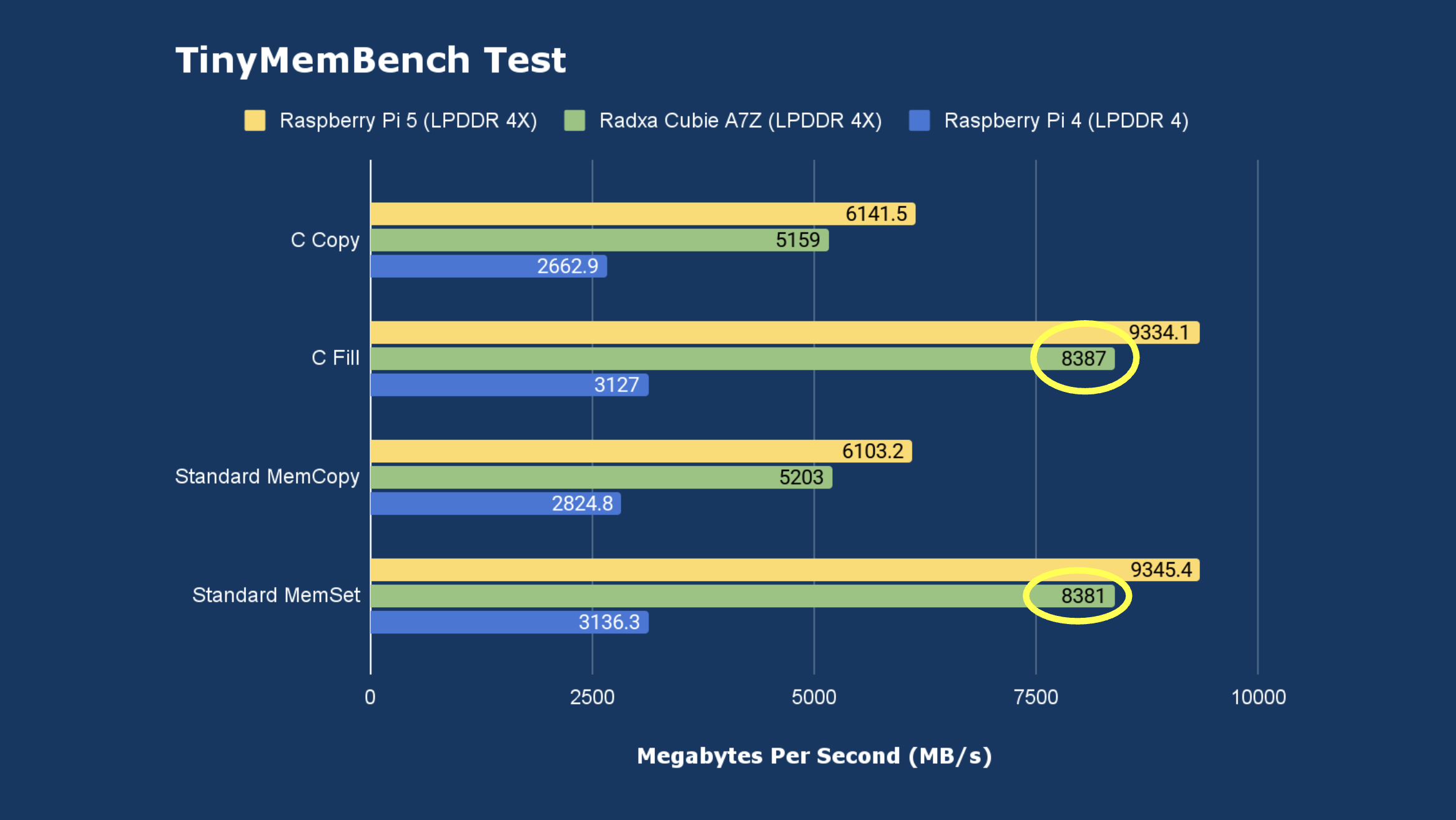
For memory testing, I ran a memory bandwidth test and also tinymembench.
The bandwidth test showed better performance mainly for memcpy versus Pi 4. tinymembench gave me consistently better results than Pi 4
USB-C Speed Tests
I tested the USB‑C data port to confirm whether it actually behaves like USB 3.1 Gen 2.
I connected a USB 3 to NVMe adapter, and it showed up on the 10,000 Mbit/s bus, which lines up with Gen 2 expectations.
radxa@radxa-cubie-a7z:~$ lsusb -t
/:  Bus 04.Port 1: Dev 1, Class=root_hub, Driver=sunxi-ohci/1p, 12M
/:  Bus 03.Port 1: Dev 1, Class=root_hub, Driver=sunxi-ehci/1p, 480M
    |__ Port 1: Dev 3, If 0, Class=Wireless, Driver=aic_btusb, 480M
    |__ Port 1: Dev 3, If 1, Class=Wireless, Driver=aic_btusb, 480M
    |__ Port 1: Dev 3, If 2, Class=Vendor Specific Class, Driver=aic8800_fdrv, 480M
/:  Bus 02.Port 1: Dev 1, Class=root_hub, Driver=xhci-hcd/1p, 10000M
    |__ Port 1: Dev 7, If 0, Class=Mass Storage, Driver=uas, 10000M
/:  Bus 01.Port 1: Dev 1, Class=root_hub, Driver=xhci-hcd/1p, 480M
Then I ran fio, and I was seeing close to ~1000 MB/s write performance, which was genuinely impressive for a board this small.
Power draw
On the power draw side, I see that at:
- Idle: ~1.9–2.0 W
- Under load (Geekbench multicore phase): ~3.9–4.5 W
That’s a nice power profile if you’re thinking about portable setups or running it from a power bank.
What are the use cases
After running all these tests, the Cubie A7Z feels like a seriously capable tiny SBC. A few ideas that make sense to me:
- Portable NAS / storage node
Use the PCIe Gen3 x1 expansion for NVMe and power it with a power bank. - Tiny dev box
Debian-based OS, fast USB storage, small footprint. - Edge/IoT experiments
Wi‑Fi 6, Bluetooth 5.4, camera input, and that 3 TOPS NPU (software support willing).
Things to consider before you go all-in
A couple of real-world notes from my testing:
- It needs a heatsink.
The SoC heats up enough that I wouldn’t run it bare if I care about stability. - NVMe compatibility can be limited.
I could use a newer WD Gen4 NVMe, but some Gen3 NVMe drives (including Raspberry Pi and Samsung ones I tried) did not get detected. From what I’ve seen, this is less about the board itself and more about software support on the Allwinner side. You can follow the thread here for more details
My conclusion
For a Pi Zero–sized board, the Cubie A7Z feels way more powerful than its dimensions suggest. Between the PCIe expansion, fast USB storage, and efficient power draw, it’s the kind of SBC that makes me want to build something practical with it—especially in the “portable” category.
Buy Radxa Cubie A7Z: