
Written by

Featured Video
Table of Contents
Are you looking for a powerful, private, and subscription-free local Network Video Recorder (NVR)?
Traditional NVRs often restrict your video channels or lock advanced AI motion detection behind expensive cloud subscriptions. That is where Frigate NVR shines. It processes everything locally, keeping your video streams completely private.
While most local setups require a power-hungry mini PC with a dedicated GPU, I wanted to try a more energy-efficient approach. In this article, I will show you how I ran Frigate NVR on the Radxa Rock 5T single-board computer (SBC) using its built-in hardware acceleration.
The Hardware: Radxa Rock 5T
Buy Radxa Rock 5T:
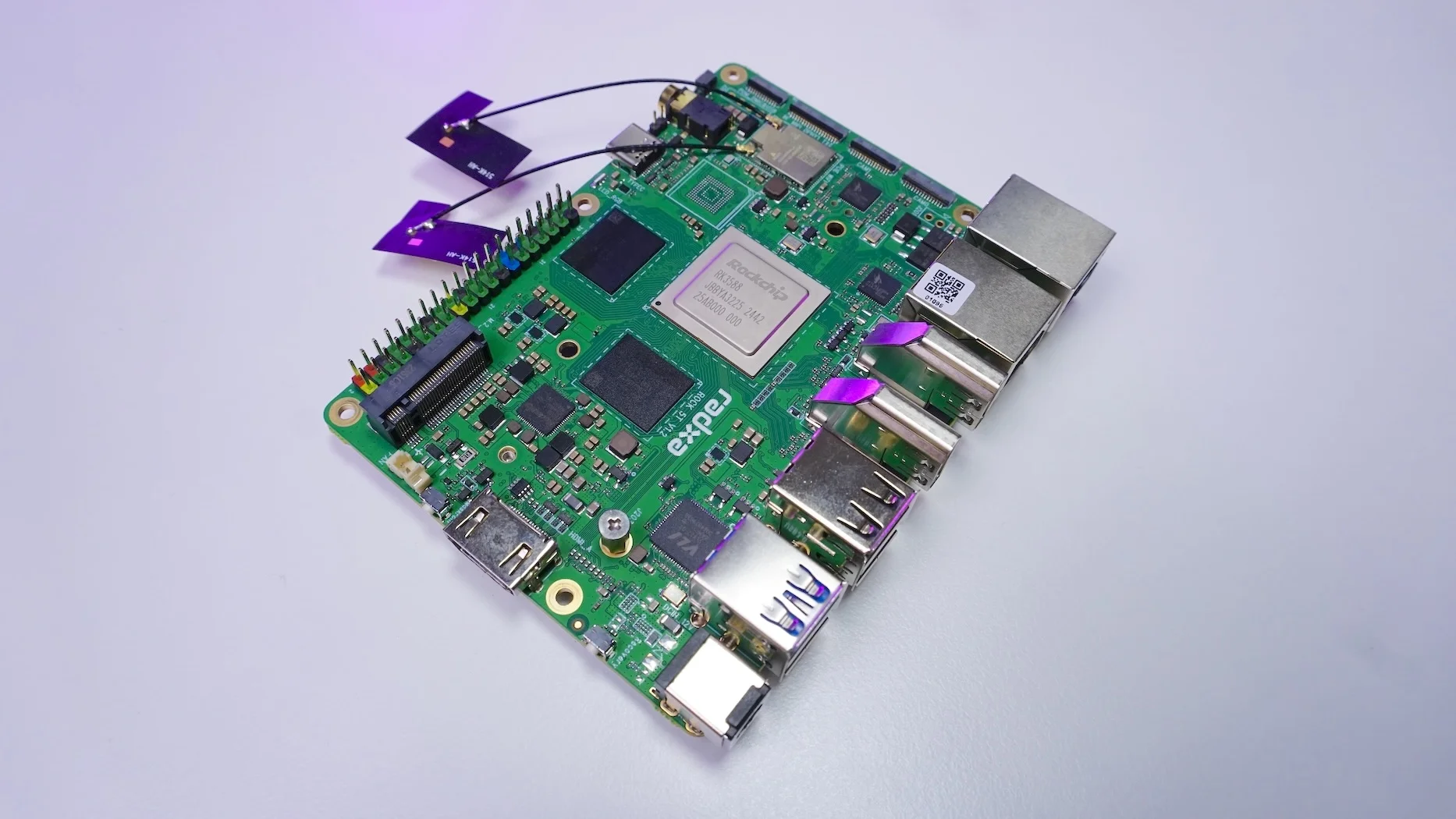
To achieve low-power AI object detection, I used the Radxa Rock 5T.
-
Processor: Rockchip RK3588 SoC (Quad-core Cortex-A76 & Quad-core Cortex-A55).
-
NPU Power: Built-in Neural Processing Unit (NPU) providing 6 TOPS (Tera Operations Per Second) of neural processing power.
-
RAM: 8GB variant (plenty of headroom for this setup).
Instead of relying on the CPU for heavy AI workloads (which is highly discouraged), we can offload object detection directly to this energy-efficient 3 TOPS NPU.
My Frigate NVR Software Configuration
Setting up the software environment was straightforward:
-
I flashed Armbian OS onto the board.
-
I configured Docker to manage the system containers.
-
I deployed the official Frigate Docker image compiled specifically for Rockchip SoCs.
services:
  frigate:
    container_name: frigate
    pull_policy: always
    privileged: true # this may not be necessary for all setups
    restart: unless-stopped
    stop_grace_period: 30s # allow enough time to shut down the various services
    image: ghcr.io/blakeblackshear/frigate:stable-rk
    shm_size: "512mb" # update for your cameras based on calculation above
    security_opt:
      - apparmor=unconfined
      - systempaths=unconfined
    devices:
      - /dev/dri
      - /dev/dma_heap
      - /dev/rga
      - /dev/mpp_service
    volumes:
      - /sys/:/sys/:ro
      - /etc/localtime:/etc/localtime:ro
      - /etc/timezone:/etc/timezone:ro
      - ./config:/config
      - ./storage:/media/frigate
      - type: tmpfs # Optional: 1GB of memory, reduces SSD/SD Card wear
        target: /tmp/cache
        tmpfs:
          size: 1000000000
    ports:
      - "8971:8971"
      - "5000:5000" # Internal unauthenticated access. Expose carefully.
      - "8554:8554" # RTSP feeds
      - "8555:8555/tcp" # WebRTC over tcp
      - "8555:8555/udp" # WebRTC over udp
Adapted the configuration based on the docker compose defintion here
For the camera setup, I integrated six 2-Megapixel (Full HD) IP cameras. I used the full-resolution stream for playback, recording, and object detection simultaneously.
The AI Detection Model
To leverage the hardware fully, I configured Frigate to use the RKNN detector, split across all three cores of the NPU. For the AI model, I chose deci-fp16-yolonas_m from the supported models. It offers the perfect balance between speed and accuracy.
I set the system to detect two specific objects: people and cats (mostly to stop neighborhood cats from digging up the plants in my parents' garden!).
Frigate Configuration
Here is my entire frigate configuration for the detection model and the 6 cameras configured
Real-World Performance & Statistics
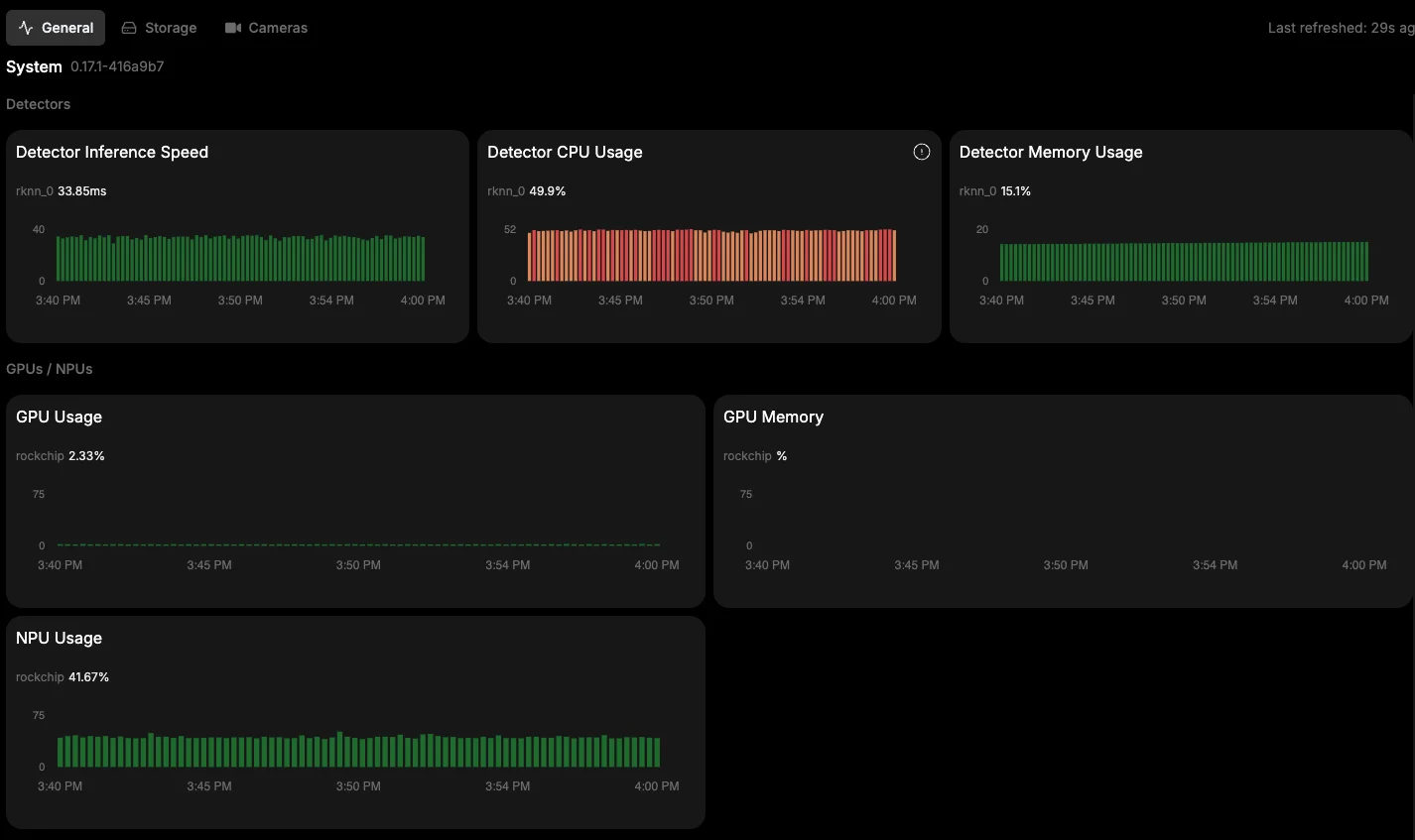
How well does the RK3588 NPU actually handle six Full HD streams? The results are impressive:
-
NPU Utilization: Hovers between 43% to 45% during active object detection.
-
Inference Speed: Lightning fast, sitting consistently between 30 to 35 milliseconds.
-
RAM Usage: The entire system utilizes only 2.4 to 3 Gigabytes of RAM, leaving the 8GB board feeling completely unbothered.
-
Total CPU Usage: Stays around 23%. Most of this overhead goes to the
go2rtcprocess for handling the live streams.
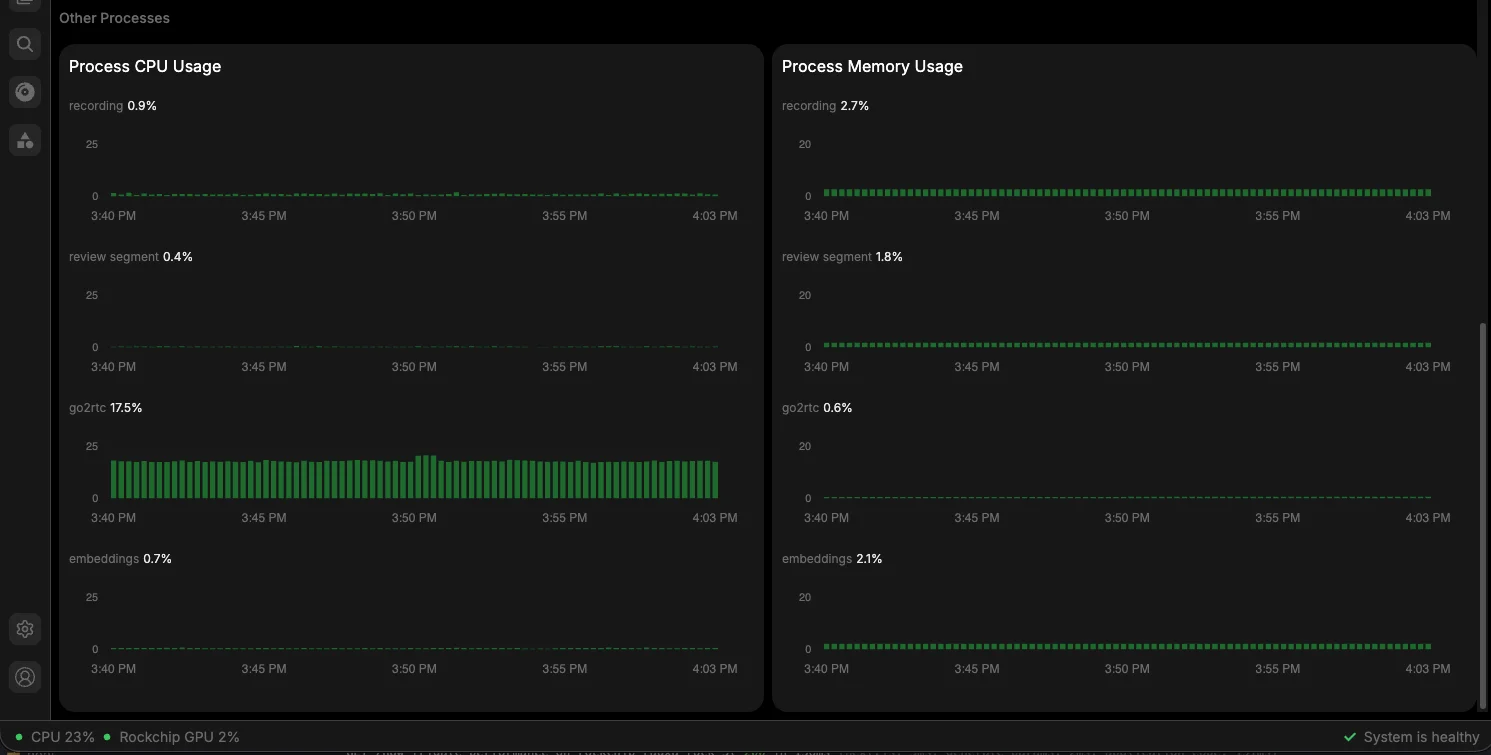
Note: I did notice some CPU usage spikes while preparing the input/output data for the detection models despite hardware video decoding being active. If you have tips on how to optimize this further, let me know! Add a comment to my Youtube video above or send me an email.
Smart Home Integration & Notifications
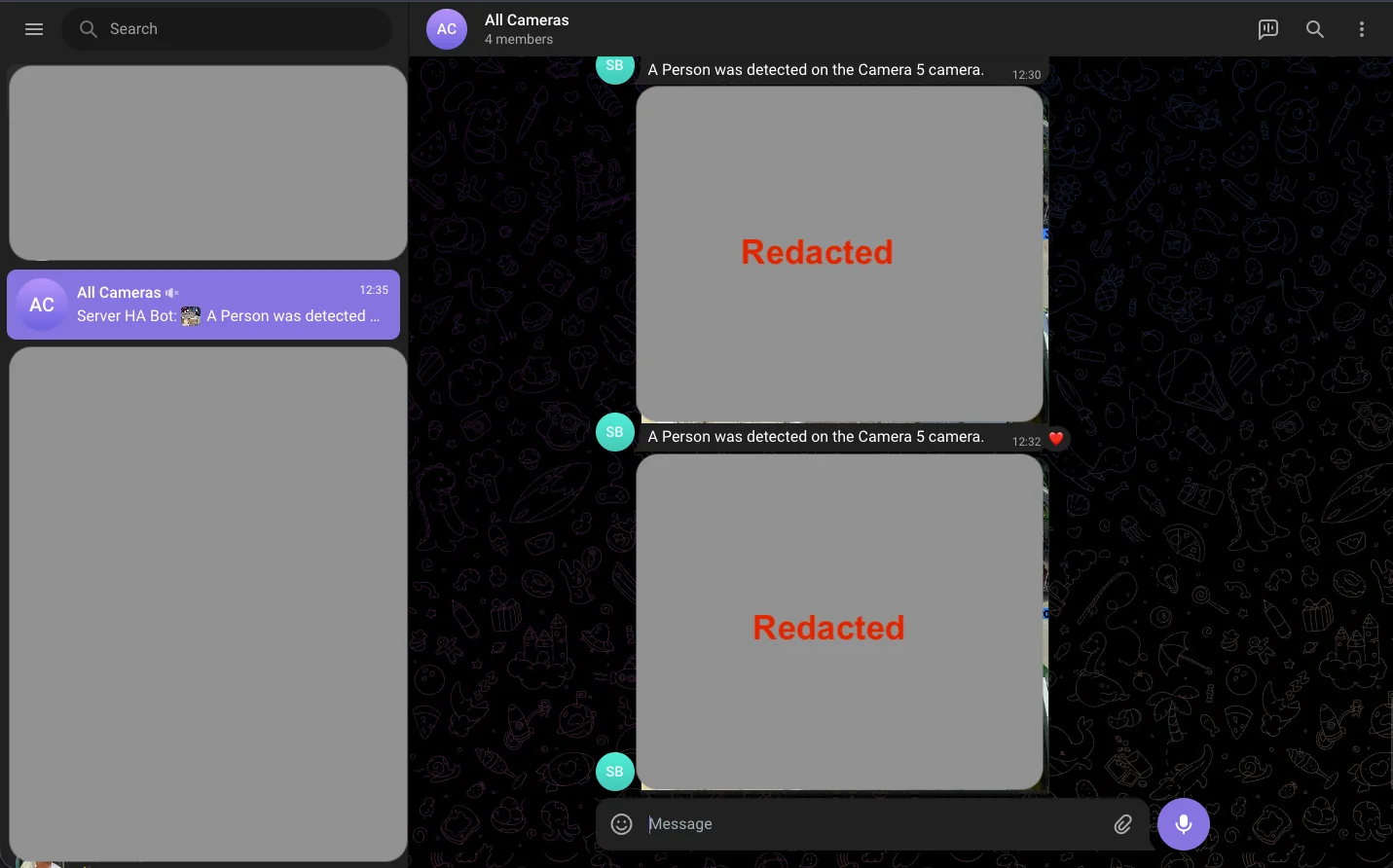
An NVR is only as good as its alerting system. I integrated Frigate into Home Assistant to orchestrate my smart home automation.
Whenever Frigate detects a person or a cat, Home Assistant immediately triggers a rich media notification straight to Telegram. I receive an instant alert alongside a snapshot of the detection, ensuring I never miss an event.
Final Verdict: Can it scale?
With six Full HD cameras running simultaneously, the Radxa Rock 5T handles the load effortlessly. Based on these metrics, you could easily add another two cameras—bringing the total to 8 cameras—and the system would still run perfectly.
If you want a step-by-step guide on how to configure this exact setup from scratch, check out my detailed video tutorial below or you can read it here.
Buy Radxa Rock 5T: