
Written by

Featured Video
Table of Contents
Managing multiple computers in a homelab or server rack can quickly become messy. You either need multiple keyboards and monitors, or you constantly switch HDMI and USB cables between machines.
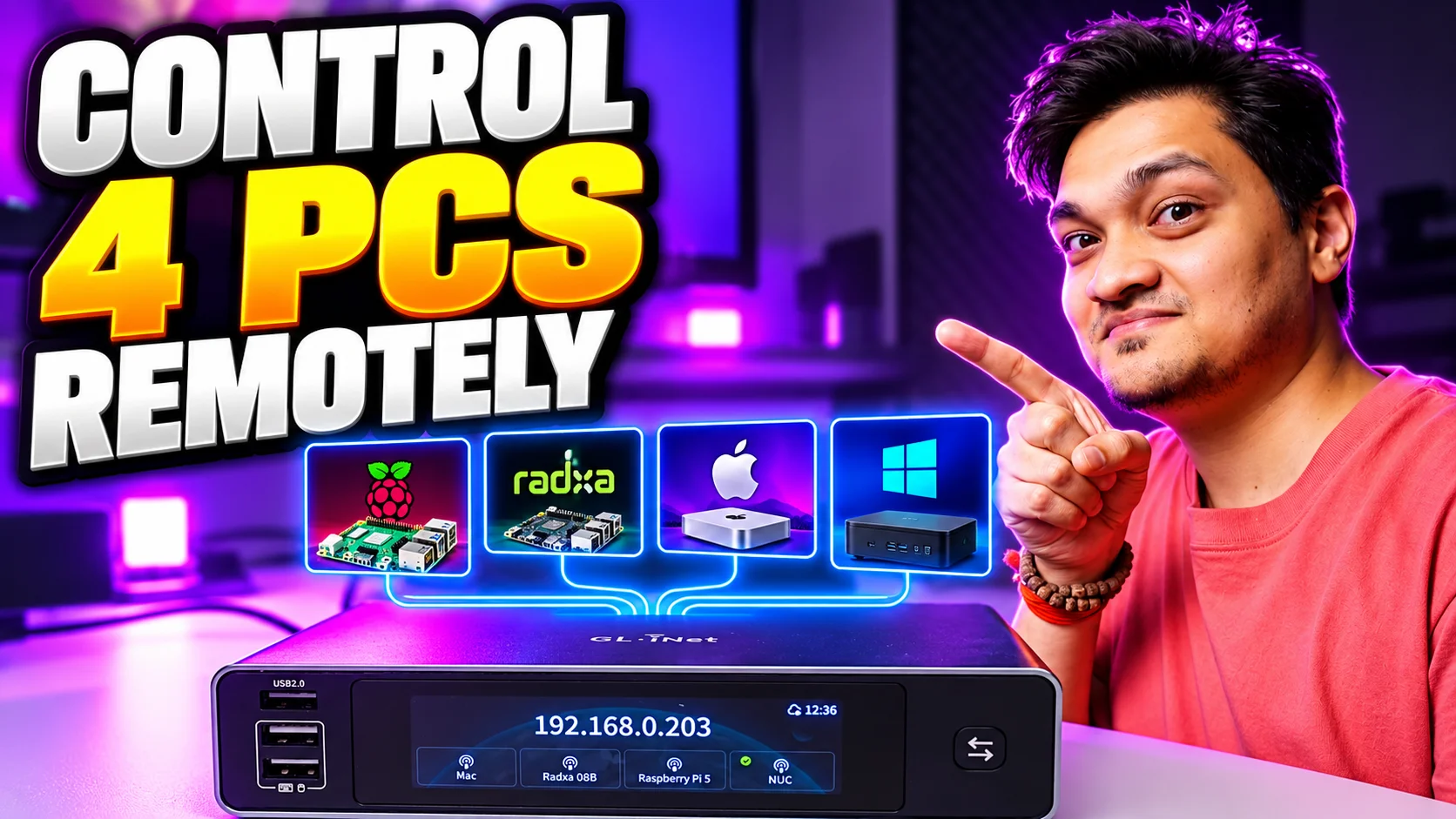
With the GL.iNet Comet X, I can remotely control four different computers from a single browser.
In my setup, I connected:
-
Raspberry Pi 5
-
Radxa Dragon Q8B
-
Mac mini
-
Mini PC
I can switch between all four without touching an HDMI cable, keyboard, or mouse.
But the Comet X goes further than a normal 4-port KVM switch. It gives me remote access over the network, including access while the computer is booting.
That makes it particularly interesting for homelabs, remote servers, mini PCs, and rack-mounted systems.
Buy GL.iNet Comet X:
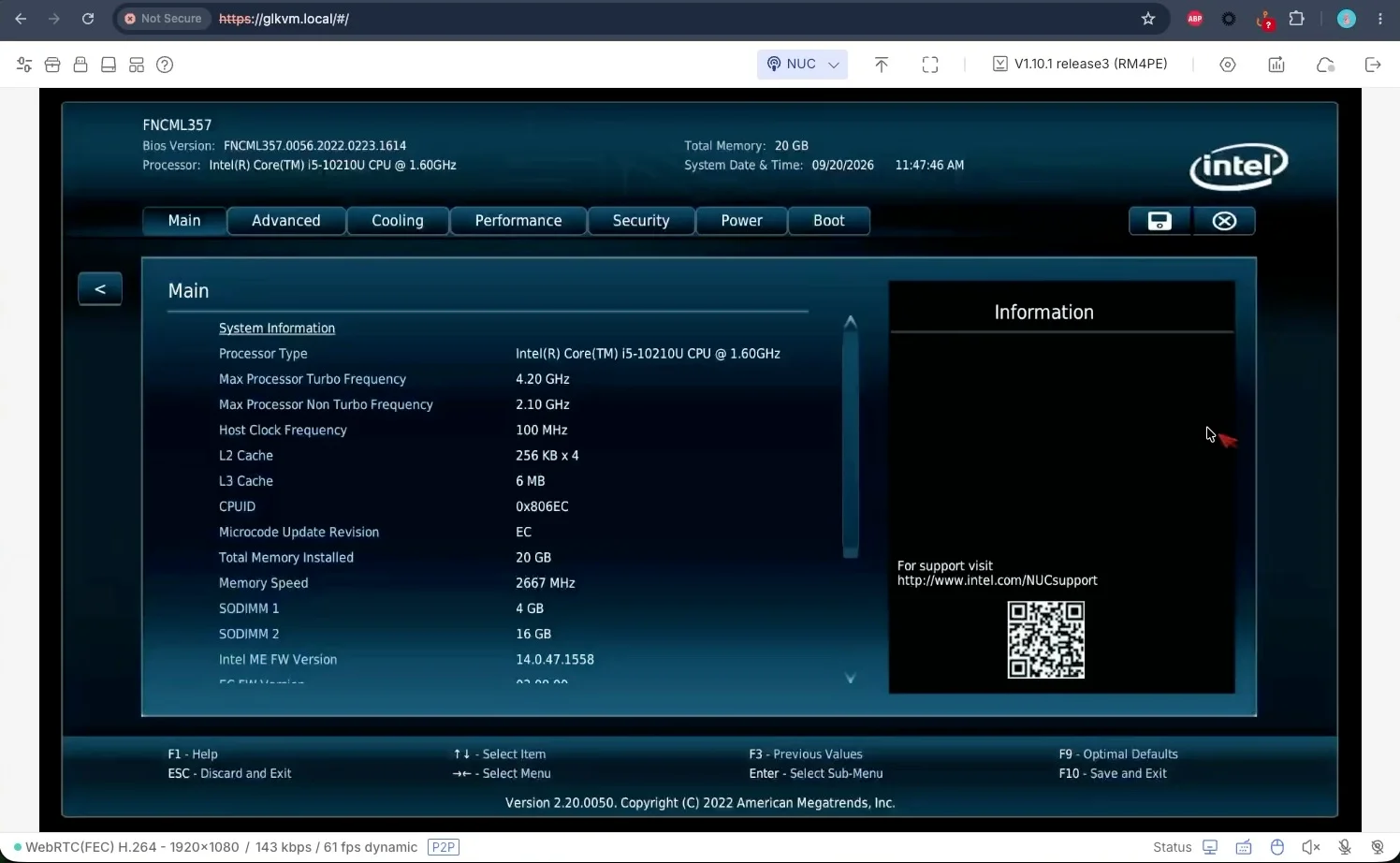
Remote BIOS and Boot Access
One important difference between a software remote-desktop solution and a KVM over IP is that the KVM does not depend on the operating system.
I can access the computer while it is:
-
Booting
-
Restarting
-
Installing an operating system
-
Sitting inside the BIOS or UEFI
This is extremely useful when managing a server remotely.
If a computer fails to boot properly, I can still see what is happening and interact with it without needing to physically connect a monitor and keyboard.
GL.iNet officially lists BIOS access, browser/app access, and remote control for up to four systems as core Comet X features.
Webcam and Microphone Passthrough
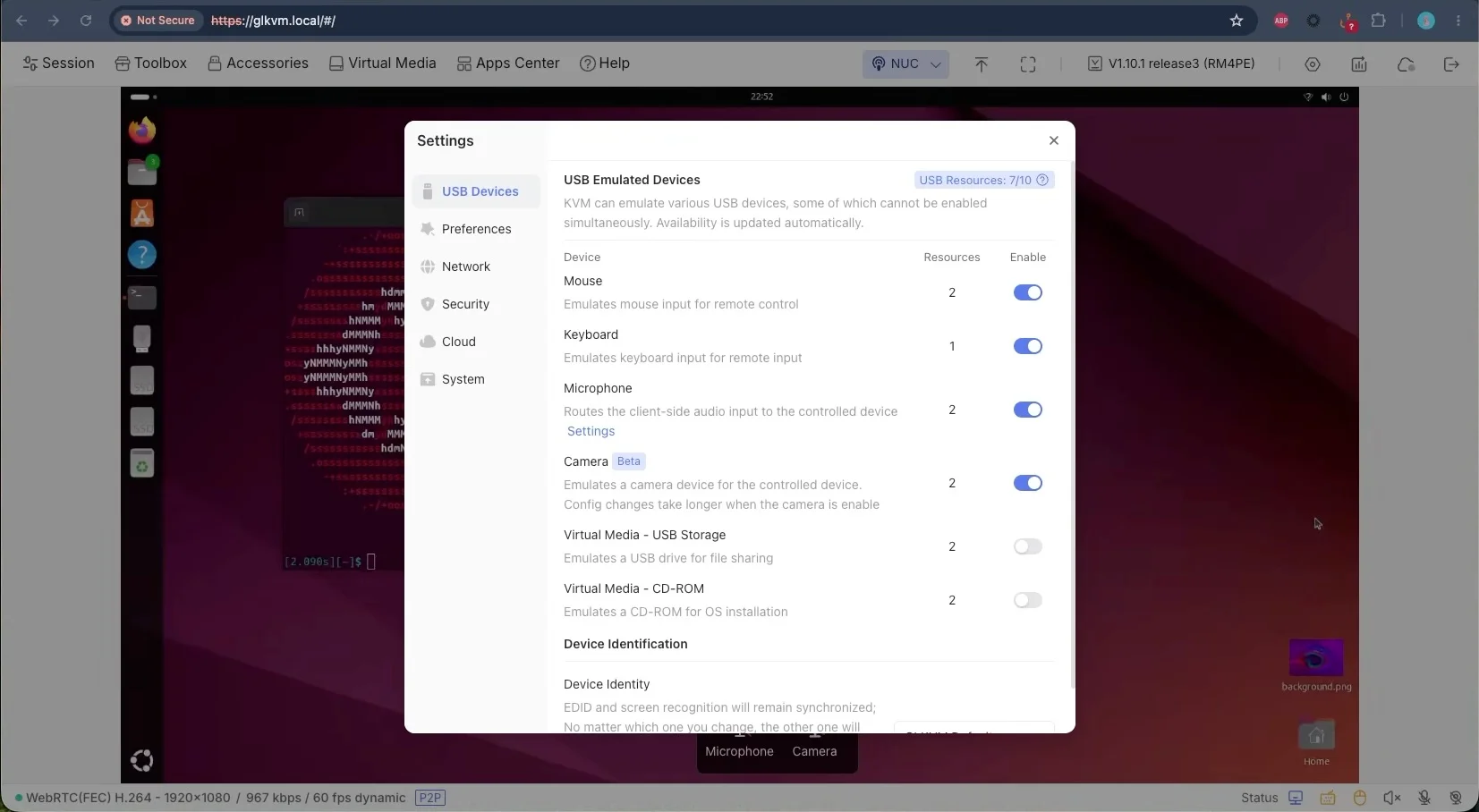
Another interesting feature is the ability to use the microphone and webcam from my current computer with the remote machine.
This means my local webcam and microphone can effectively become input devices for the computer I am remotely controlling.
For example, I could remotely access another computer and still use it for a video call without having a dedicated webcam and microphone physically connected to that machine.
This makes the Comet X useful beyond traditional server management, especially when remotely operating desktop PCs or workstations.
Ports and Connectivity
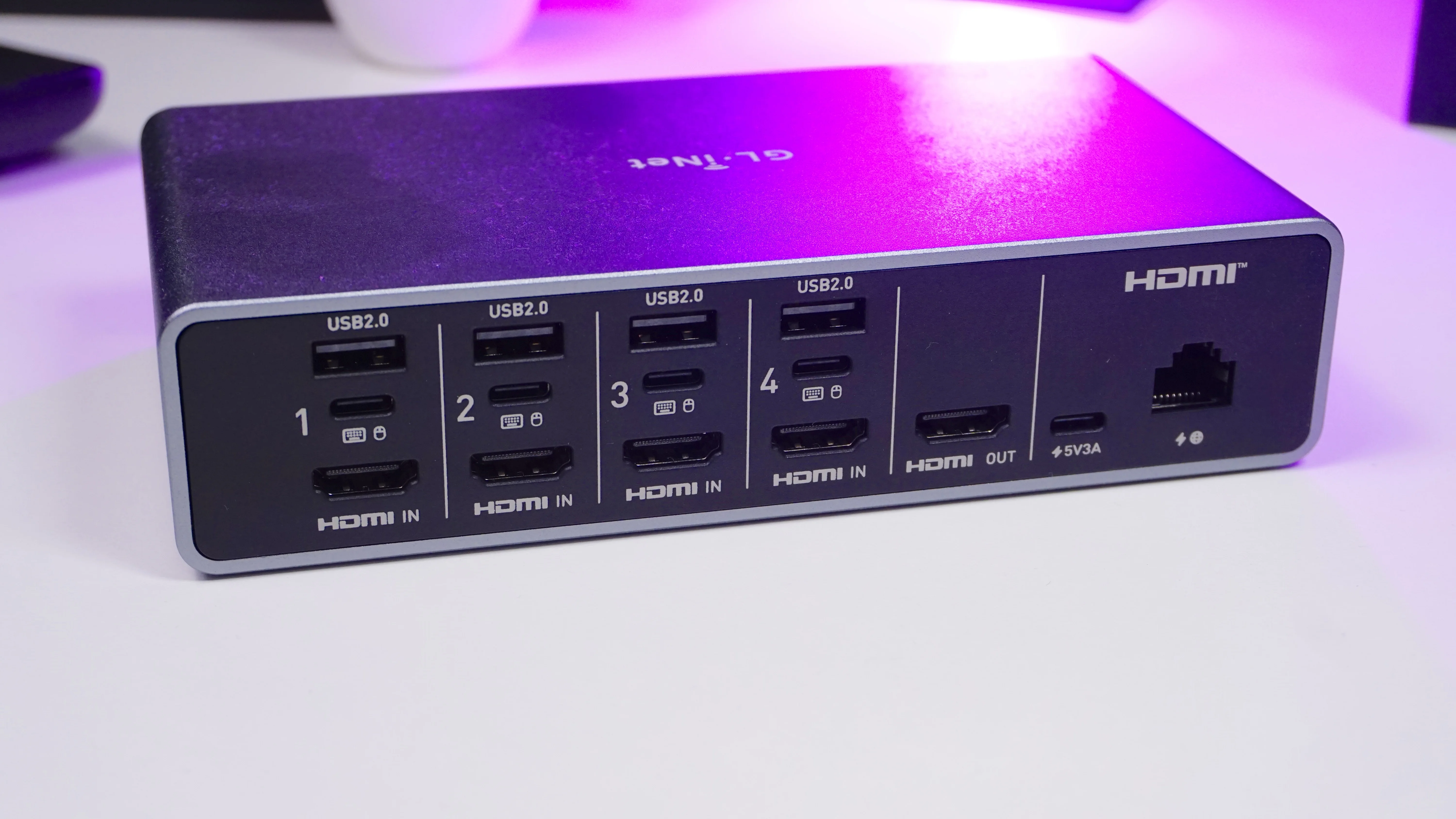
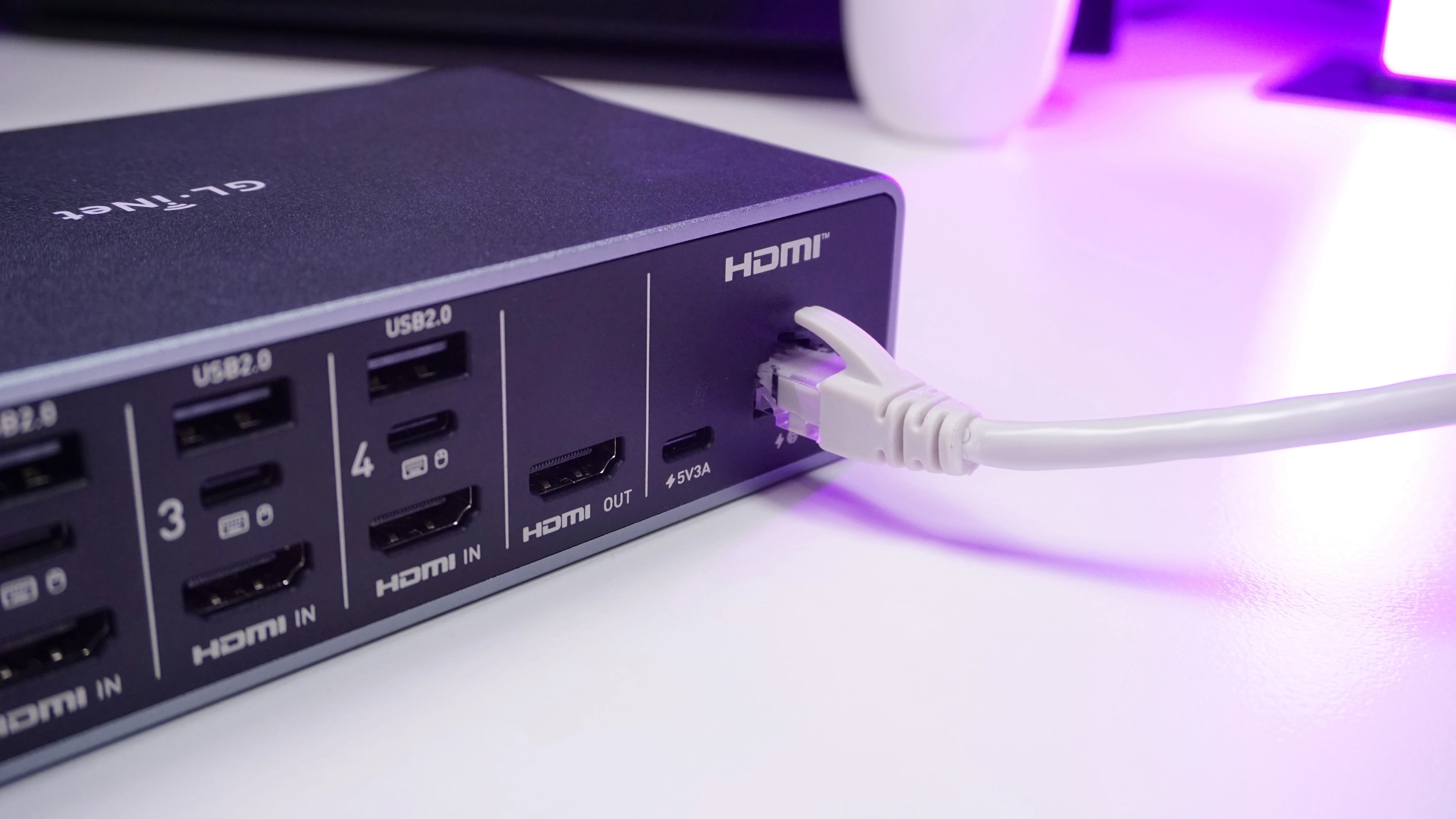
The rear of the Comet X is where most of the connections are located.
For the four computers, you get:
-
4 × HDMI inputs
-
4 × USB-C device connections
-
4 × USB 2.0 Type-A ports
-
1 × Gigabit Ethernet port with PoE
-
1 × USB-C power input
There is also an HDMI output for connecting a local monitor.
The HDMI connection carries the video signal from each computer, while USB handles keyboard, mouse, and device control.
GL.iNet rates the Comet X for resolutions up to 4K at 30 FPS.
Local Keyboard, Mouse and Monitor
Remote access is not the only way to use the Comet X.
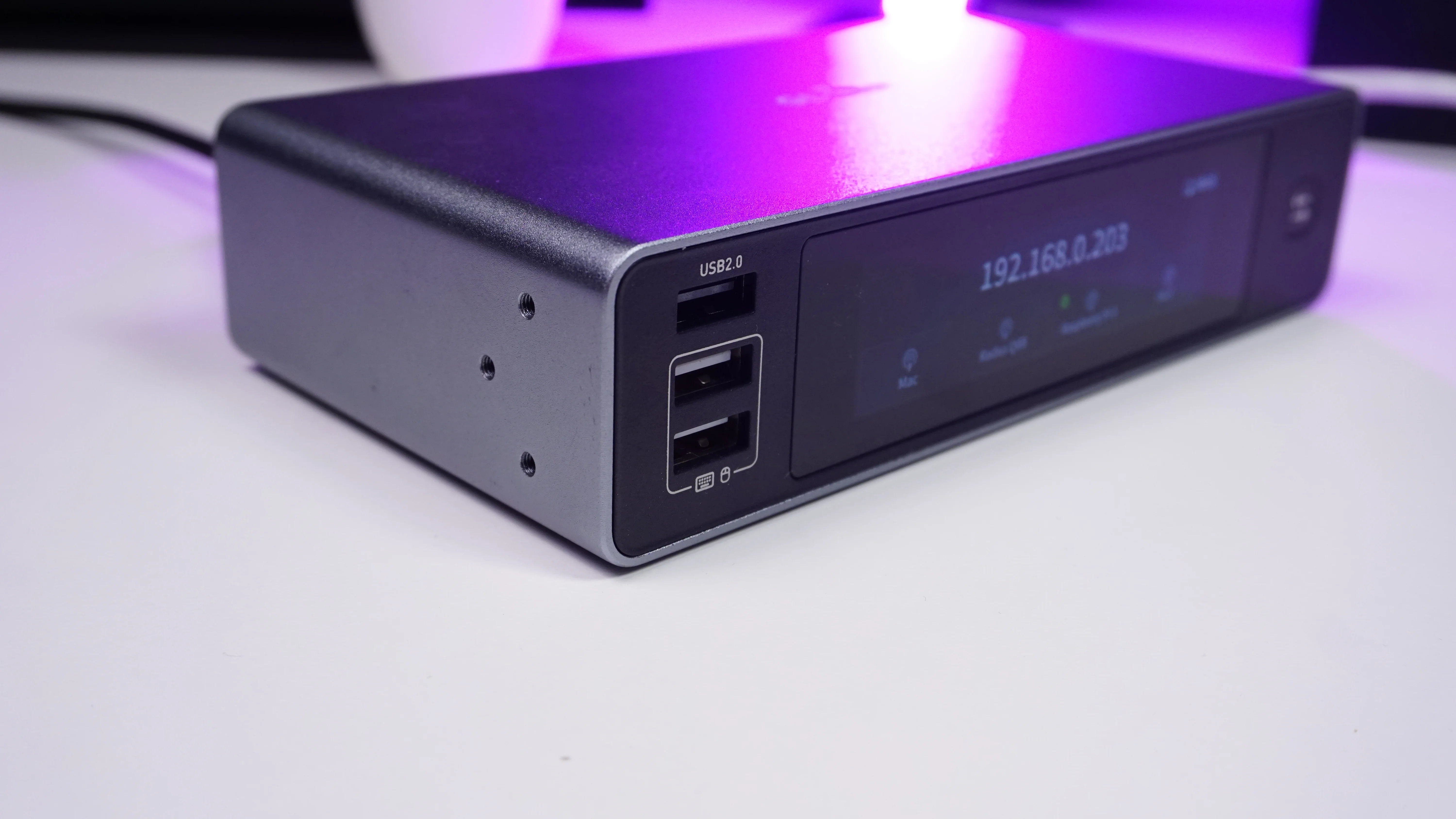
I can also connect a local monitor, keyboard, and mouse directly to the KVM.
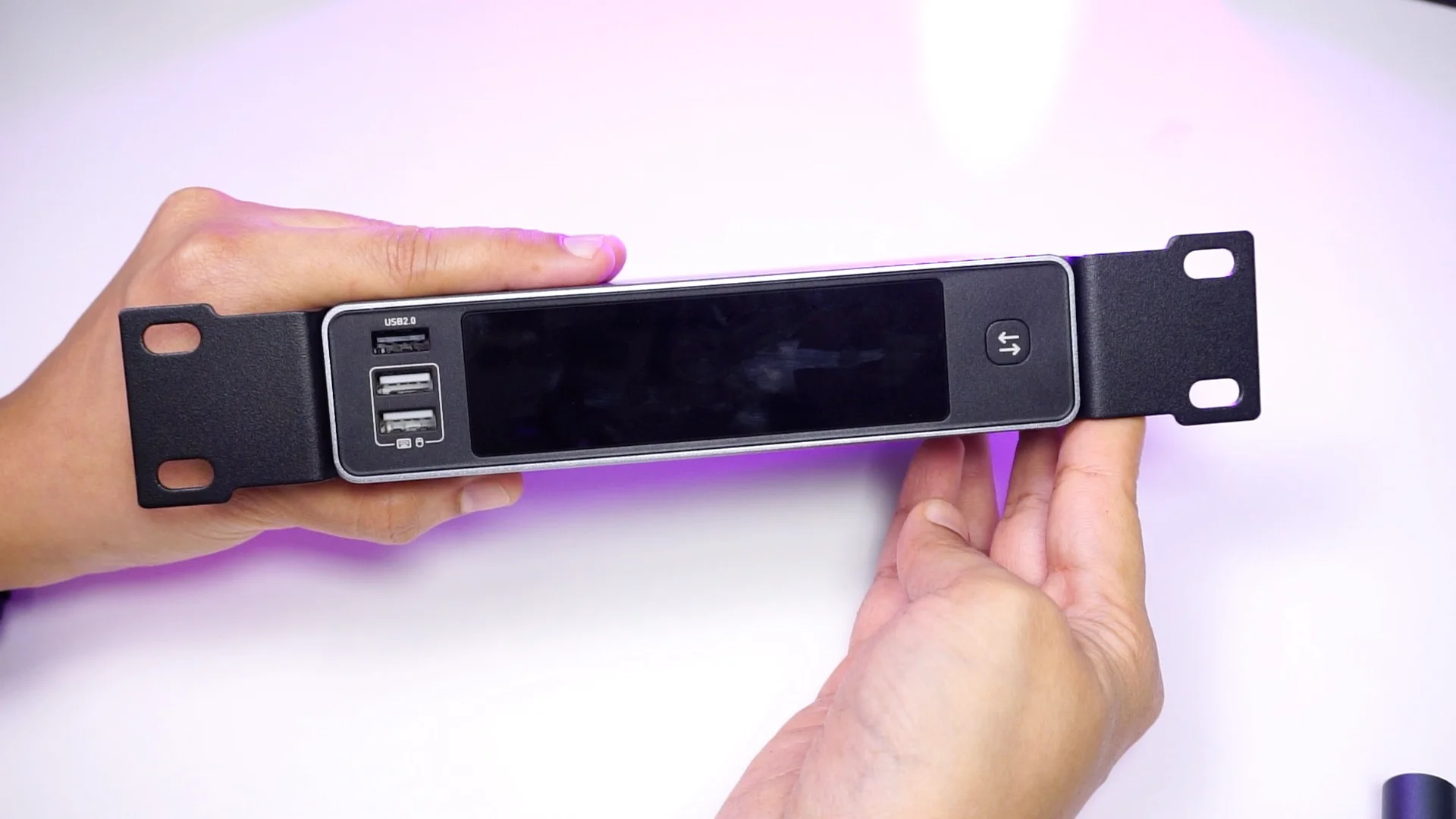
On the front there are USB ports for connecting:
-
Keyboard
-
Mouse
-
Shared USB accessory
The HDMI output can then be connected to a monitor.
This gives me both local KVM control and remote KVM access from the same device.
That is particularly convenient when the rack is sitting next to your desk but you still want remote access when you are away.
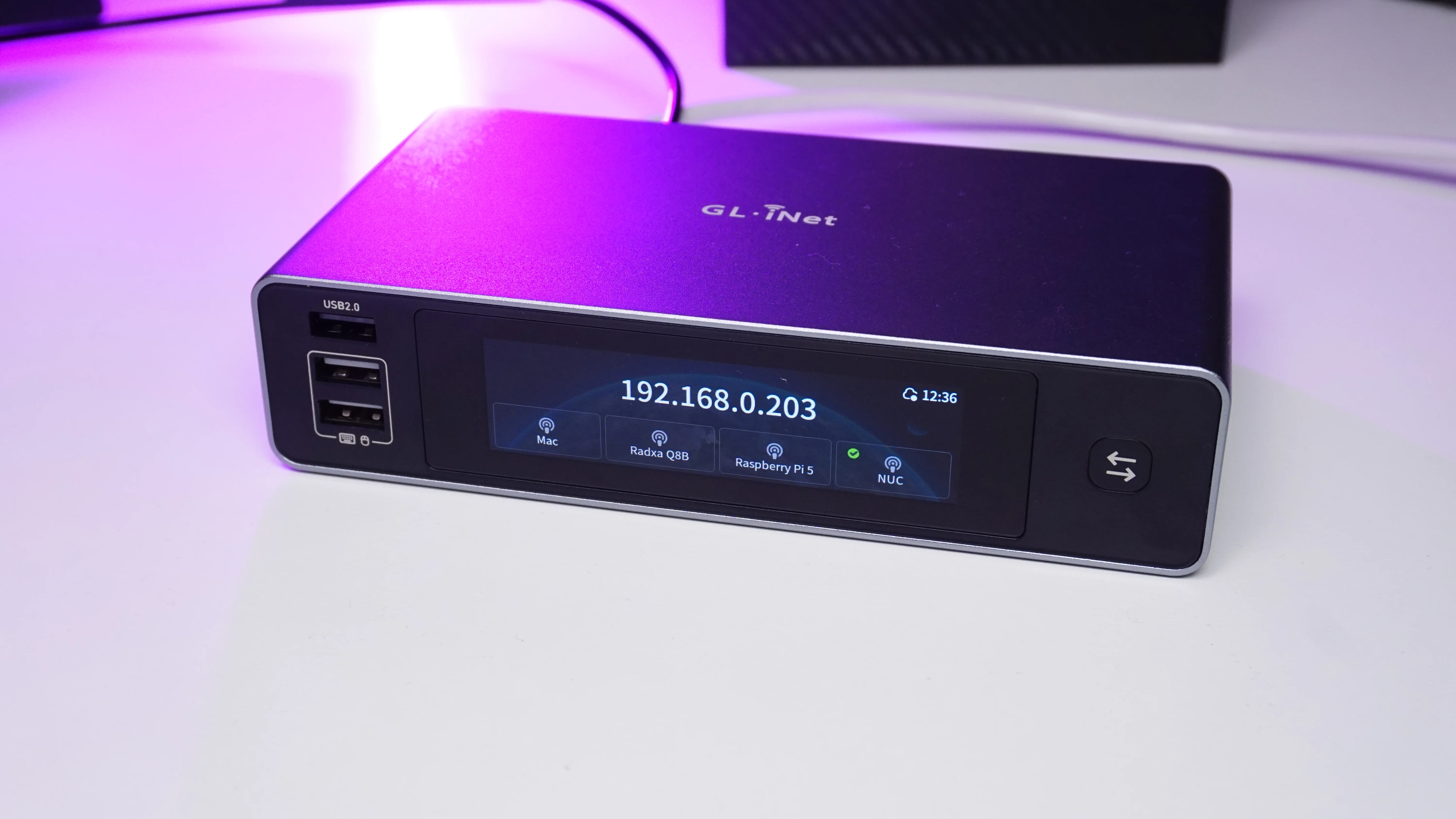
3.69-Inch Touchscreen
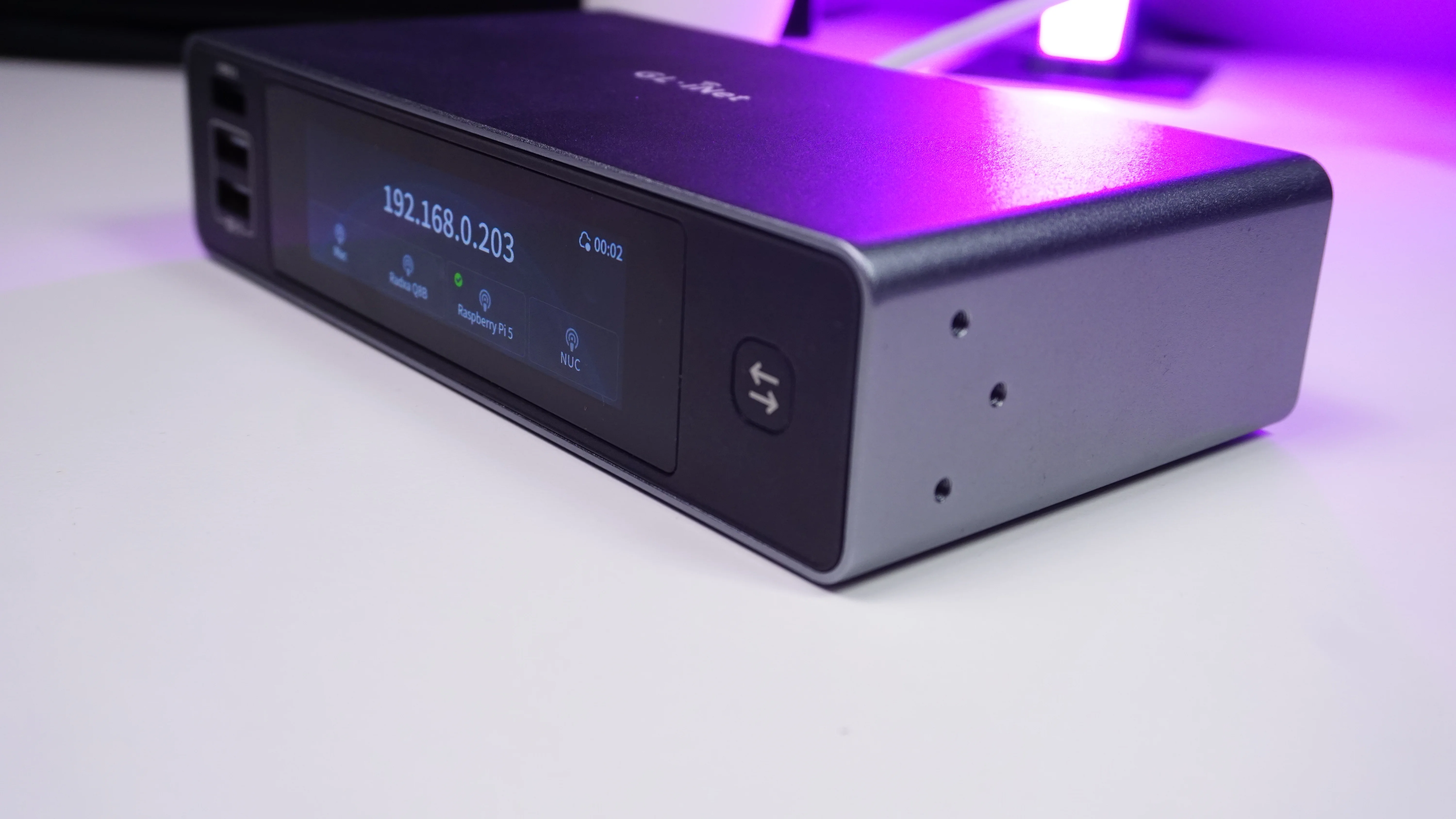
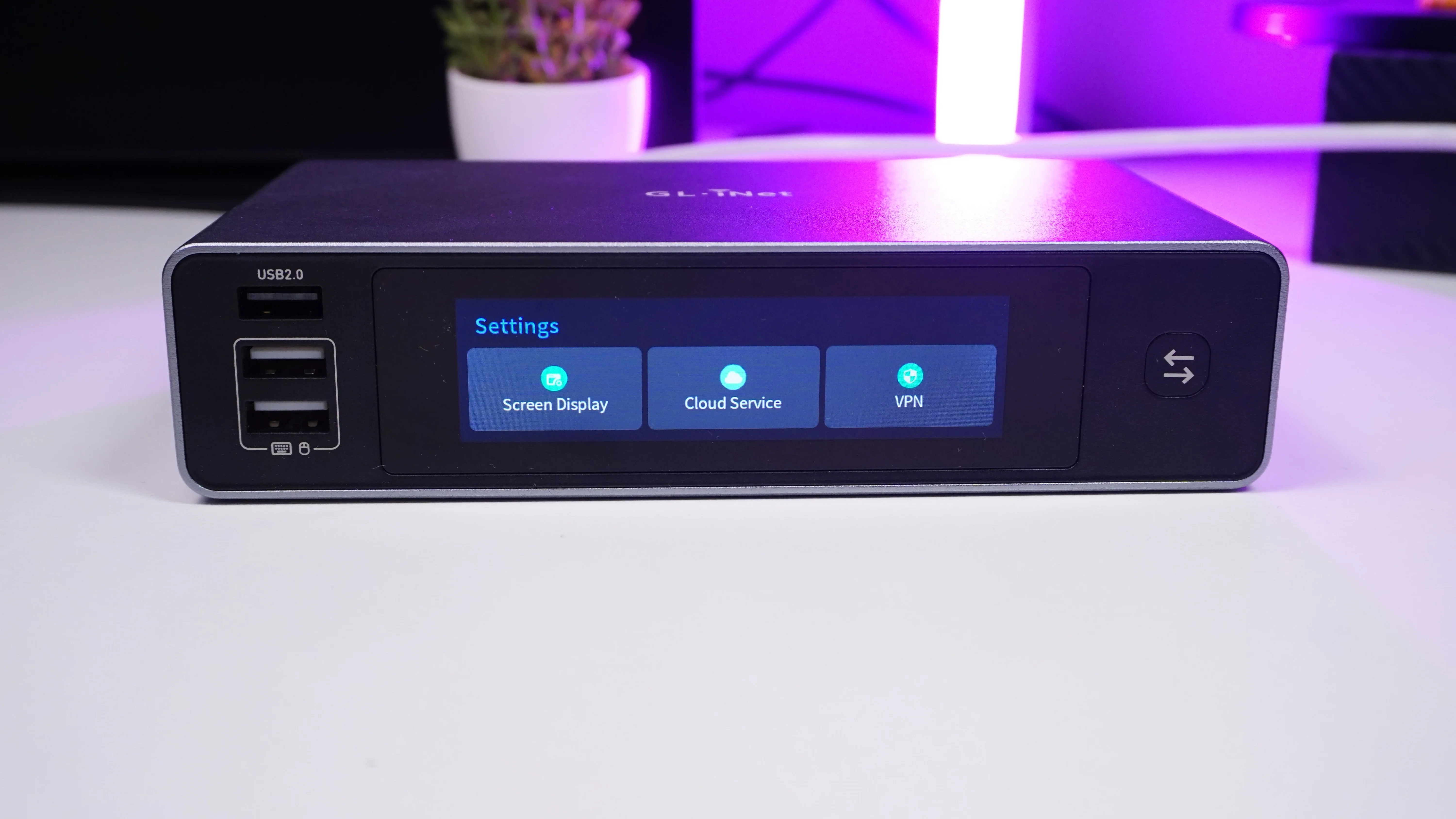
On the front of the Comet X there is a 3.69-inch TFT touchscreen.
I can use it to quickly access information and settings without opening the web interface.
For example, I can:
-
Change the display brightness
-
Check connectivity
-
Access cloud and VPN settings
-
Preview the connected computer
-
View KVM information
-
Reboot the device
-
Lock the screen
-
Select a connected computer
There is also a quick device switcher button, which makes moving between connected systems much faster.
USB-C or PoE Power
The Comet X can be powered using USB-C, but for a server rack I prefer the Power over Ethernet option.
With PoE, a compatible switch provides both network connectivity and power using the same Ethernet cable.
That means one less power adapter and cable inside the rack.
The Ethernet port supports Gigabit Ethernet and 802.3af/at PoE.
For a clean 10-inch homelab rack, this is a particularly useful feature.
10-Inch and 19-Inch Rack Mounting
The Comet X is designed with server racks in mind.
Inside the box, GL.iNet provides mounting brackets for both:
-
10-inch racks
-
19-inch racks
I used the shorter brackets for my 10-inch server rack.
After attaching the brackets using the provided screws, I mounted the Comet X directly into the rack.
It occupies a single rack position and gives me remote control over four computers installed in the same setup.
GL.iNet officially lists compatibility with both 10-inch and 19-inch racks, with brackets for both included.
Comet X vs Comet Pro
The Comet X makes the most sense if you need to manage several computers.
Its main advantage is simple:
One KVM can control up to four machines.
If you only need to remotely control a single computer, the GL.iNet Comet Pro may make more sense.
The Comet Pro provides similar remote KVM functionality but is designed around controlling one machine instead of four.
For my rack, however, having the Raspberry Pi, ARM computer, Mac mini, and mini PC connected simultaneously makes the Comet X much more convenient.
Final Thoughts
The GL.iNet Comet X fits particularly well into a homelab or server rack containing several independent computers.
The features I find most useful are:
-
Remote control of four computers
-
Remote BIOS access
-
4K HDMI support
-
Webcam and microphone passthrough
-
Local keyboard, mouse, and monitor support
-
PoE power
-
Integrated touchscreen
-
10-inch and 19-inch rack mounting
Instead of maintaining separate KVMs or constantly moving cables between computers, I now have one central device for controlling the systems in my rack.
For anyone building a 10-inch homelab rack, mini PC cluster, Raspberry Pi rack, or multi-server setup, the Comet X is an interesting way to add proper remote KVM over IP access without cluttering the rack with several separate devices.
Buy GL.iNet Comet X: