
Written by

Featured Video
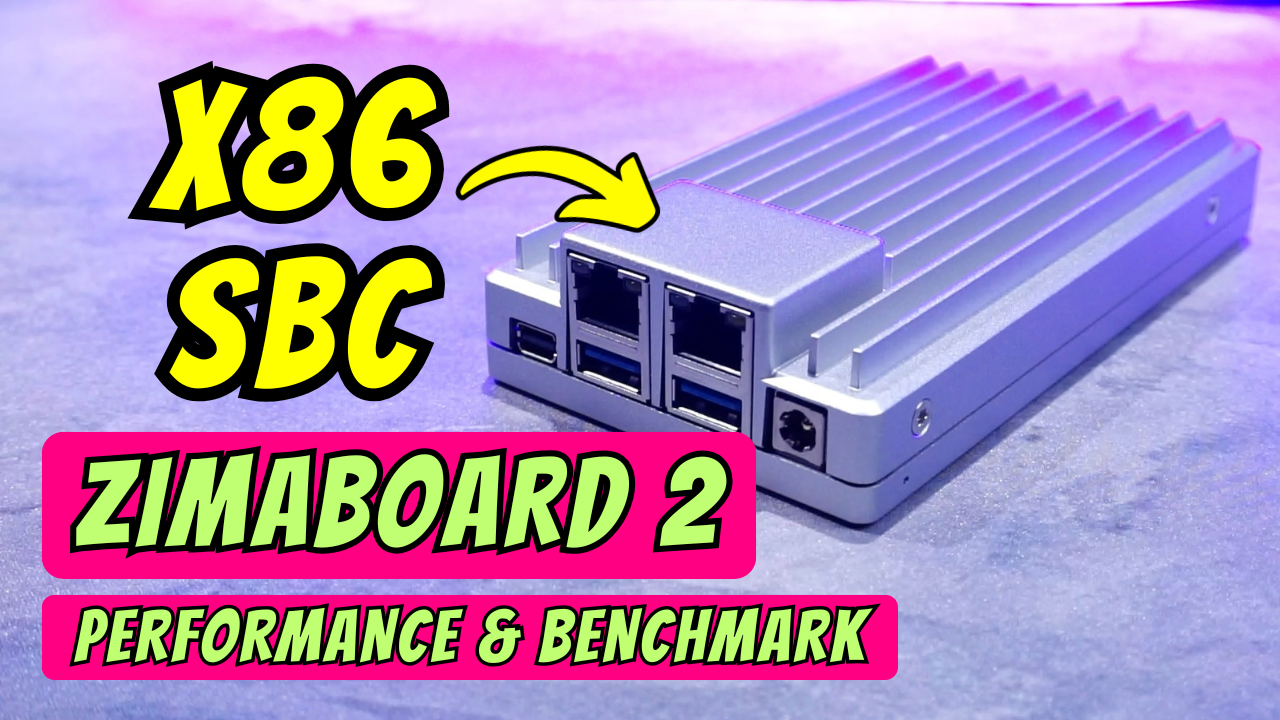
Are you looking for a powerful, compact, and easy-to-manage home server? Today, we’re diving into the ZimaBoard 2, a single-board server that packs a serious punch for its size. Whether you're a pro or a beginner, this might just be the ultimate DIY NAS hardware for your home lab.
Technical Specification
ZimaBoard 2:
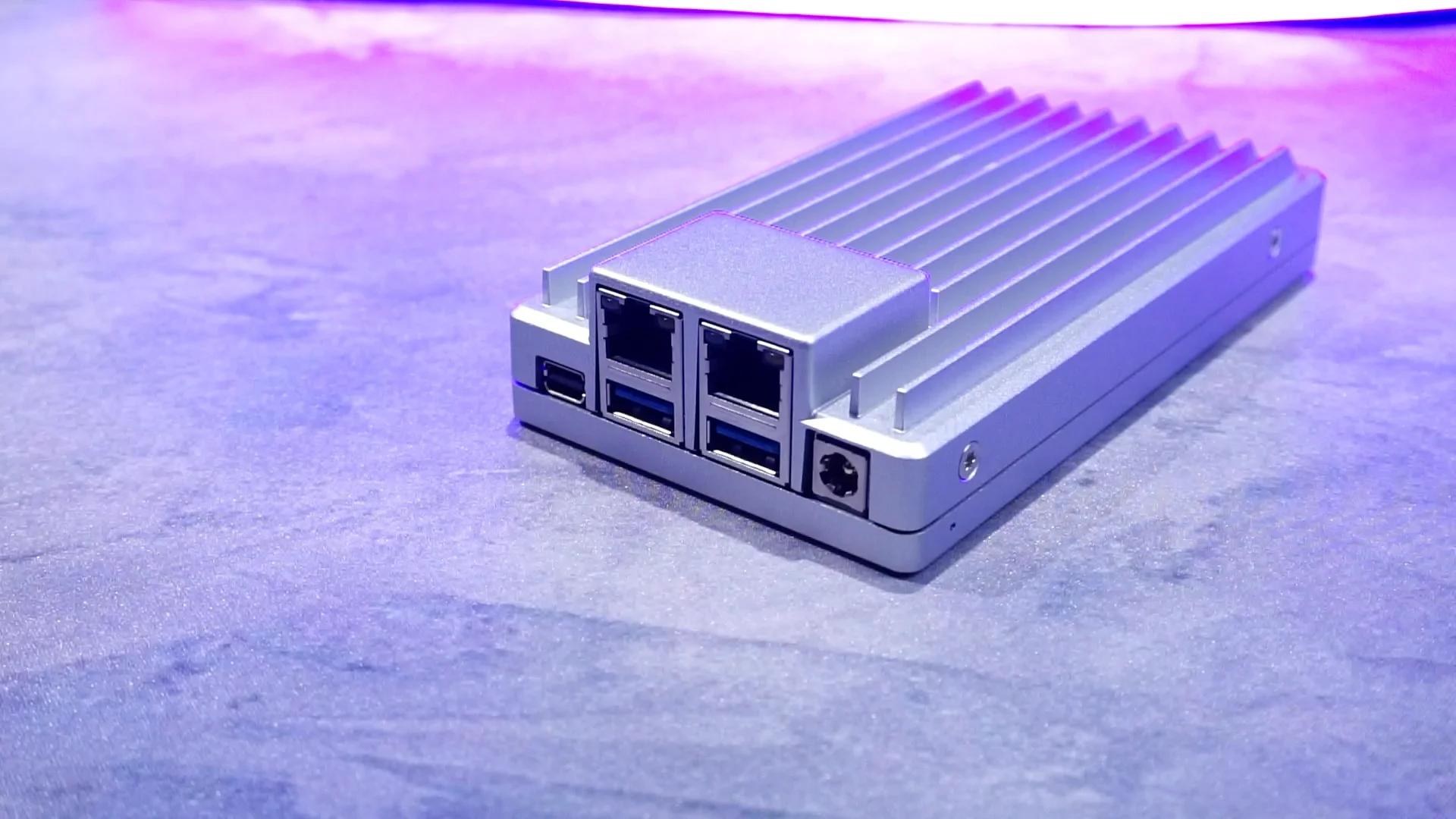
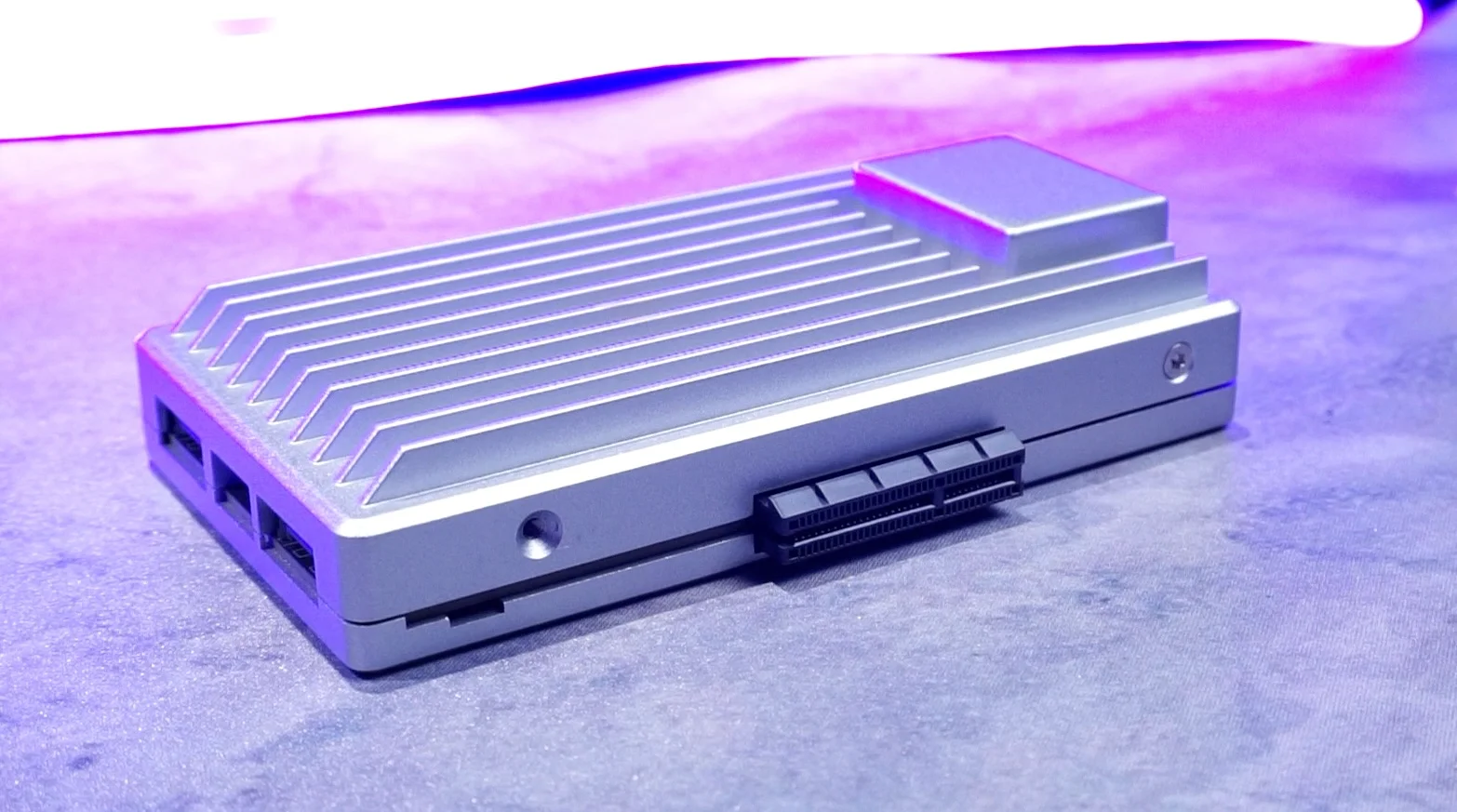
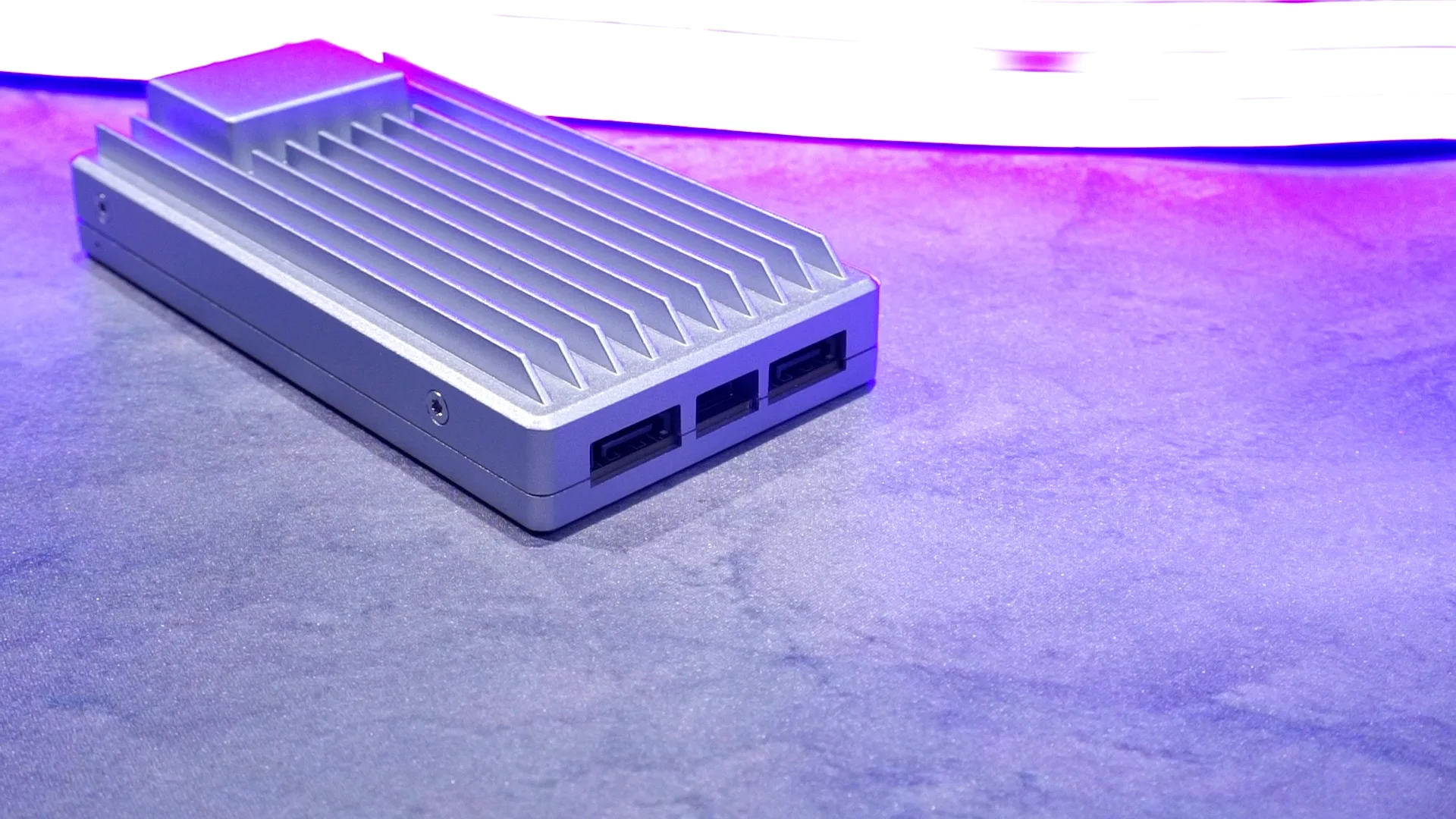
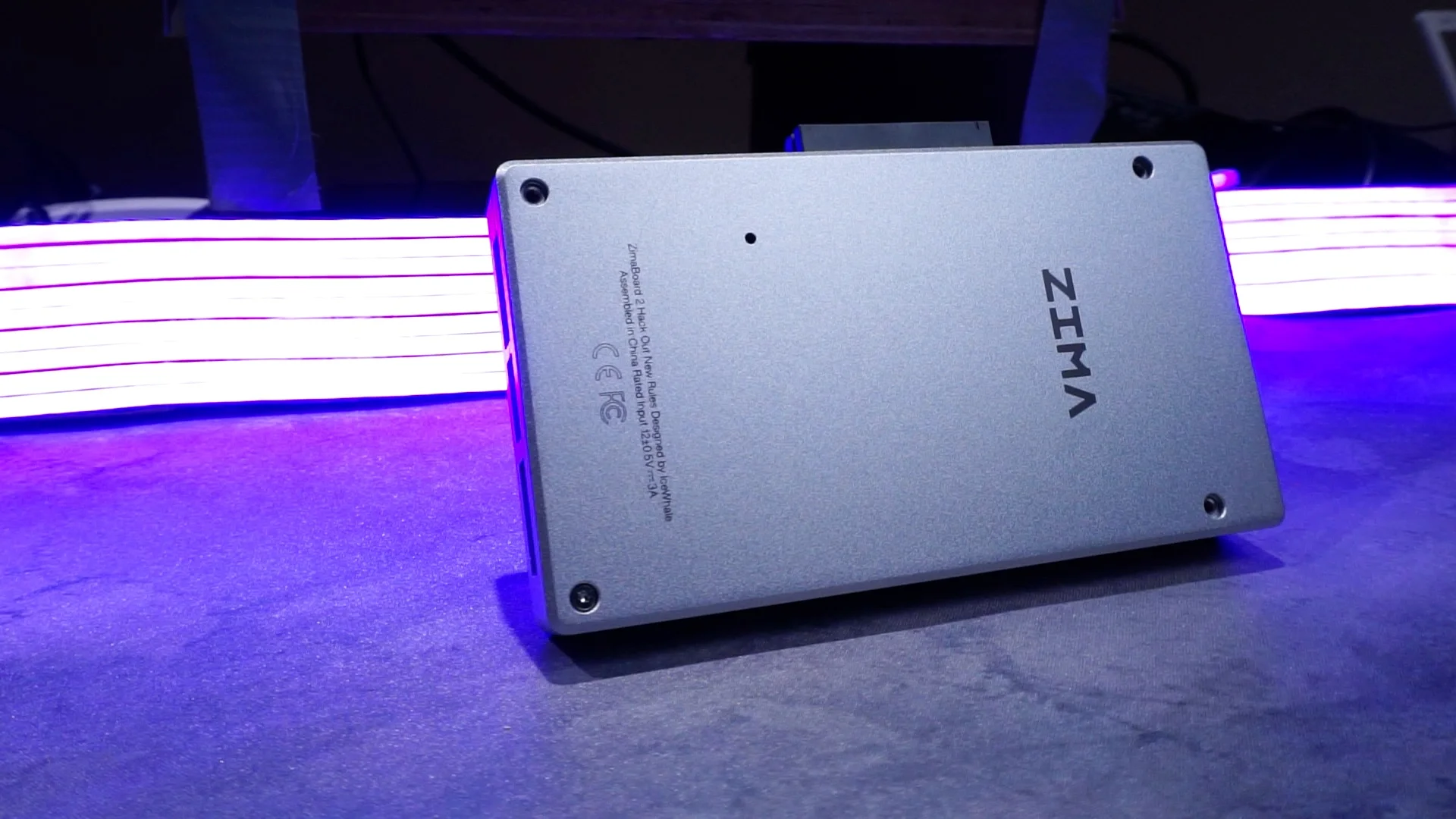
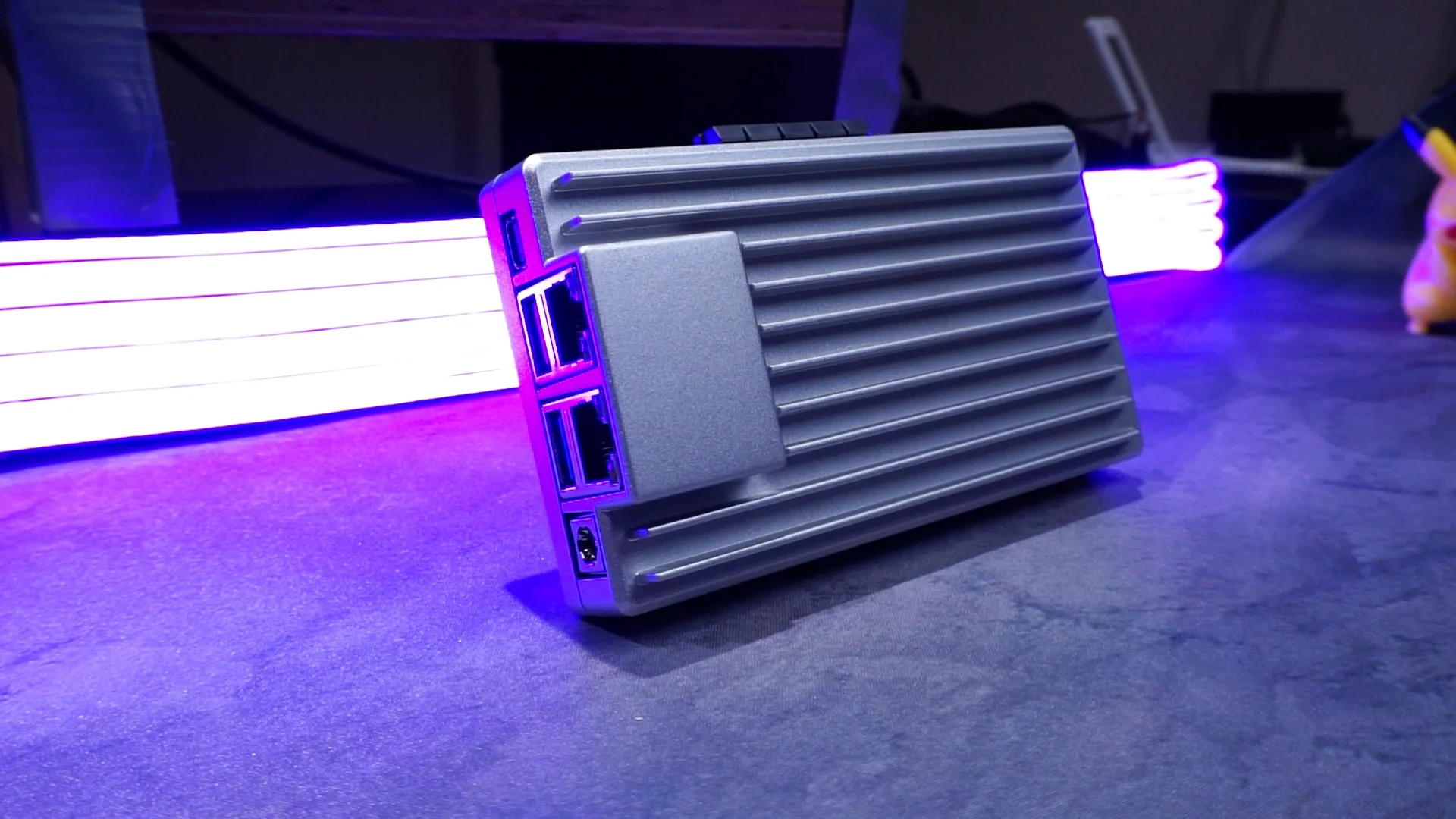
The unboxing experience feels premium. It comes in eco-friendly packaging with a personal note from the founder. Inside, you’ll find the board protected by a sturdy aluminum casing designed for passive heat dissipation.
ZimaOS: Software Made Simple
The real magic happens when you power it on. ZimaOS provides a clean, web-based dashboard that makes server management feel like using a smartphone.
Key Features:
- Easy RAID Setup: Setting up RAID Levels (for data redundancy) is a few clicks away. It clearly shows your available capacity before you commit.
- PeerDrop: A fantastic tool for transferring files between your phone or your computer and the NAS via a browser.
- Zima Virtual Machine: Want to run Windows 11? You can install and access OS environments directly through your web browser.
- App Store: One-click installs for Home Assistant, Tailscale VPN, and other Docker-based applications.
- 3-2-1 Backup: Built-in tools to sync your data to local storage or cloud services like Google Drive and Dropbox.
Real-World Performance & Power
Performance is where the ZimaBoard 2 truly shines. Thanks to the 2.5 Gigabit Ethernet, I saw consistent transfer speeds of 275 to 280 MB/s. This is true whether you are using SATA SSDs or NVMe storage—you are effectively saturating the network line.
Power Consumption:
- Idle: 11–13 Watts (With two HDDs connected)
- Under Load: ~26 Watts during heavy file transfers
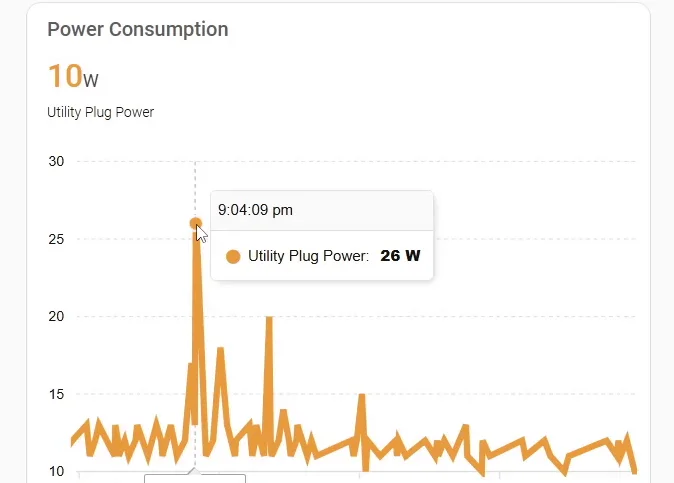
This makes it an incredibly energy-efficient choice for a server that stays on 24/7.
Performance Benchmarks: Raw Power
I put the ZimaBoard 2 through a series of tests to see how the Intel N150 holds up against the competition.
CPU & Memory Testing
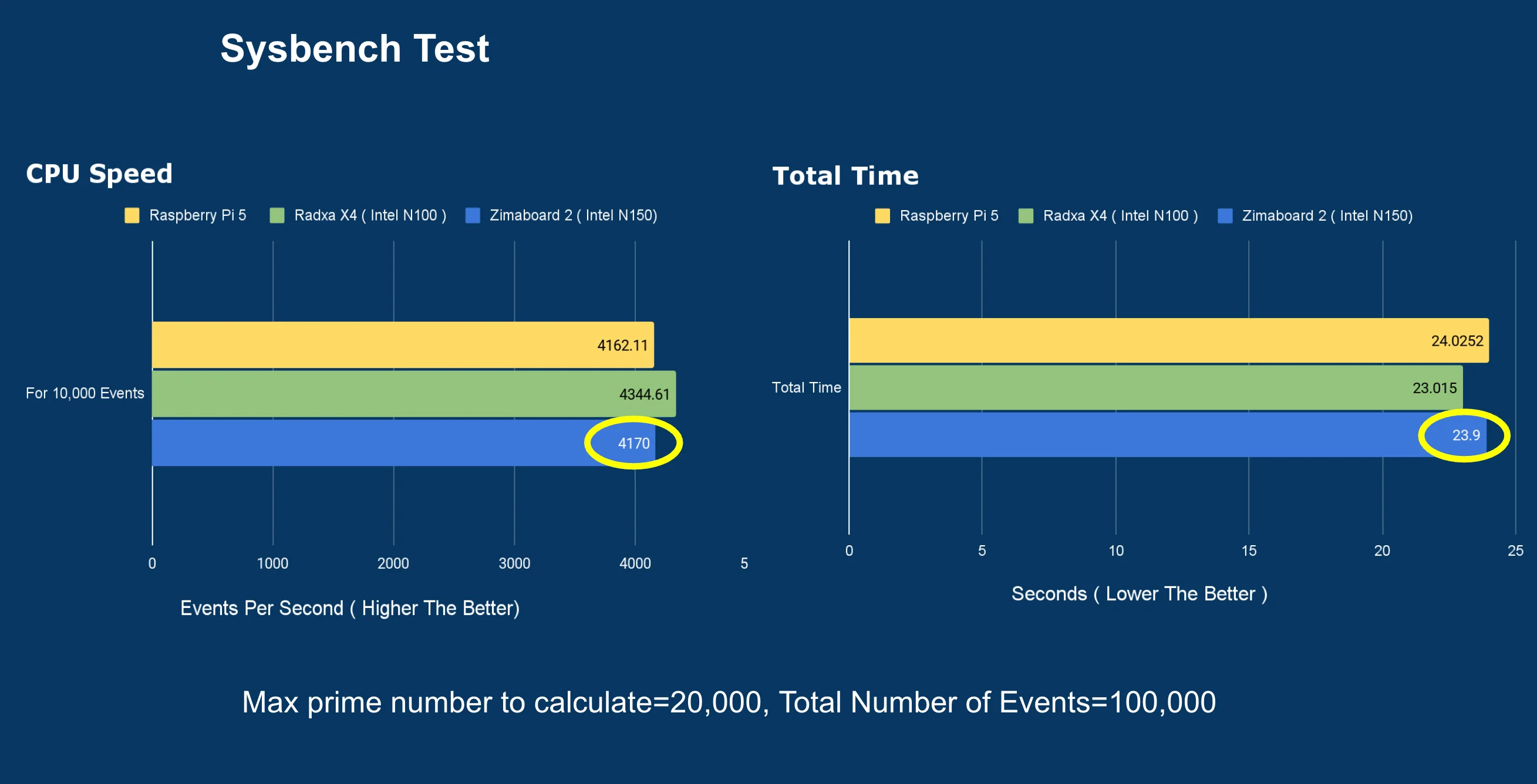
- Sysbench: Calculated primes up to 20,000 in 24 seconds (4,170 req/s), performing similarly to the Intel N100-based Radxa X4.
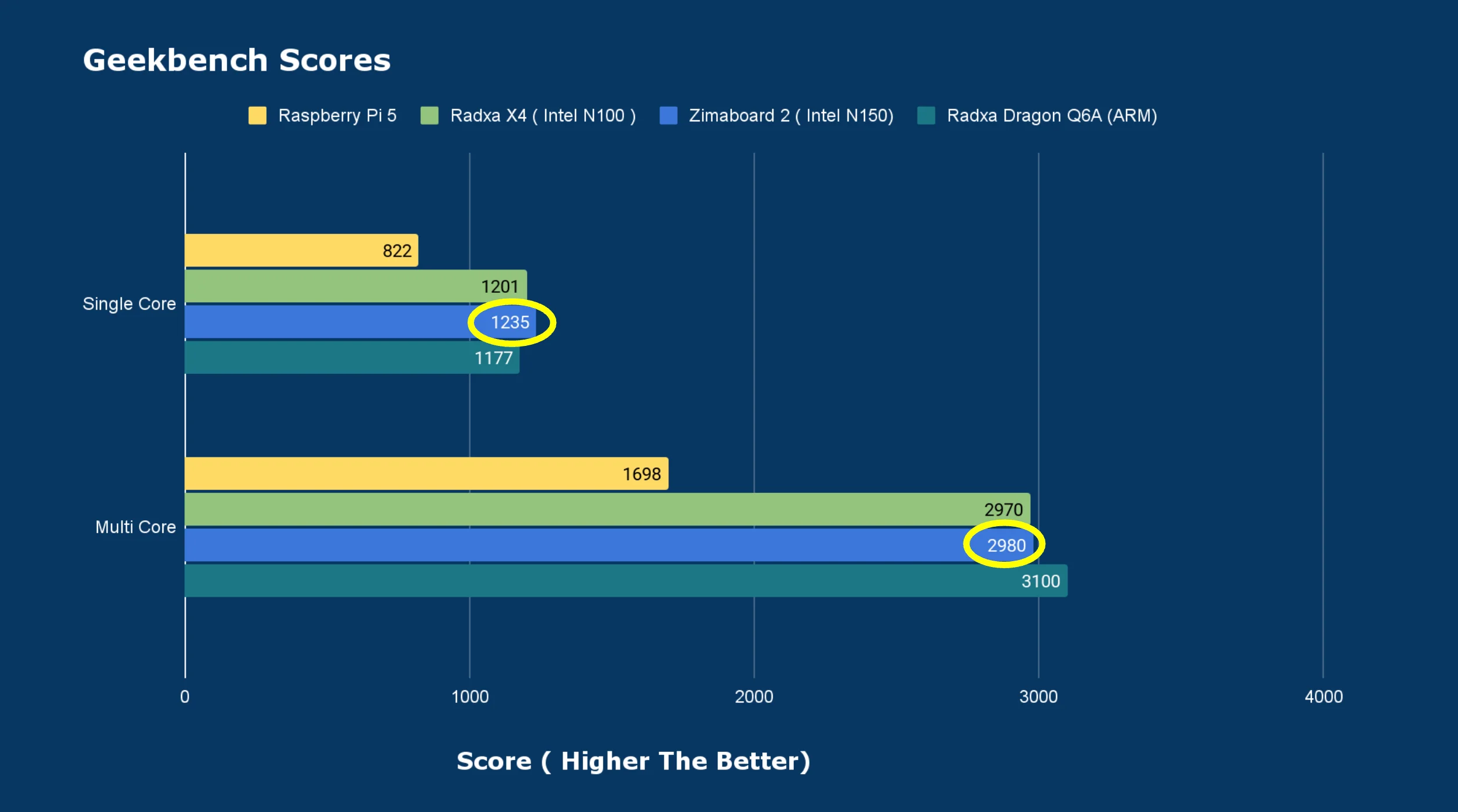
- Geekbench: Scored 1,235 (Single-Core) and 2,980 (Multi-Core).
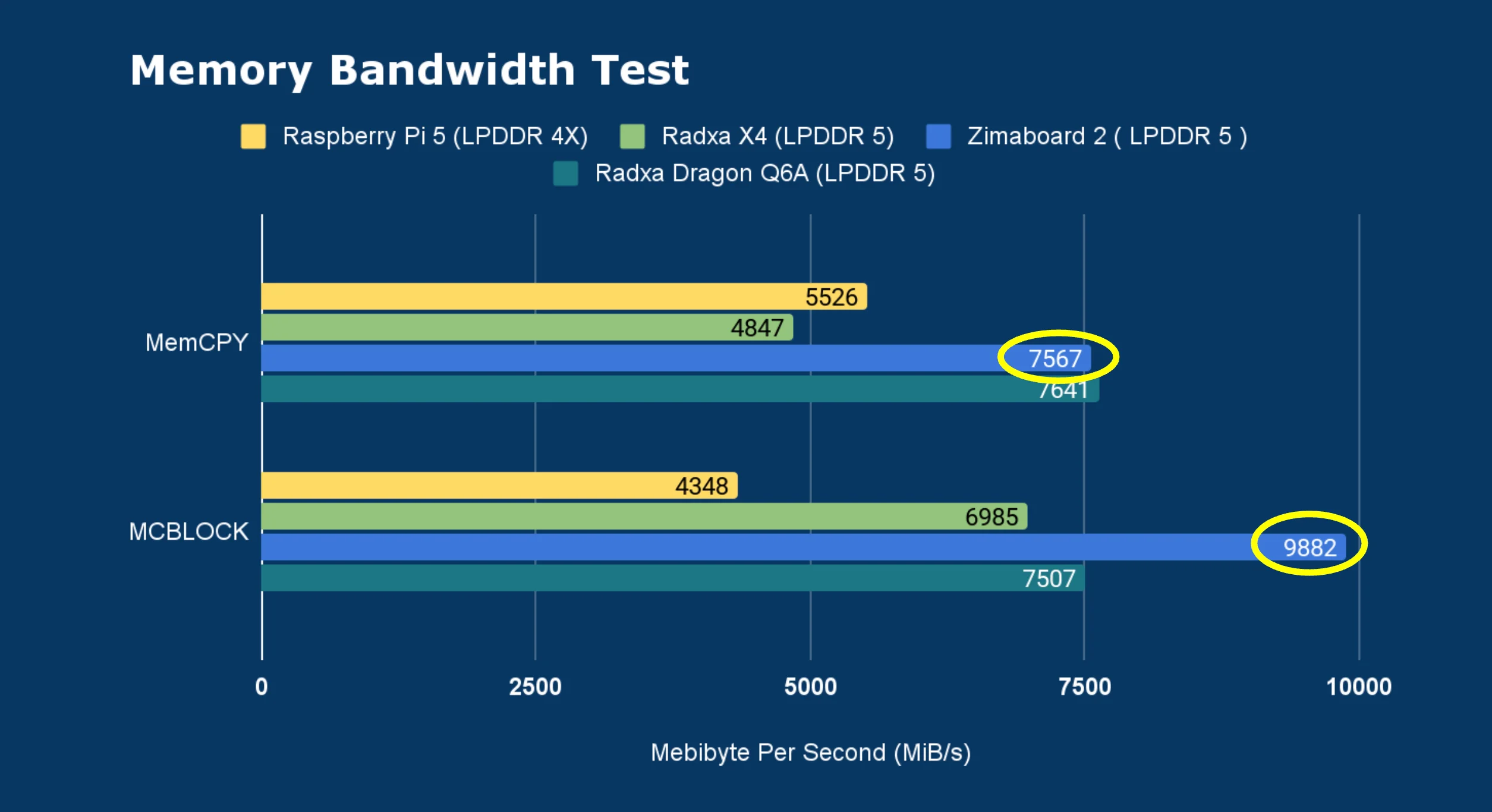
- Memory Bandwidth Test: Hit 9,800 MiB/s for block copies. Thanks to the 64-bit bus size, it offers superior memory access performance compared to many peers.
Connectivity & Speed
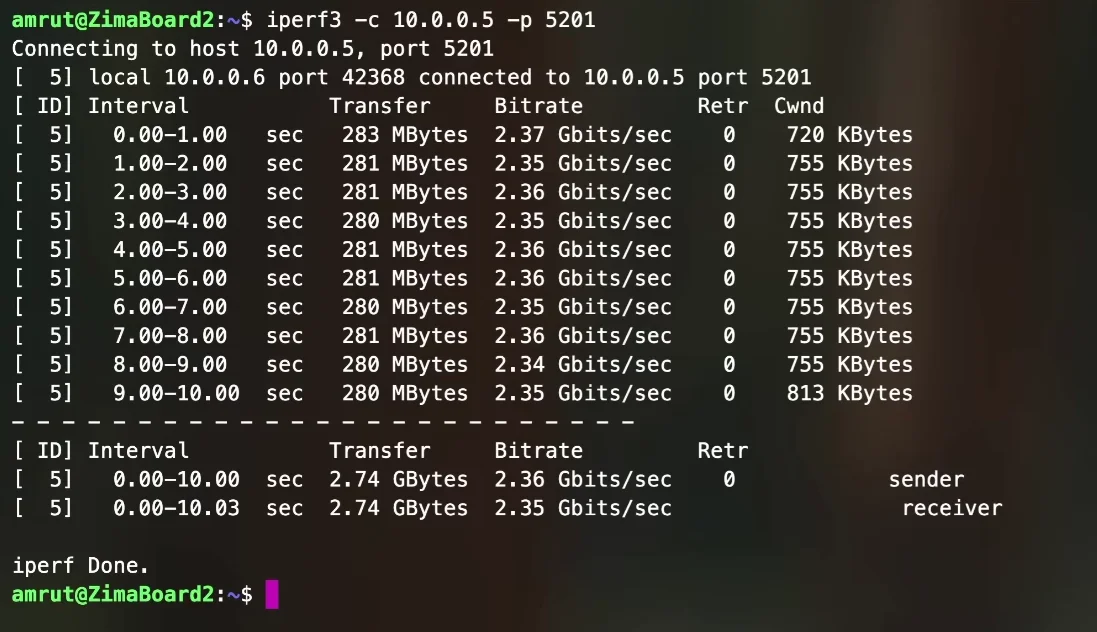
- iPerf3 Networking: Both ports easily hit 2.35 Gbps for both uploads and downloads.
- USB 3.1: Confirmed Gen 1 speeds (10,000 bus size) using an NVMe-to-USB adapter.

Edge AI: Running LLMs Locally
Can this small board handle AI? I ran Qwen 3 (8B parameter model) via Ollama.
- Prompt Evaluation: 6.4 tokens per second.
- Response Generation: 4.26 tokens per second.
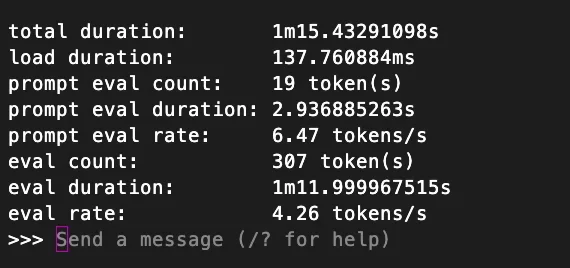
While not a dedicated AI powerhouse, it is more than capable of running local, private AI assistants without any cloud subscriptions.
Final Verdict
The ZimaBoard 2 is the perfect balance of x86 flexibility and passive cooling. Whether you want a private local storage solution or a flexible home lab for AI and VMs, this kit delivers performance without the subscription fees.